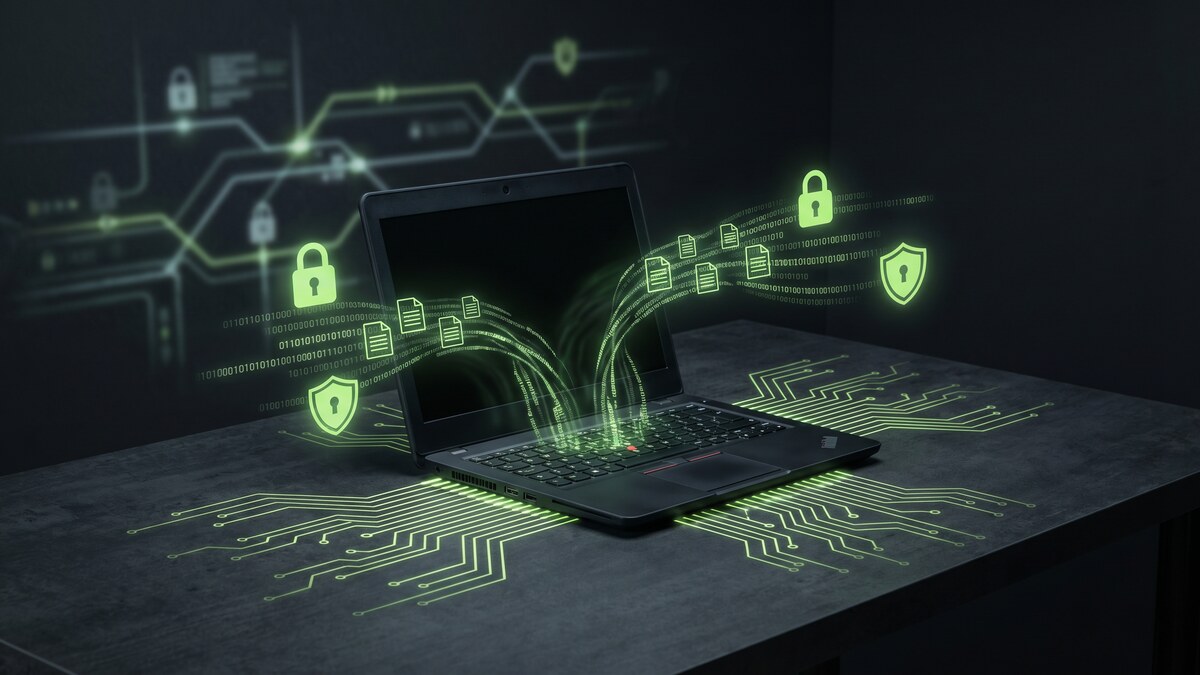
Remote and hybrid teaching has become permanent for millions of educators. Whether you are grading papers from a coffee shop, leading a video lesson from home, or accessing your school's gradebook from a hotel on a field trip, you are handling sensitive student data on networks you do not control.
That exposure has consequences. According to CyberNut's 2026 K-12 threat report, 82% of K-12 institutions have already experienced cyber threat impacts, with recovery costs ranging from $50,000 to over $9 million per incident. In 2025, ransomware gangs launched 251 attacks on educational institutions globally, breaching nearly 4 million records — a 27% increase from the year before.
A VPN is one of the simplest, most affordable steps a teacher can take to protect student data, secure their own privacy, and stay compliant with FERPA and district security policies.
Why Teachers Are a Target
Schools hold some of the most sensitive data in existence: student names, addresses, Social Security numbers, medical records, behavioral histories, and family financial information. That data has enormous value to attackers — and schools are notoriously under-resourced when it comes to cybersecurity.
61% of school districts rely on general funds rather than dedicated cybersecurity budgets, which means understaffed IT teams, outdated software, and security gaps that attackers know how to find. Teachers working remotely represent an easy entry point — their home networks and personal devices are typically far less secure than campus infrastructure.
The numbers are stark. In 2025, the US accounted for 130 of the 251 global education ransomware attacks — more than any other country. The average ransom demand was $464,000. And attackers are not slowing down: the ransomware group Interlock launched 17 attacks on US schools in 2025, up from just 2 in 2024.
Teachers are not just bystanders in these attacks. They are often the initial entry point through phishing emails, compromised credentials, or unencrypted connections on public networks.
What a VPN Protects When You Are Teaching Remotely
A VPN encrypts your internet connection from the moment data leaves your device. Everything you send and receive — login credentials, gradebook entries, student records, video calls, email attachments — travels through an encrypted tunnel that prevents eavesdroppers from intercepting it.
Here is what that means for teachers specifically:
- Accessing your school's LMS or gradebook remotely: Platforms like Canvas, Schoology, PowerSchool, and Google Classroom contain FERPA-protected student data. Accessing them on public Wi-Fi without a VPN exposes that data to anyone monitoring the network.
- Conducting video lessons from home or public locations: Zoom, Google Meet, and Teams sessions can be intercepted on unencrypted networks. A VPN ensures your calls remain private.
- Sending grades, progress reports, or student communications via email: Email traffic is encrypted in transit by most providers, but a VPN adds a critical additional layer — especially on hotel and coffee shop Wi-Fi where traffic can be logged.
- Logging into school admin systems: District portals often require VPN access per policy. Using a personal VPN when your school's VPN is down or unavailable fills that security gap.
- Protecting your personal accounts while using the same device for work: Most teachers use the same laptop for school and personal tasks. A VPN protects both.
One Tap to Protect Student Data
CyberFence uses AES-256-GCM encryption and a strict zero-logs policy — no records of your sessions, no browsing history, no data stored. Connect before you open your gradebook.
Start Free TrialFERPA and Your Responsibility as an Educator
The Family Educational Rights and Privacy Act (FERPA) requires schools to protect the privacy of student education records. While FERPA compliance is primarily a district obligation, individual teachers who access student data remotely have a role in maintaining that protection.
When a teacher accesses FERPA-protected records on an unsecured network, they create a potential exposure that the district is ultimately responsible for — but the teacher is often the cause. A VPN is the simplest technical control that demonstrates reasonable effort to secure that access.
Many district IT policies already require VPN use for remote access to school systems. If your district provides one, use it. If it does not — or if you need protection beyond what your school's corporate VPN offers for your personal device and browsing — a consumer VPN like CyberFence fills that gap.
The Specific Threats Teachers Face
Understanding the attack landscape helps you see why basic encryption is not enough. Here are the most common threats targeting remote educators:
- Phishing emails impersonating administrators or IT: Attackers send convincing emails asking you to "verify your credentials" or "update your VPN settings." Clicking opens a credential-harvesting page. A VPN with DNS-level threat blocking can detect and block these malicious domains before the page even loads.
- Man-in-the-middle attacks on public Wi-Fi: On unencrypted networks, attackers can position themselves between your device and the router, intercepting everything you send. AES-256 encryption makes this captured data unreadable.
- Credential theft through unsecured connections: Logging into school systems without a VPN on hotel Wi-Fi exposes your username and password. With a VPN, those credentials travel encrypted.
- Ransomware delivered through compromised remote access: Once attackers have your school credentials, they can access district systems and deploy ransomware. A VPN with zero-logs policy means your credentials are not logged or exposed by the VPN provider itself.
What to Look for in a VPN for Teachers
Not all VPNs are equal. These are the features that matter most for educators:
- AES-256 encryption: The standard for protecting sensitive data. Anything weaker is inadequate for work involving student records.
- Zero-logs policy: Your VPN provider should not store records of your browsing activity or connection logs. If the provider keeps logs, those logs could be accessed in a breach of the VPN provider itself.
- DNS-level threat blocking: A feature that blocks access to known malicious domains — phishing sites, malware distribution points, and trackers — before your browser even connects. This is the Web Shield feature in CyberFence.
- Kill switch: If your VPN connection drops unexpectedly, a kill switch cuts your internet access immediately rather than letting your traffic revert to unencrypted. Critical for any session involving student data.
- Multi-device support: Teachers work across laptops, tablets, and phones. One subscription should cover all your devices.
- US-based operations: For FERPA compliance and data residency purposes, using a VPN operated under US jurisdiction — rather than foreign privacy laws — is the right choice for educators handling US student data.
Practical Setup: How to Use a VPN for Remote Teaching
Setup is straightforward and takes less than five minutes:
- Install on every device you use for work — your laptop, tablet, and phone. Teachers frequently access school systems from all three.
- Enable the kill switch in the app settings before your first session.
- Connect before opening any school application — before launching your LMS, gradebook, or school email. Not after.
- Leave it running throughout your work session. There is no reason to disconnect between tasks.
- Use it on home Wi-Fi too. Home routers are frequently targeted. Your home network is not inherently secure just because it requires a password.
CyberFence connects in a single tap and works in the background without affecting your teaching workflow. At $7.99/month — or $7.35/month on the annual plan — it costs less than a single cup of coffee per week to protect everything you access professionally.
Protect Every Lesson, Every Login, Every Student Record
CyberFence gives teachers AES-256-GCM encryption, zero logs, Web Shield DNS blocking, and a kill switch — on every device, starting at $7.99/month.
View PlansThe Bottom Line
Education is the most targeted sector for ransomware in the United States. Teachers working remotely are frequently the entry point. And the data you handle — student records, grades, behavioral files, family information — is protected by federal law for good reason.
A VPN does not solve every cybersecurity problem. But it closes the most common attack vectors for remote workers: unencrypted public networks, intercepted credentials, and DNS-level phishing attacks. It is a $7.99/month decision that protects your students, your school, and your professional standing.
If you work with student data outside a school building, you should be on a VPN. Start with CyberFence's Free Trial — it takes five minutes to set up and works on everything you use to teach.
For more on protecting sensitive data in professional settings, see our guides on VPN for healthcare workers and HIPAA-compliant VPN use.