What You Get
One App. Every Feature You Need.
Most VPNs encrypt traffic and stop there. CyberFence adds DNS-level threat blocking, dark web breach monitoring, per-app Split Tunneling, and live network intelligence — all in one subscription, on every platform you own.

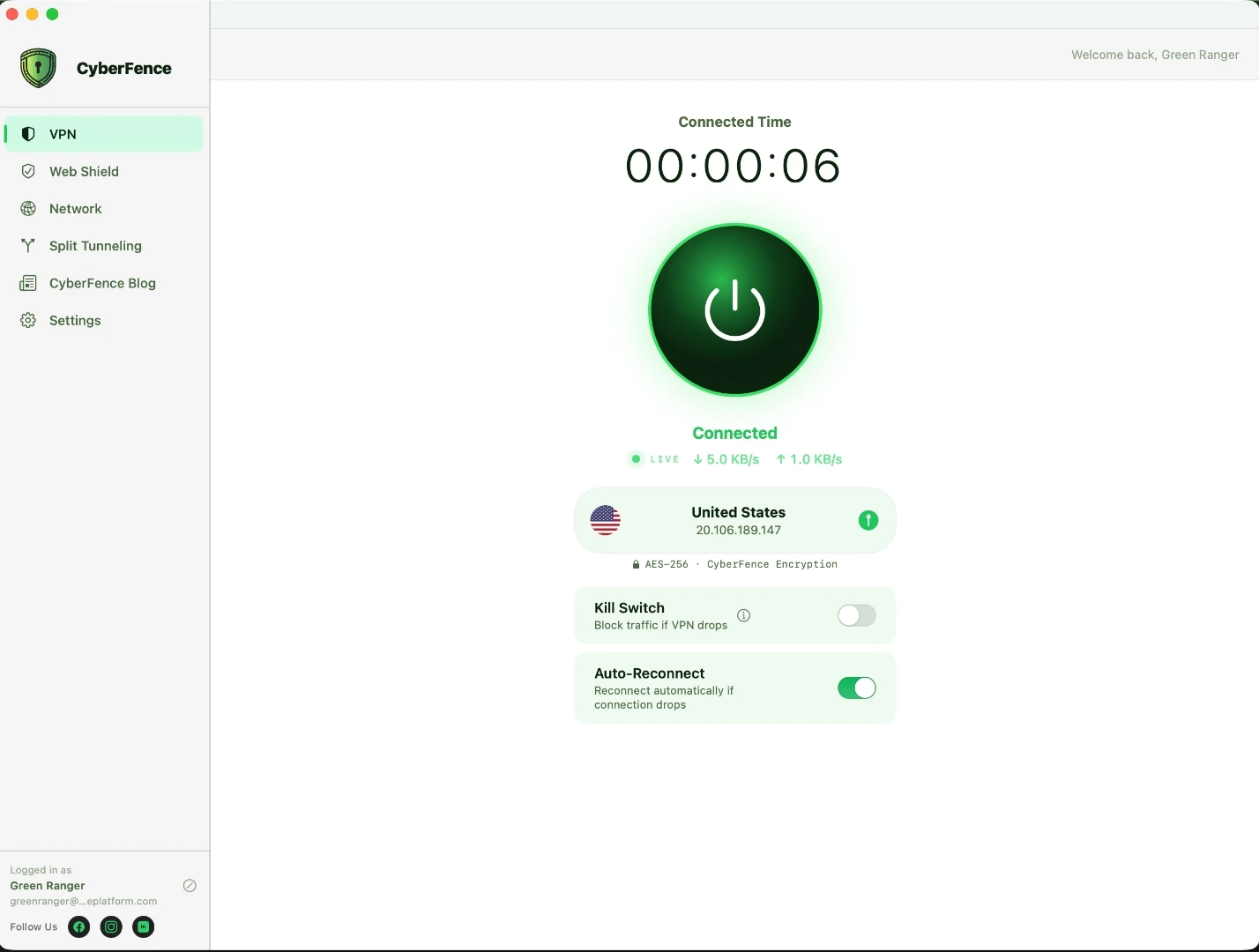
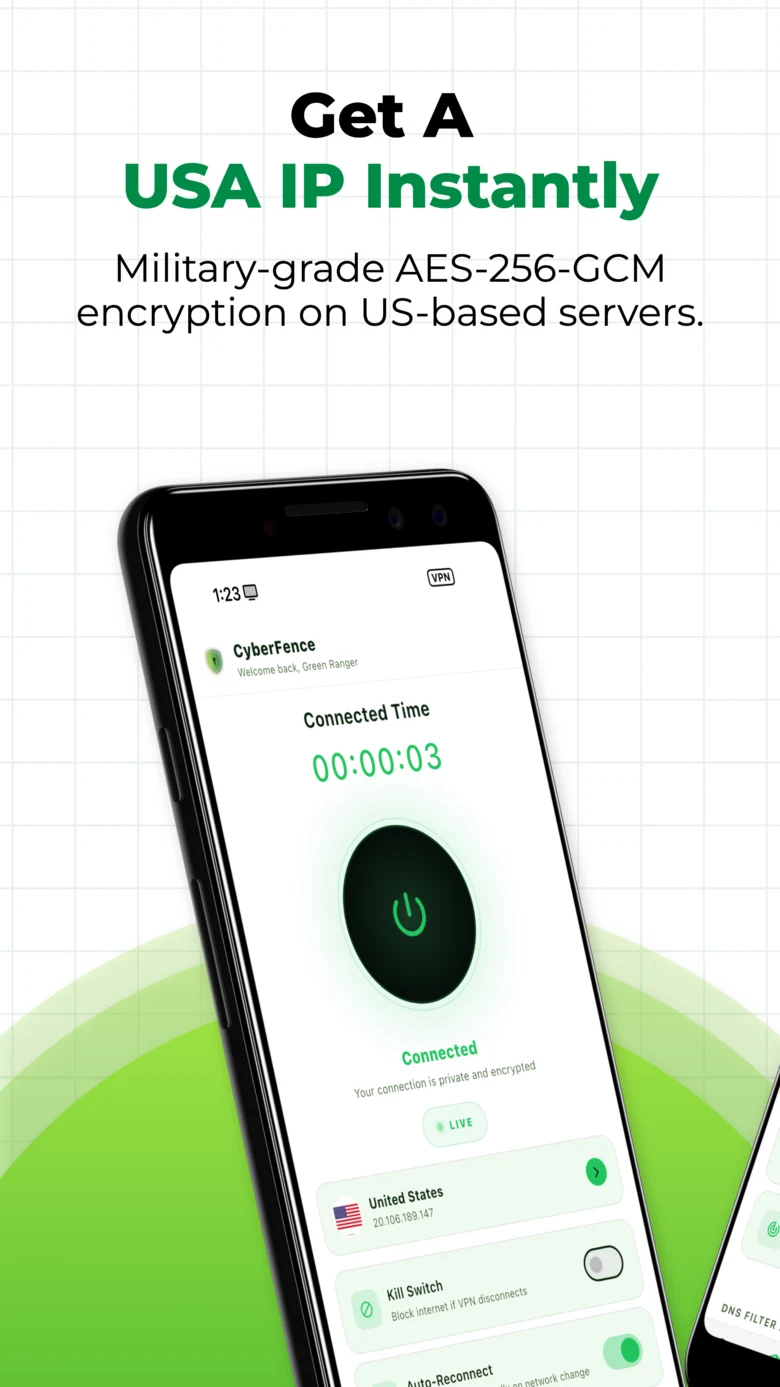
US-Based VPN
Every byte of traffic is encrypted with AES-256-GCM before it leaves your device and routed through servers physically located in the United States — operated by Perez Technology Group. Your data never touches foreign infrastructure.
- AES-256-GCM encryption on every connection
- US-operated server infrastructure — not just US servers
- Kill Switch — blocks internet if VPN drops
- Auto-Reconnect on network change
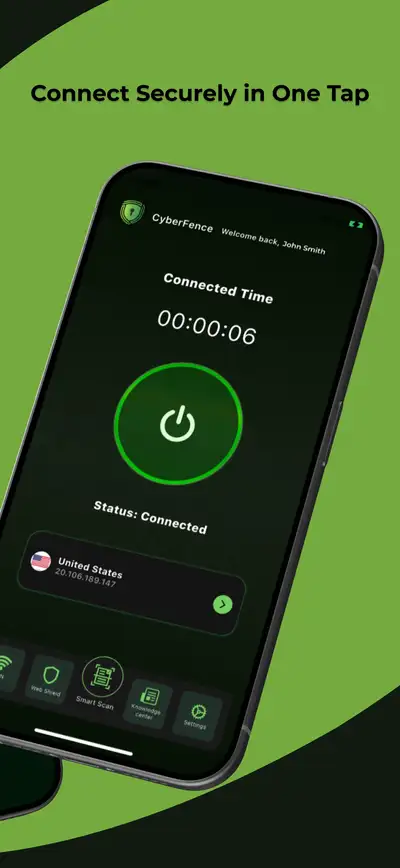
- One-tap connect on all platforms
- Zero bandwidth throttling
Web Shield
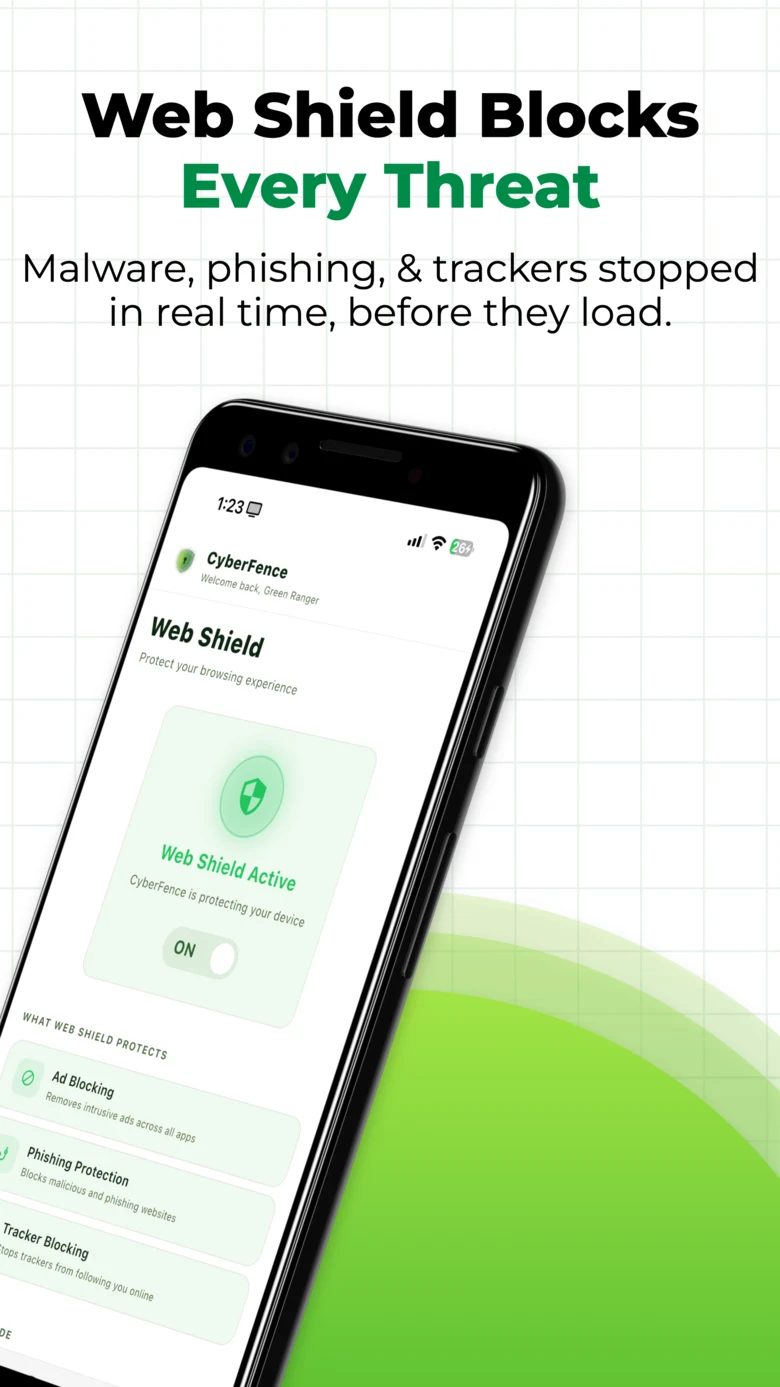
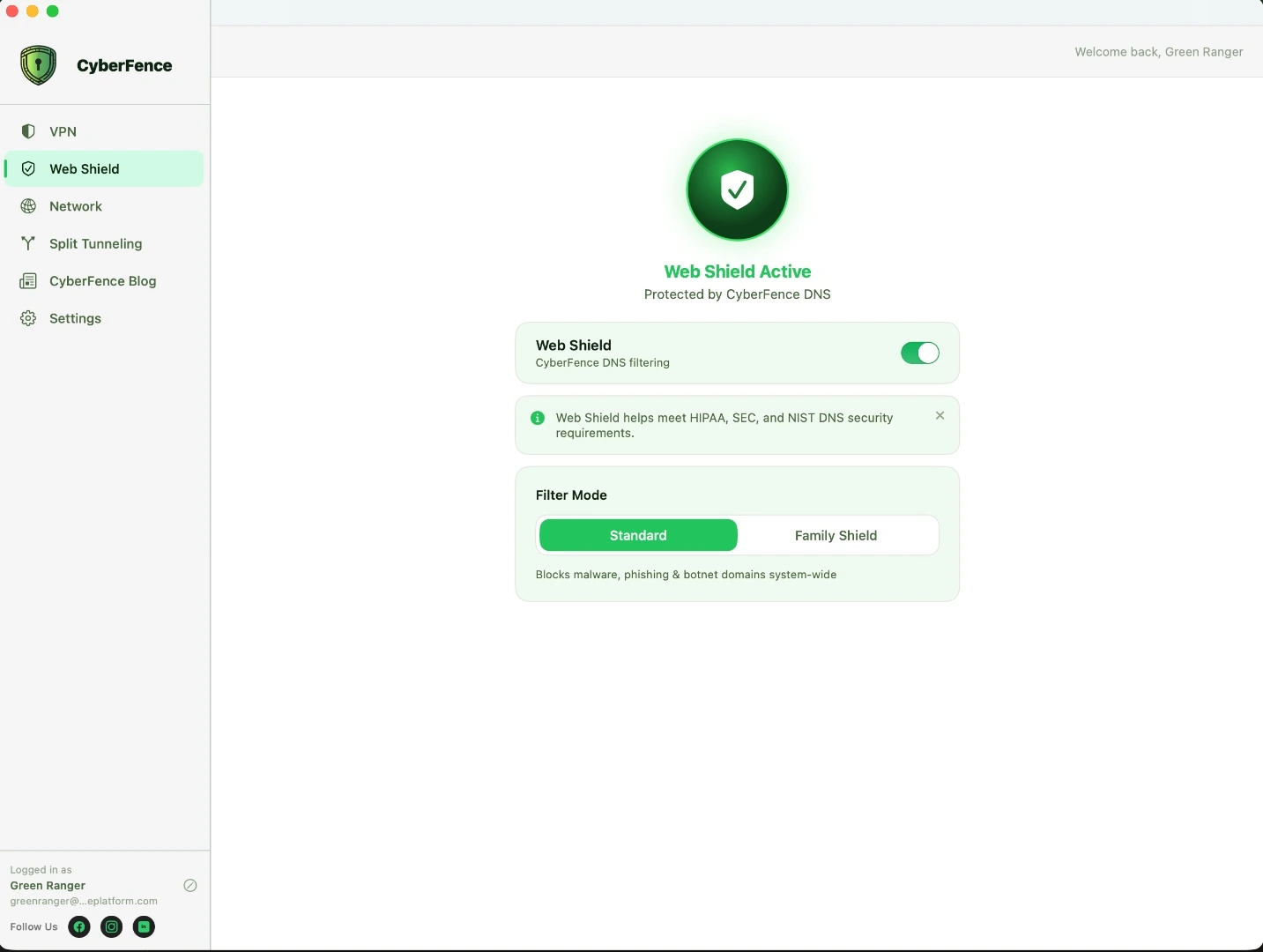
Web Shield operates at the DNS layer — it intercepts malware, phishing sites, trackers, and harmful domains before any connection is made and before any data is exchanged. Works across every app on your device, not just your browser. How DNS filtering works →
- Blocks malware and phishing domains before they load
- Stops trackers system-wide across every app
- Standard mode — threat and malware blocking
- Family Shield mode — adds adult content filtering
- Granular category controls on Mac and Windows
- Works independently of VPN state
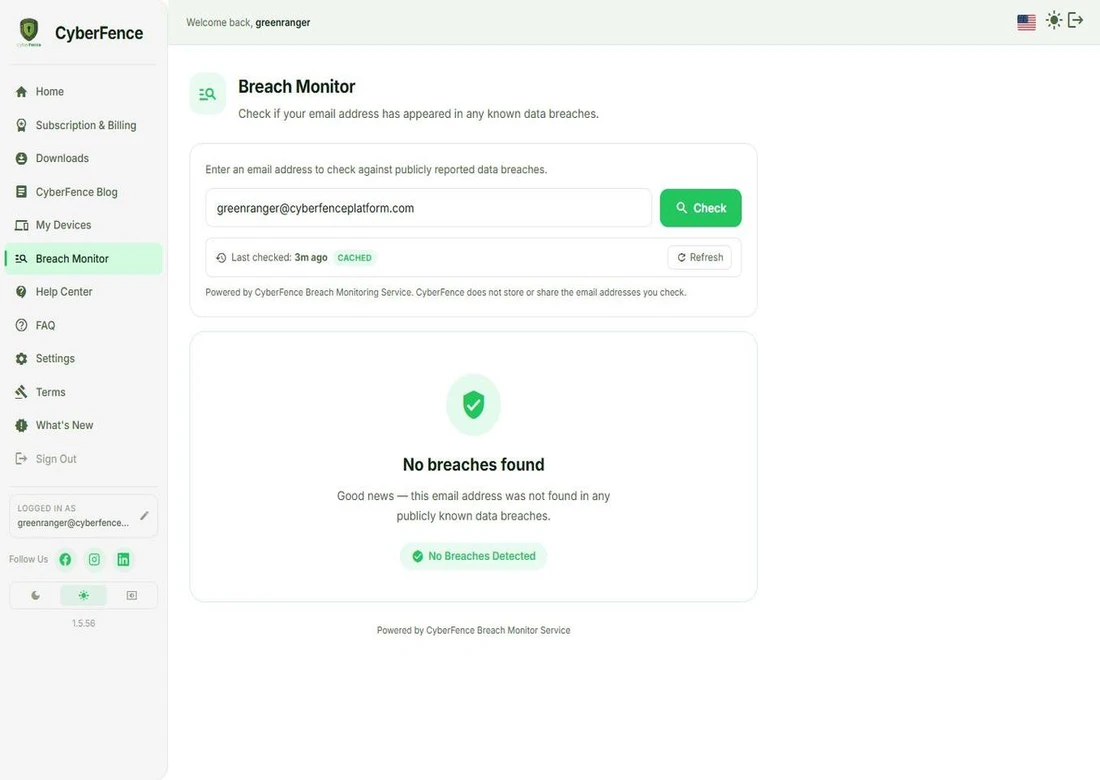
Dark Web Breach Monitor
Breach Monitor continuously checks whether your email address, passwords, or personal data have appeared in any known data breach — across 15 billion+ records from 700+ sources. If you've been exposed, you get an immediate alert with exactly what was leaked and what to do next.
- Continuous monitoring — not a one-time scan
- 15 billion+ breach records across 700+ sources
- See exactly what data was exposed per breach
- Severity ratings — High, Medium, Low per breach
- Mark breaches as resolved to track recovery
- Included in every CyberFence subscription
Network Monitor
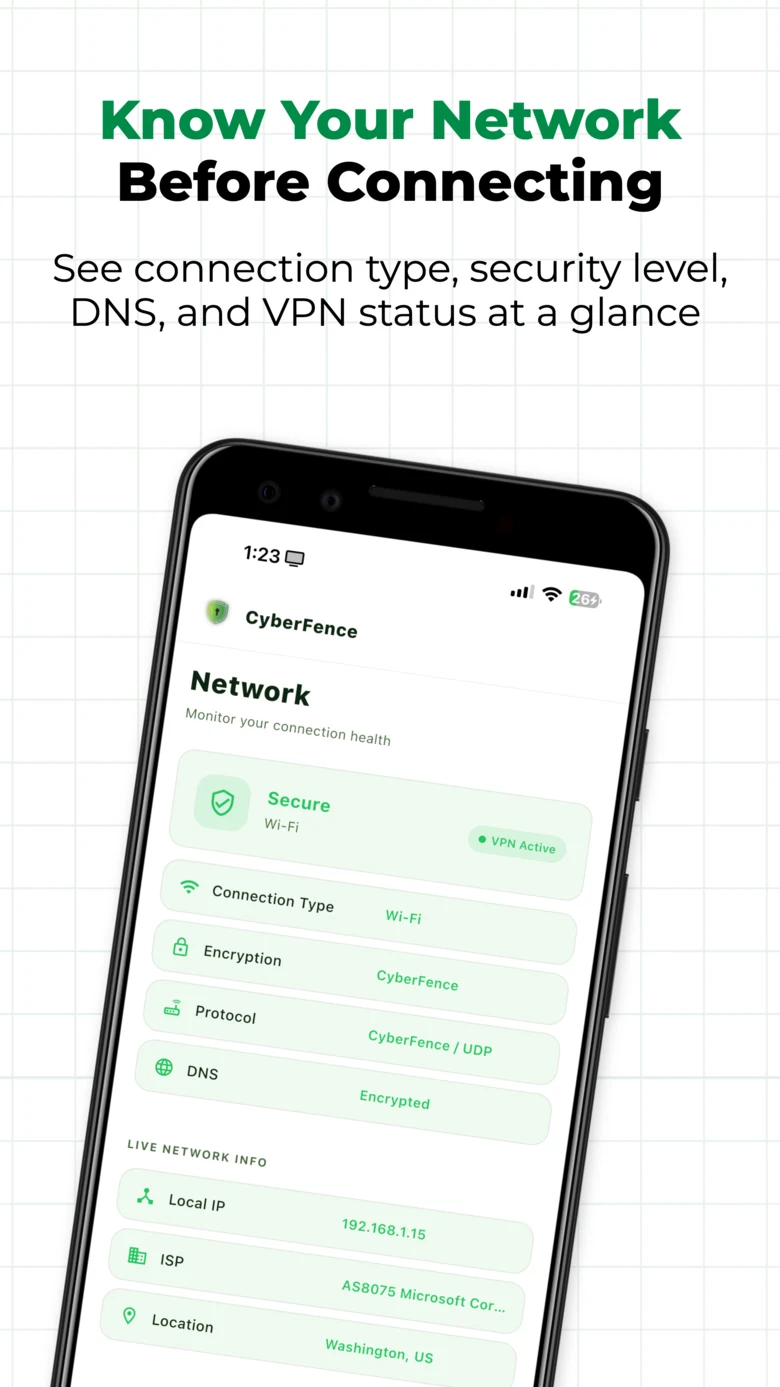
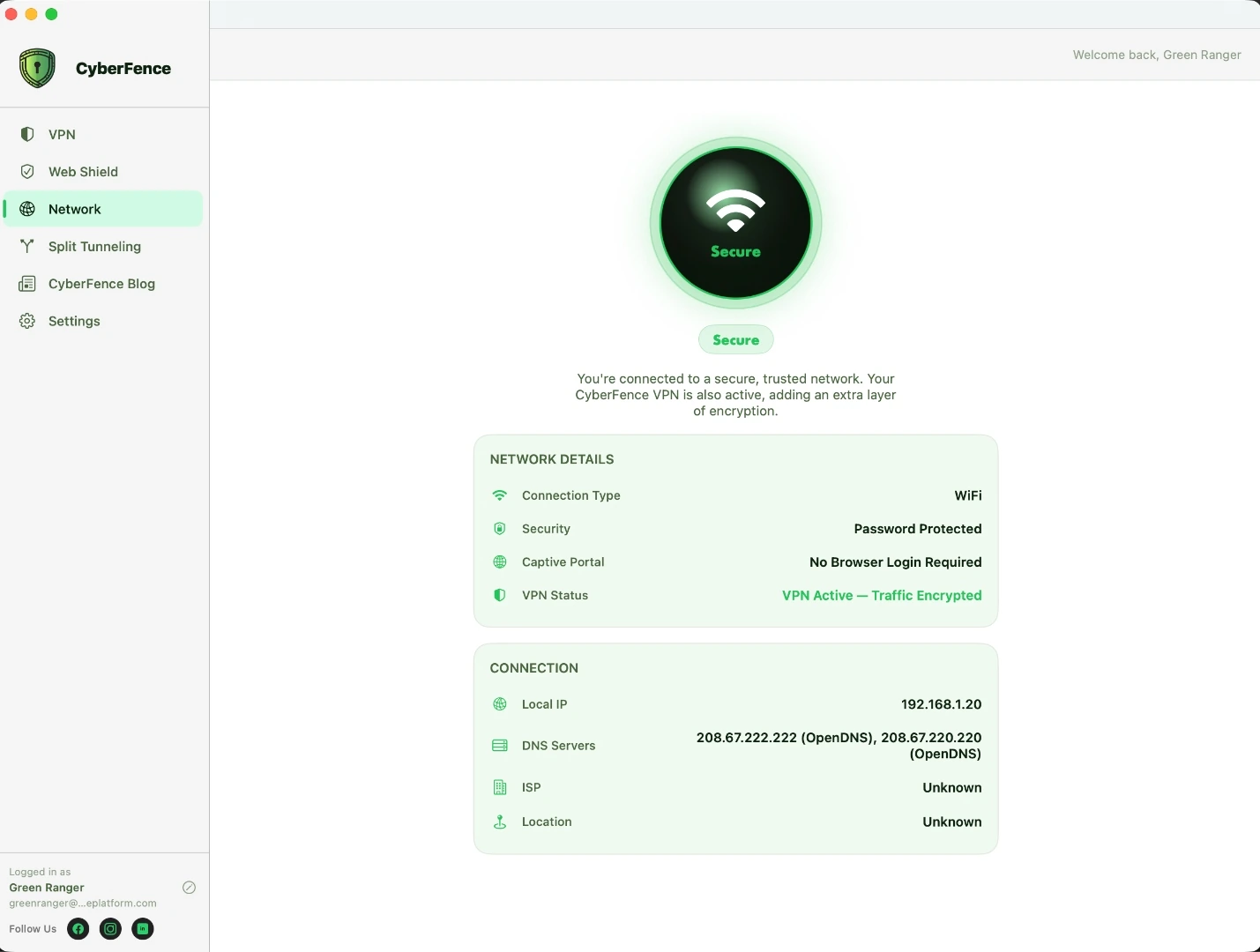
Know the security posture of every network you connect to before your data leaves your device. Connection type, security level, DNS status, VPN state, local IP, ISP, and server location — all live, all on one screen.
- Connection type — Wi-Fi, Ethernet, or cellular
- Security level — Secure, Password Protected, or Open
- DNS status — Encrypted when CyberFence is active
- Protocol and encryption display
- Live local IP, ISP, and server location
- Captive portal detection — flags hotel and airport login walls
Split Tunneling
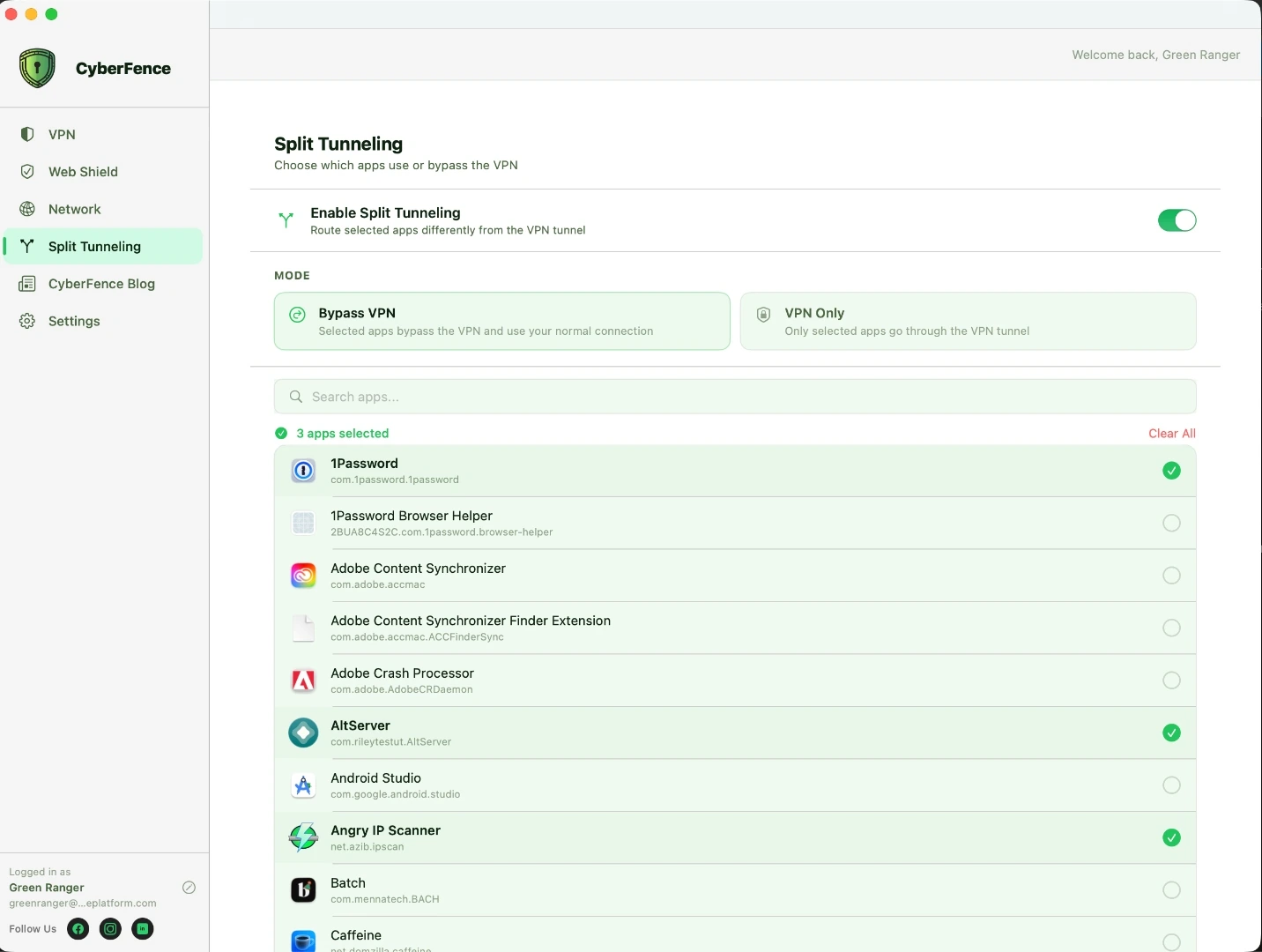
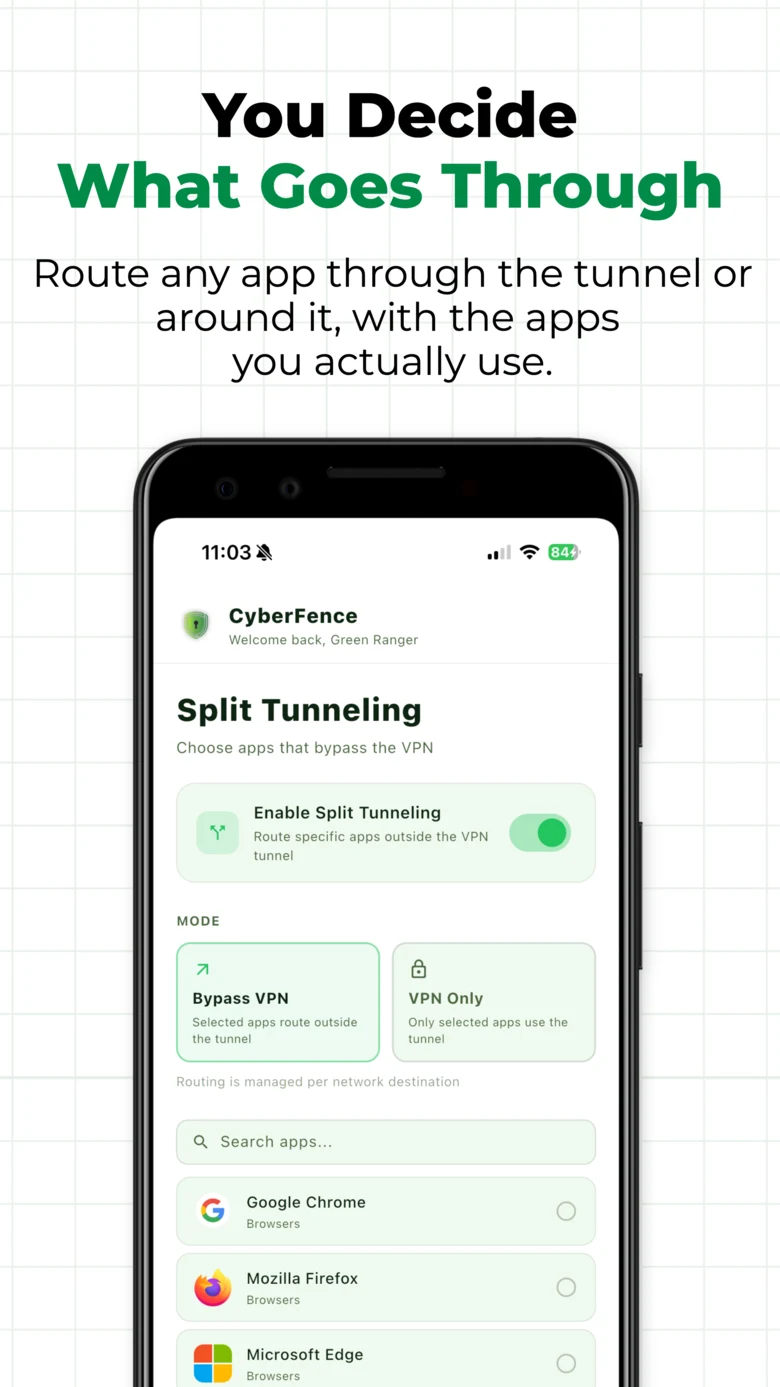
Choose exactly which apps route through the VPN and which connect directly. Bypass VPN mode routes selected apps outside the tunnel — everything else is protected. VPN Only mode does the opposite. Full per-app granularity with real app icons from your device.
- Per-app routing — any installed app, included or excluded
- Bypass VPN mode — selected apps skip the tunnel
- VPN Only mode — only selected apps use the tunnel
- Real app icons on Android — no guessing which app is which
- Searchable app list on Mac and Windows
- Changes take effect immediately — no reconnect required
Every Plan
Also Included in Every Subscription.
AES-256-GCM Encryption
Every connection is wrapped in AES-256-GCM — the encryption standard used by the US Department of Defense. Active on every platform, every time you connect.
Biometric Lock
Face ID, Touch ID, Windows Hello, and fingerprint unlock. Lock the app so no one else can access your VPN settings, connection history, or breach data — even with your phone in hand.
Zero Logs Policy
CyberFence never records your browsing activity, IP address, DNS queries, or connection timestamps. There is nothing to hand over — because nothing is stored. Enforced by architecture, not just policy. Why CyberFence →
Live Speed Stats
Real-time download and upload speeds displayed on the VPN screen, updating every 2 seconds. Know your connection is active and performing at a glance.
Connection History
Every VPN session logged — when you connected, how long, and which server. Full audit trail of your protection history available in-app at any time.
Multi-Device Coverage
One subscription covers every device you own — iPhone, iPad, Android phone, Android tablet, Mac, Windows, and the Web App. Sign in anywhere, protected everywhere, simultaneously.
HIPAA / NIST / CMMC / SEC
US-operated infrastructure, AES-256-GCM encryption, and zero-log architecture supports HIPAA, NIST, CMMC, and SEC compliance documentation. Weekly compliance reports included in Teams plans. CyberFence for Teams →
One-Tap Connect
Tap once and you are protected. No configuration, no technical knowledge required. The VPN connects, Web Shield activates, and your live stats appear — all in one tap.
All Your Devices
Every Feature. Every Platform.
CyberFence runs natively on all five platforms — built for each OS, not ported. Each has its own dedicated page with platform-specific details.
 iPhone & iPad
  Android
  Mac
Mac 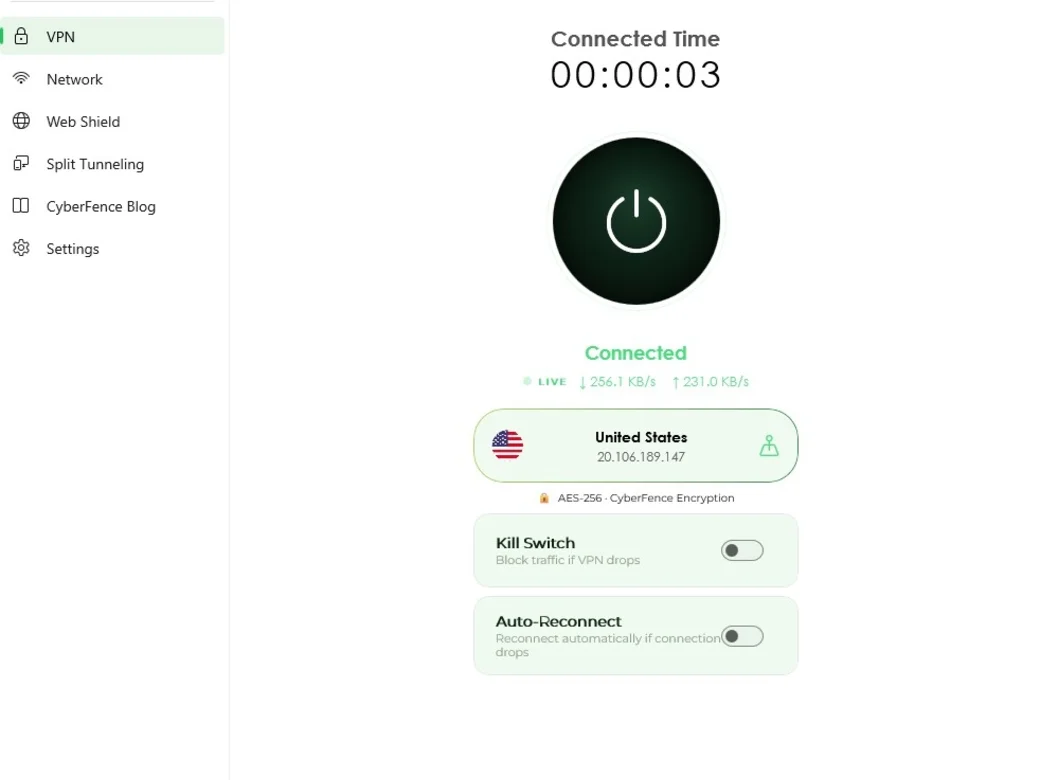
 Windows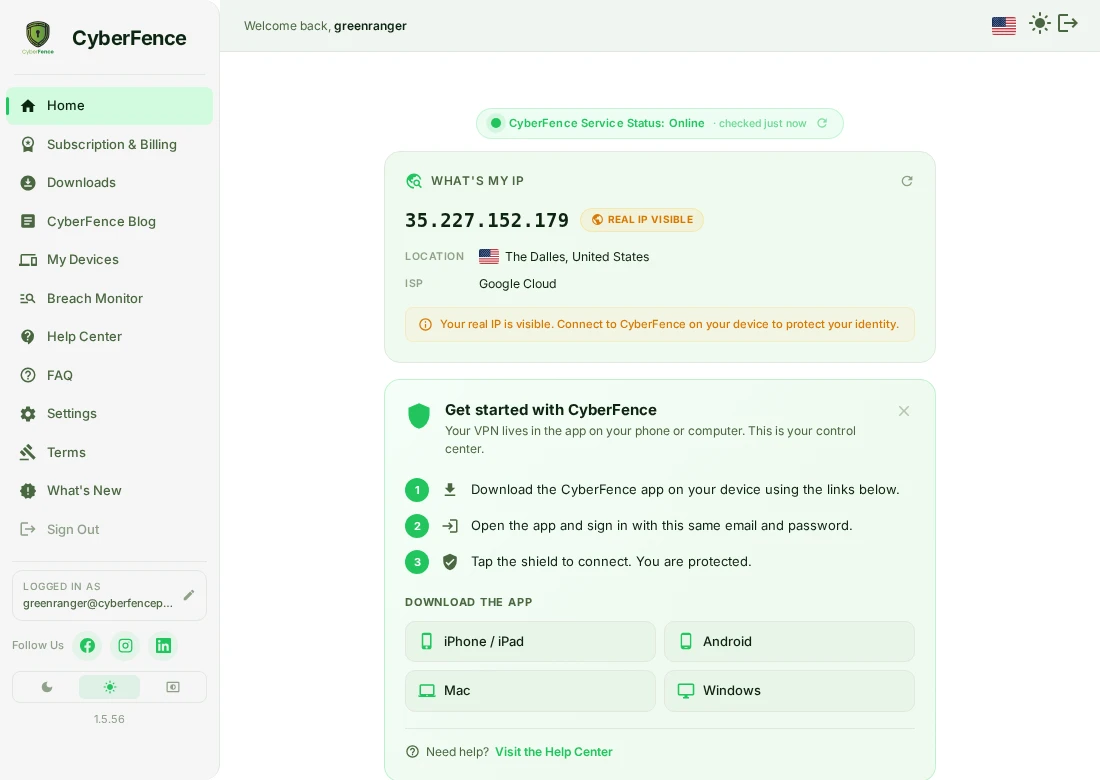
 Web App
 FAQ
Common Questions About CyberFence Features.
What features are included in every CyberFence plan?
Every CyberFence subscription includes AES-256-GCM VPN, Web Shield DNS filtering, Dark Web Breach Monitor, Network Monitor, Split Tunneling, Biometric Lock, Kill Switch, Auto-Reconnect, Zero Logs, Live Speed Stats, Connection History, and multi-device coverage across iPhone, iPad, Android, Mac, Windows, and the Web App.
Does CyberFence have Split Tunneling?
Yes. Split Tunneling lets you choose which apps route through the VPN and which connect directly. Two modes: Bypass VPN (selected apps skip the tunnel) and VPN Only (only selected apps use the tunnel). Available on Mac, Windows, and Android — with real app icons on Android so you always know which app is which.
Is Breach Monitor included in the subscription or an add-on?
Dark Web Breach Monitor is included in every CyberFence subscription at no extra charge. It continuously monitors the dark web for your email address and credentials across 15 billion+ breach records from 700+ sources. No manual scans required.
Does Web Shield work on every platform?
Yes. Web Shield DNS filtering works on iPhone, iPad, Android, Mac, Windows, and the Web App. It blocks malware, phishing sites, and trackers at the DNS layer before they load — across every app on your device, not just your browser. It operates independently of the VPN connection.
Does CyberFence work on Android and iPhone at the same time?
Yes. One CyberFence subscription covers all your devices simultaneously — iPhone, iPad, Android phone, Android tablet, Mac, Windows, and the Web App. Sign in on any device and you are protected immediately with no extra cost.
Is CyberFence compliant with HIPAA and NIST requirements?
CyberFence's US-operated infrastructure, AES-256-GCM encryption, and zero-log architecture supports HIPAA, NIST SP 800-171, CMMC Level 1, and SEC Rule 17a-4 compliance documentation. CyberFence Teams includes weekly compliance reports generated from your organization's real data.
Ready to See It in Action?
Every feature. All five platforms. One subscription starting at $7.99/mo.