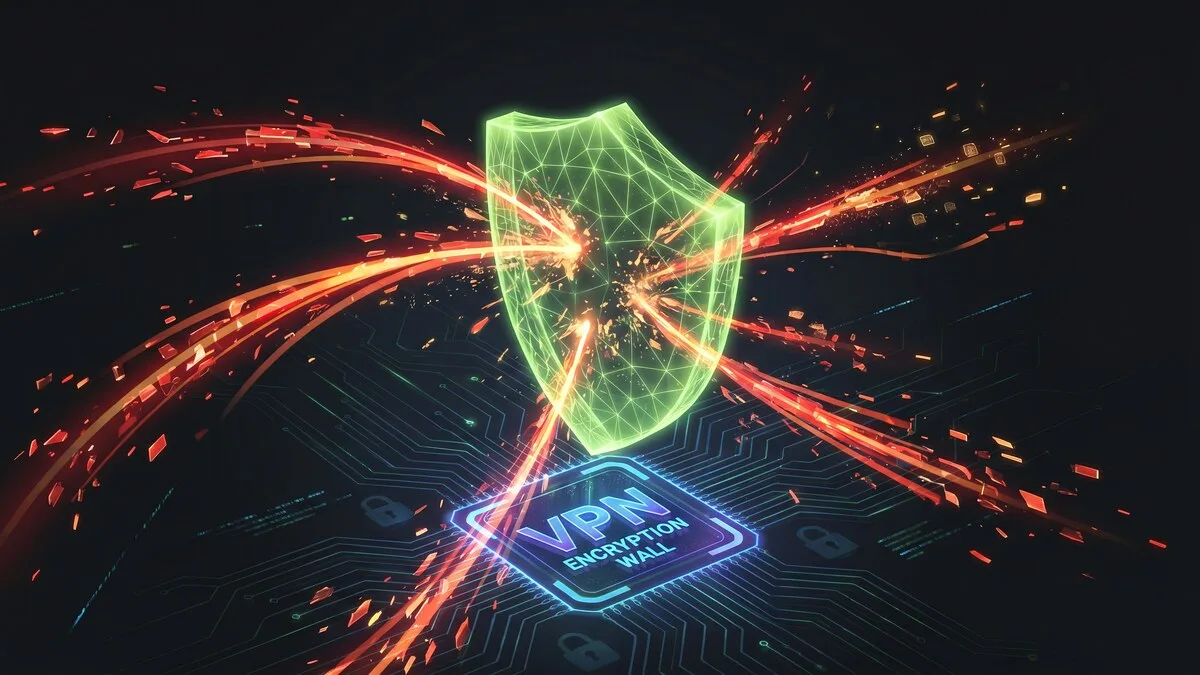
Nearly half of all internet users use a VPN for security reasons, according to Security.org's 2026 VPN research. Many of them believe a VPN makes them safe from hackers. That belief is partly correct and partly dangerously incomplete.
A VPN is a real defense against specific, common attack types. Against others, it provides zero protection. Knowing the difference is not a technicality — it determines whether you are actually safe or just feeling safe while remaining exposed.
This article gives you the accurate, complete answer: which hacking methods a VPN stops, which it cannot stop, and what you need alongside a VPN to close the remaining gaps.
What a VPN Actually Does (The Foundation)
A VPN does two things: it encrypts your internet traffic so it cannot be read in transit, and it masks your real IP address by routing your connection through its own server. Everything a VPN protects you from flows from those two functions. Everything it cannot protect you from is outside those two functions.
Understanding this is the key to answering the hacker question correctly.
Hacking Methods a VPN Protects Against
Man-in-the-Middle (MitM) Attacks
A man-in-the-middle attack is when an attacker intercepts the communication between your device and a website or server. They position themselves between you and your destination, reading, copying, or modifying data in transit.
This is the most common attack on public Wi-Fi. Someone on the same coffee shop or hotel network runs software that intercepts unencrypted traffic flowing through the shared connection. Your login credentials, form submissions, and HTTP traffic become readable.
A VPN defeats this attack entirely. All traffic leaving your device is AES-256-GCM encrypted before it reaches the router or the shared network. An attacker who intercepts it sees only ciphertext — unreadable without the encryption keys held only by your device and the VPN server. Even if they capture every packet, they get nothing useful.
This is why a VPN is the primary security tool for public Wi-Fi use. The 84% of VPN users who cite public Wi-Fi security as their reason for using one are responding to a real and specific threat that a VPN genuinely neutralizes.
Remote Hacking via IP Address
Attackers use IP addresses to locate devices, probe for open ports, and attempt remote exploitation. Your public IP address is your device's identifier on the internet — knowing it is the first step in many targeted attacks, including port scanning, DDoS floods, and direct exploitation of vulnerable services.
A VPN replaces your real IP address with the VPN server's IP. Websites, services, and anyone monitoring network traffic sees the VPN server's IP, not yours. An attacker attempting to target you by IP address hits the VPN server — a hardened system with no relationship to your actual device or home network — instead of you.
This protection is particularly relevant for gamers, streamers, and anyone who has had their IP leaked through online interactions. Once a VPN is active, historical IP-based targeting becomes ineffective.
DDoS (Distributed Denial of Service) Attacks
A DDoS attack floods a target IP address with overwhelming traffic to crash the connection or device. Without your real IP, a DDoS attacker has nothing to target. The VPN absorbs or redirects the traffic before it reaches you.
This is why VPN use is nearly universal among competitive gamers and streamers — DDoS attacks against live streamers and competitive players are common, and hiding the real IP is the primary defense.
DNS Hijacking and DNS Spoofing
DNS hijacking redirects your domain lookups to malicious servers. When you type "bank.com" into your browser, the DNS lookup that resolves that domain to an IP address can be intercepted and redirected to a fake server — one that serves a convincing phishing page for your bank.
A VPN routes all DNS queries through its own encrypted tunnel to its own DNS resolver. Your ISP's DNS servers — the ones most vulnerable to hijacking at the network level — are bypassed entirely. Your DNS queries are encrypted and go to the VPN provider's resolver, which an attacker monitoring your local network cannot redirect.
CyberFence's Web Shield adds active DNS filtering on top of this — blocking known malicious domains, phishing sites, and ad trackers at the DNS level before the connection is ever established.
ISP-Level Surveillance and Traffic Analysis
Your internet service provider sees every unencrypted connection you make. In the US, ISPs are legally permitted to collect and sell browsing data. Beyond commercial surveillance, ISP networks can be compromised by attackers, and ISP-level traffic analysis can reveal behavioral patterns even from encrypted HTTPS connections through metadata analysis.
A VPN encrypts all traffic between your device and the VPN server, preventing ISP-level visibility into your browsing activity. Your ISP sees one encrypted connection to the VPN server — nothing else.
CyberFence uses AES-256-GCM encryption, routes DNS through the encrypted tunnel, and includes Web Shield to block malicious domains at the DNS level. Start your Free Trial — $7.99/mo.
Hacking Methods a VPN Does NOT Protect Against
This section matters as much as the one above. Overconfidence in VPN protection is a real security risk.
Malware, Viruses, and Ransomware
A VPN encrypts traffic in transit. It does nothing about software already on your device or software you download. If you click a malicious email attachment, download infected software, or visit a compromised site that delivers a drive-by download, the malware executes on your device regardless of whether a VPN is running.
According to SQ Magazine's VPN statistics analysis, 62% of security breaches in 2025 exploited weak or stolen remote access credentials — not network-level interception. A VPN would not have prevented those breaches. Endpoint security (antivirus, EDR) addresses device-level threats; a VPN does not.
Phishing Attacks
A VPN does not prevent you from receiving a phishing email or clicking a malicious link. If you enter your credentials on a convincing fake login page for your bank or email provider, the VPN encrypts that transmission — meaning your credentials travel securely to the attacker's server. The encryption does not help when you are the one sending the data to the wrong destination.
Web Shield's DNS filtering blocks known phishing domains — if CyberFence's blocklist includes the malicious domain, the page will not load. But a targeted spear-phishing attack using a newly registered domain may not be in any blocklist. Phishing awareness training and MFA on all critical accounts remain essential layers.
Compromised Accounts and Credential Stuffing
If your username and password for a service were exposed in a prior data breach, an attacker can use those credentials to log in. The VPN cannot distinguish between you logging in and an attacker using your credentials from a different location. Account security depends on strong, unique passwords (via a password manager) and MFA — not on the network transport layer.
This is why CyberFence Breach Monitor complements the VPN — it watches for your credentials appearing in breach databases and alerts you before attackers can use them, closing the gap that a VPN alone cannot address.
Social Engineering
If an attacker calls you pretending to be your bank, your IT department, or a vendor, and convinces you to reveal information or take an action, a VPN provides no protection whatsoever. Social engineering targets human judgment, not network traffic.
Attacks on Already-Infected Devices
If spyware, a keylogger, or a remote access trojan (RAT) is already installed on your device, the VPN tunnel carries that malware's communications in an encrypted wrapper — potentially making the attacker's traffic harder to detect, not easier to stop. A VPN is a perimeter control, not an endpoint control.
Evil Twin Wi-Fi Networks
An evil twin attack is when an attacker creates a rogue Wi-Fi network with the same name as a legitimate one — "Airport_Free_WiFi" — and waits for devices to connect. If you connect to the attacker's network before turning on your VPN, the attacker can intercept the captive portal step, redirect you to a fake login page, or observe the brief window of unencrypted traffic before the VPN tunnel is established.
The protection against evil twin attacks is connecting to the VPN before doing anything on an unfamiliar network — and treating every unfamiliar network as potentially hostile. See our guide on using a VPN correctly on public networks for the exact connection sequence.
The DNS Leak Problem: A Gap Inside the VPN
Even with a VPN active, a DNS leak can expose what sites you visit. DNS leaks occur when your device sends DNS queries outside the VPN tunnel — directly to your ISP's DNS resolver — while the rest of your traffic goes through the tunnel. An attacker monitoring your network can still see every domain you resolve.
According to SQ Magazine's analysis, DNS leaks expose up to 44% of VPN users' traffic to their ISPs or other third parties. This is not a niche problem — it is a misconfiguration that affects nearly half of VPN users.
CyberFence routes all DNS queries through the encrypted tunnel by default and includes a kill switch that cuts internet traffic if the VPN drops, preventing the unprotected window during reconnection. You can test for DNS leaks at dnsleaktest.com — if your ISP's servers appear in the results, your VPN is not handling DNS correctly.
The Complete Protection Stack
A VPN is one critical layer in a complete security posture. Here is what each layer covers and what it cannot:
- VPN — Encrypts traffic in transit, hides IP address, protects against MitM attacks, DNS hijacking, remote IP-based attacks, and network surveillance
- Antivirus / EDR — Detects and blocks malware, viruses, ransomware, and keyloggers on the device itself
- MFA on all accounts — Prevents credential-based account takeovers even when passwords are compromised
- Password manager — Ensures unique passwords per service so one breach does not compromise all accounts
- Breach Monitor — Alerts you when your email or credentials appear in breach databases before attackers use them
- Phishing awareness — Human judgment about suspicious emails, links, and requests; the attack vector no technical tool fully closes
The question is not "does a VPN protect against hackers" — it is "does a VPN protect against the specific attacks most likely to affect me." For people on public Wi-Fi, remote workers accessing sensitive systems, and anyone targeted by IP-based attacks, the answer is clearly yes. For device-level malware, credential reuse, and social engineering, the answer is clearly no, and other tools must fill those gaps.
The Bottom Line
A VPN protects against the specific attacks that exploit your network connection — traffic interception, DNS hijacking, IP targeting, and remote hacking via your IP address. These are real, common threats, and a VPN addresses them effectively.
It does not protect against malware on your device, phishing attacks, compromised credentials, or social engineering. Those require different tools and behaviors.
Using a VPN without understanding what it does not protect against is how people get breached while believing they are secure. Using a VPN with a clear understanding of its scope — and pairing it with the tools that cover its gaps — is what actual security looks like.
CyberFence provides AES-256-GCM encryption, Web Shield DNS filtering, a kill switch, and zero logs — plus Breach Monitor to alert you when your credentials appear in breach databases. Start your Free Trial today.