Identity Protection
Your Email Is Probably
Already In a Breach.
Over 15 billion records have been exposed in data breaches. Breach Monitor scans your email addresses against every known breach database and alerts you the moment new leaks appear — so you can act before attackers do.
No VPN plan required. Cancel anytime.
How It Works
Three Steps to Know You're Safe
Add Your Email Addresses
Monitor up to 3 email addresses — your primary login plus 2 extras. Work email, personal accounts, old addresses — all covered under one subscription.
We Scan 15B+ Records Daily
Every morning our system automatically scans your addresses against 700+ breach databases. We track exactly which breaches are new since your last scan so you only get alerted on what matters.
Get Alerted. Take Action.
New breach found? You get an immediate email alert. In the web app you'll see exactly what data was exposed, a severity rating, and a step-by-step action guide to secure your accounts.
What You Get
Everything in Breach Monitor
Monitor Up to 3 Email Addresses
One subscription covers your primary login email plus up to 2 additional addresses. Add a work email, a family member's account, or an old address you still use. Each is scanned independently — you'll know exactly which one was exposed.
- Primary email always monitored automatically
- Add or remove extras at any time in Settings
- Per-address breach history tracked separately
- Tab UI to switch between addresses instantly
Daily Automated Scanning
You don't need to remember to check. Every morning at 8 AM UTC our system scans all your monitored addresses against the latest breach data. If anything new appears, you're emailed immediately — often before most people even know the breach happened.
- Automatic daily scan at 8 AM UTC
- Email alert within minutes of detection
- Only new breaches trigger alerts — no noise
- Per-address state tracking prevents duplicates
Also Included
Severity Ratings
Every breach rated High, Medium, or Low based on what data was actually exposed.
PDF Breach Report
Export a full breach history report as a PDF for personal records or compliance documentation.
Resolve & Track
Mark breaches as resolved to track your remediation progress over time.
On-Demand Scan
Run a manual scan any time directly from the Breach Monitor page in the web app.
No VPN Required
Breach Monitor is a standalone service. Subscribe independently — no VPN plan needed.
Works on Any Device
Access Breach Monitor from the web app on any browser — no app install required.
Simple Pricing
Start Monitoring Today
Standalone service or bundled with the full VPN suite. Cancel anytime.
Breach Monitor
Or $47.88/year — save 33%
- Monitor up to 3 email addresses
- Daily automated scans
- Instant email breach alerts
- Severity ratings per breach
- Resolve & track progress
- PDF breach report export
- Web app access — no install needed
CyberFence Complete
VPN + Breach Monitor bundled
- Everything in Breach Monitor
- US-Based VPN — AES-256-GCM
- Web Shield threat blocking
- Ad & tracker blocker
- Smart Scan device audit
- iPhone, Android, Mac & Windows
- Zero-logs policy
Looking for just a VPN? See all plans →
Common Questions
Do I need a VPN plan to use Breach Monitor?
No. Breach Monitor is a completely standalone service. You can subscribe independently at $5.99/month or $47.88/year — no VPN subscription required. If you want both, the CyberFence Complete bundle at $10.99/month is the best value.
How many email addresses can I monitor?
Up to 3 total — your primary login email (always included) plus up to 2 additional addresses. You can add and remove extras at any time from the Settings page in the web app.
How often does it scan?
Automatically every morning at 8 AM UTC. You can also trigger a manual scan at any time from the Breach Monitor page. We only alert you on genuinely new breaches so your inbox stays clean.
What data sources does it use?
Breach Monitor is powered by XposedOrNot, which aggregates records from 700+ breach databases covering 15 billion+ individual records. New breaches are added continuously.
What happens when a breach is found?
You receive an immediate email alert showing which address was affected and what data was exposed. Inside the web app you see full breach details, a severity rating (High/Medium/Low), and a step-by-step action guide. You can mark breaches as resolved to track your progress.
Where do I access Breach Monitor?
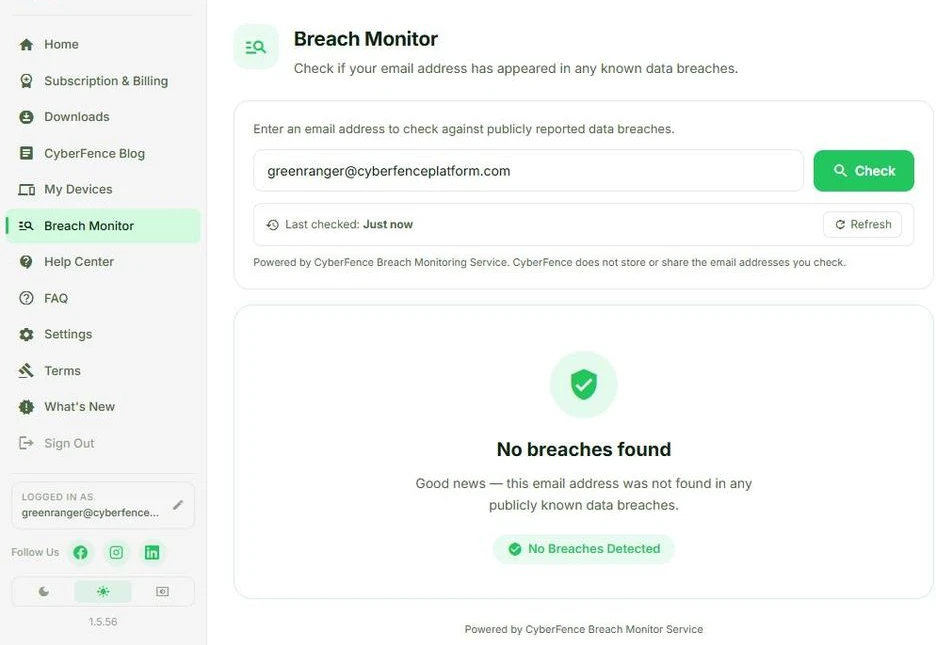
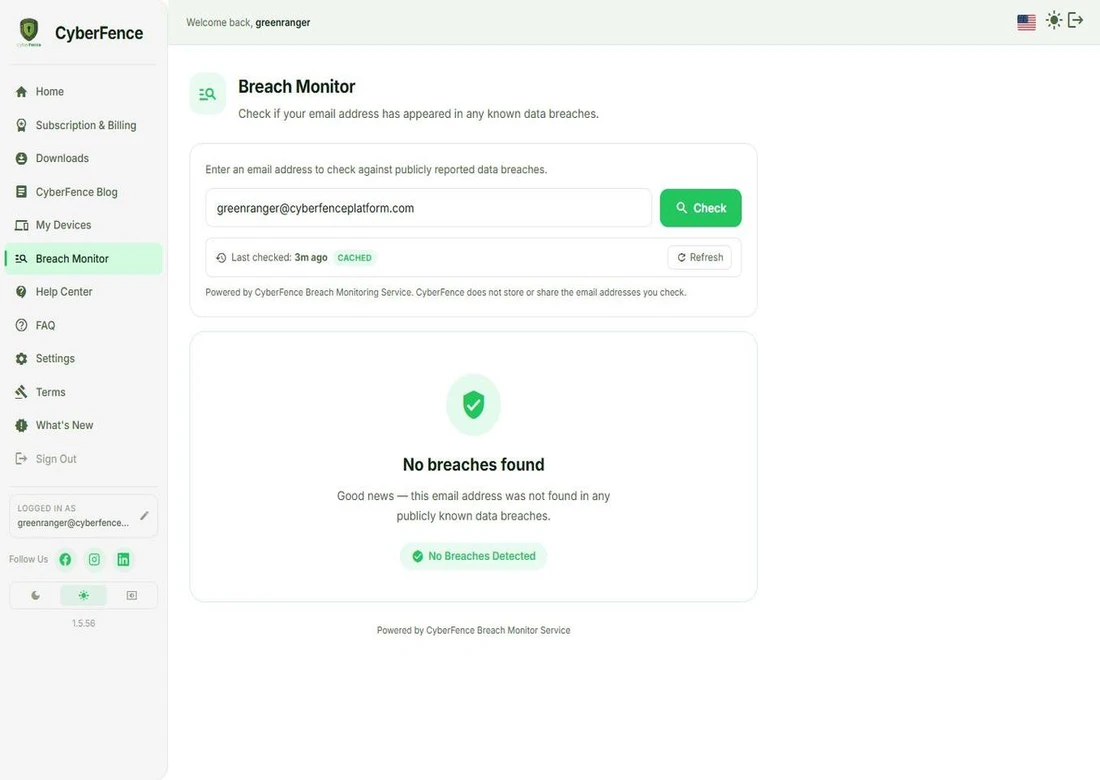
Through the CyberFence web app at web.cyberfenceplatform.com — any browser, any device, no install required. Your account is the same one used across iOS, Android, Mac, and Windows.
Where It Lives
Breach Monitor Lives in the Web App
No install required. Access it from any browser on any device at web.cyberfenceplatform.com — the same account you use across all your CyberFence apps.
Learn About the Web App →Find Out If You've Been Breached — Right Now
Takes 30 seconds. No VPN plan required. Cancel anytime.

Get Protected Today
One account. All 5 platforms. Cancel anytime.
Please enter a valid email address.
We'll create your CyberFence account with this email.
🔒 Secured by Stripe · Cancel anytime · Free trial on mobile apps
Loading secure payment form…
🔒 Payments processed by Stripe. Your card data never touches our servers.
You're Protected.
Your CyberFence subscription is active. Check your email — we sent a link to set your password and download the app.
Download the app on any of your 5 devices with the same account.