Also on CyberFence: check your public IP and geolocation · compare CyberFence to other VPNs side-by-side .
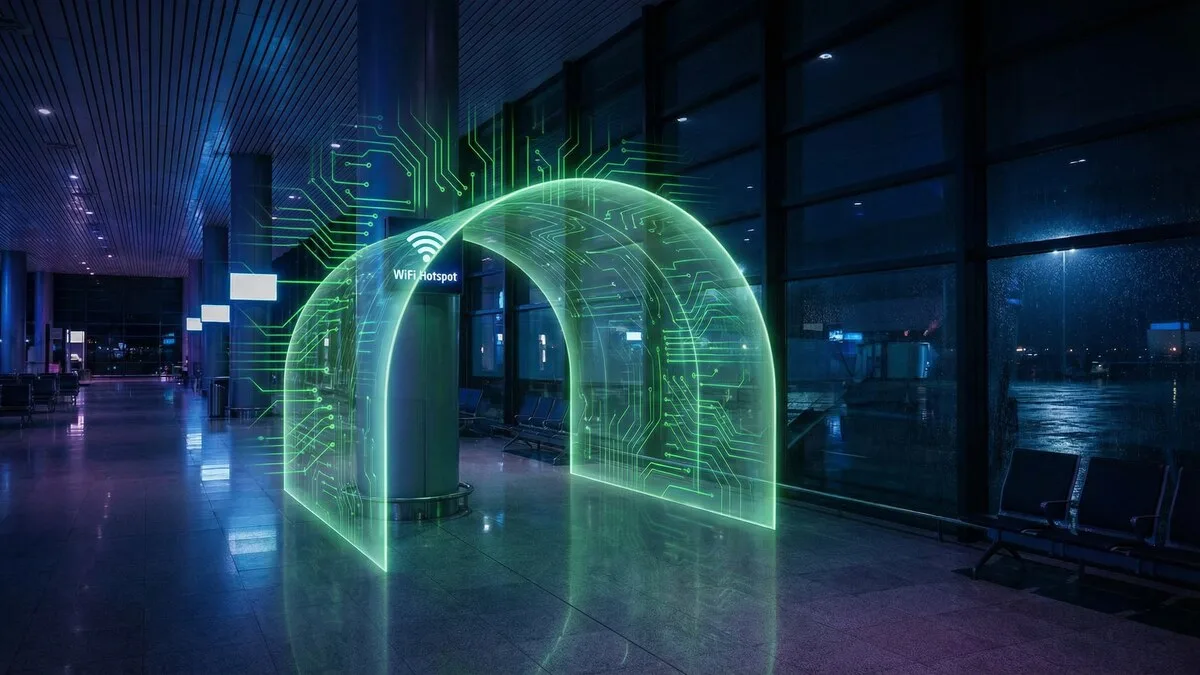
Picture this: you're sitting in Terminal B at JFK, boarding delayed by 90 minutes, and you connect to the free airport Wi-Fi to get some work done. You check your bank balance, answer a few emails, and log into your company's project management tool. Completely normal, right? What you don't see is the person three seats down running a packet sniffer on that same network — quietly harvesting credentials from everyone around them. By the time your flight boards, they've already logged into two accounts that belong to you.
This isn't a hypothetical. It happens every day, in airports, hotel lobbies, coffee shops, and hospital waiting rooms across the country. Public Wi-Fi is the single most convenient attack surface available to cybercriminals — no sophisticated equipment required, no hacking skills that take years to develop. Just a laptop, freely available software, and a crowd of people who assume the network is safe because it's public.
This guide explains exactly what attackers do on shared networks, which locations carry the highest risk, what gets stolen, and — most importantly — how to stay protected every time you connect away from home.
How Public Wi-Fi Actually Works
To understand why public Wi-Fi is dangerous, you need to understand how it differs from your home network. At home, your router creates a private network. Devices on it communicate through a controlled gateway, and your internet service provider assigns you an IP address. Crucially, your devices trust each other and you control who joins.
Public Wi-Fi is fundamentally different. The network is shared among potentially hundreds of strangers simultaneously. When you connect to a coffee shop's Wi-Fi, you're joining the same broadcast domain as every other device on that network — meaning traffic can, under the right conditions, be visible to other users on the same network. This is especially true on older or poorly configured access points that use WPA2-Personal encryption (shared key), where all devices on the network use the same encryption key. If an attacker knows that key — and it's often printed right on the receipt — they can decrypt traffic from other users.
Many public networks don't use encryption at all. Open networks — those without a password — transmit data in plaintext. Anyone with the right software can read that data like an open book. Even "passworded" public networks offer weaker protection than people assume, because the password is the same for every user, providing no meaningful isolation between strangers.
Modern HTTPS encryption helps, but it's not a complete defense. Not every site uses it correctly. Not every app enforces it. And HTTPS doesn't protect you from DNS attacks, session hijacking, or the social engineering used in evil twin attacks. Public Wi-Fi is genuinely dangerous — and understanding exactly how makes it much easier to protect yourself.
The 6 Most Common Public Wi-Fi Attacks
1. Man-in-the-Middle (MITM) Attacks
A man-in-the-middle attack is exactly what the name suggests: an attacker inserts themselves between you and the website or service you're trying to reach. Your device thinks it's talking directly to your bank. Your bank thinks it's talking directly to you. In reality, every byte of that communication is passing through the attacker's machine first.
On public Wi-Fi, MITM attacks are carried out using techniques like ARP spoofing, where the attacker sends falsified network messages that redirect your traffic through their device. Tools like Ettercap and Bettercap — freely available and widely documented — make this attack executable in minutes by someone with basic technical knowledge. Once traffic is flowing through their machine, they can read it, modify it, or inject malicious content into it before it reaches you.
️ Real risk: MITM attacks can intercept login credentials, session tokens, and financial data even on sites that appear secure if SSL stripping is used to downgrade your HTTPS connection to plain HTTP without your knowledge.
2. Evil Twin / Fake Hotspot Attacks
You sit down at the airport, open your Wi-Fi settings, and see "Airport_Free_WiFi." You connect. What you don't know is that the real airport Wi-Fi is called "ATL_Airport_Free" — and the network you just joined is a portable hotspot run by an attacker sitting 20 feet away.
This is an evil twin attack: a malicious access point that mimics a legitimate one in name and, in many cases, signal strength. Because your device automatically connects to familiar-looking networks, you may not even notice. Once you're connected to the fake hotspot, all of your traffic routes through the attacker's device before reaching the internet. They have complete visibility into everything you do. Evil twin attacks require nothing more than a laptop, a wireless adapter, and a few freely downloadable tools.
Signal strength matters here too. Attackers often position themselves close to their targets and crank up transmit power so their fake network appears stronger than the real one, making it the automatic first choice for your device.
3. Packet Sniffing
Packet sniffing is the digital equivalent of listening in on a conversation. When data travels across a network, it moves in small chunks called packets. On unencrypted networks, these packets contain the actual content of your communications — usernames, passwords, form data, emails, and more.
Tools like Wireshark are legitimate network diagnostic utilities used by IT professionals every day. They're also used by attackers on public networks to capture and analyze every packet that passes by. On an open Wi-Fi network, a sniffer can capture traffic from all nearby devices passively — without sending a single byte to the network. There's no alert. No warning. No sign that anything is wrong.
️ Real risk: Even if you're only visiting "harmless" sites, packet sniffing can reveal your browsing habits, account usernames, and authentication tokens — all of which have value to an attacker or data broker.
4. Session Hijacking
When you log into a website, the server sends your browser a session cookie — a small piece of data that proves you've already authenticated. Your browser presents this cookie automatically with every subsequent request, so you don't have to re-enter your password on every page.
Session hijacking involves stealing that cookie. Once an attacker has your session token, they don't need your password. They simply inject the stolen cookie into their own browser and they're logged in as you — instantly. This attack works even on HTTPS sites if the session cookie is also transmitted over HTTP at any point, or if the attacker can strip your HTTPS connection before the cookie is exchanged.
The tool Firesheep, released in 2010, demonstrated just how easy session hijacking is on public Wi-Fi and triggered a wave of HTTPS adoption across the web. But session hijacking remains viable in 2026 against sites and apps that implement cookie security incorrectly.
5. Malware Distribution
Some attackers use public Wi-Fi to push malware directly onto connected devices. This can happen through several vectors: a malicious access point that injects code into unencrypted web pages you visit, a pop-up that appears to offer a "required software update" to access the network, or a network that triggers automatic file download prompts through browser vulnerabilities.
Hotels are particularly known for this vector. Researchers at Kaspersky Lab documented a campaign years ago in which attackers targeted hotel guests by injecting malware into hotel Wi-Fi portals. Guests were prompted to update legitimate-looking software — like Adobe Reader — and the update was actually a backdoor trojan. This kind of attack is patient, targeted, and highly effective on users who don't question routine-looking prompts.
️ Real risk: If a public Wi-Fi portal ever asks you to install or update software to gain internet access, disconnect immediately. Legitimate networks do not require software installation.
6. DNS Spoofing
Every time you type a web address into your browser, your device asks a DNS (Domain Name System) server to translate that address — like "mybank.com" — into the numerical IP address of the actual server. On public Wi-Fi, the network controls which DNS server your device uses.
DNS spoofing — also called DNS cache poisoning — is when an attacker manipulates this lookup process to return a false IP address. When you type "paypal.com," the spoofed DNS server directs your browser to a convincing fake version of the PayPal site controlled by the attacker. You see the right URL in your address bar (or close to it), the page looks identical, and you enter your credentials directly into the attacker's form.
This attack bypasses your awareness entirely because the visual experience is designed to match the real thing exactly. Without a VPN routing your DNS queries through an encrypted tunnel to a trusted resolver, you have no reliable way to know whether the site you're seeing is real.
Which Locations Are Most Dangerous?
Public Wi-Fi risk isn't equal across all locations. Some environments are significantly more dangerous than others, for specific reasons worth understanding.
Airports are the highest-risk environment for most travelers. The combination of massive, transient crowds, high-value targets (business travelers with corporate credentials), long wait times that push people toward their devices, and loose IT management of public access points makes airports a prime hunting ground. The "Airport_Free_WiFi" evil twin attack is so common that security researchers have documented it at major international airports on multiple continents.
Hotel lobbies and rooms carry a unique risk because travelers often connect for extended periods — sometimes days — and perform sensitive tasks like booking, banking, and work. Hotel networks frequently serve hundreds of rooms from a single access point infrastructure, and the networks are poorly segmented. Your device might be on the same broadcast domain as every other guest in the building.
Coffee shops present a different profile: they're frequented by regulars who connect habitually, meaning attackers can set up an evil twin and wait for known victims to connect automatically. The relaxed, familiar environment also encourages careless behavior — longer sessions, more personal browsing, less situational awareness.
Gyms and fitness centers are often overlooked. Members connect while working out — distracted, using apps that may transmit health data, and rarely thinking about security. Gym Wi-Fi infrastructure is almost always managed by the cheapest available IT solution, with minimal security configuration.
Hospitals and medical centers serve patients and visitors who may be stressed, distracted, and using health-related apps or patient portals that contain highly sensitive personal and medical data — among the most valuable data types on the black market.
What Gets Stolen on Public Wi-Fi
Attackers on public Wi-Fi aren't hoping to get lucky. They know exactly what they're after. The most commonly harvested data includes:
- Login credentials — usernames and passwords for email, social media, banking, and work accounts
- Banking and financial information — account numbers, routing numbers, transaction details
- Credit card numbers — full card data including CVV and billing address if transmitted over unencrypted connections
- Session cookies — authentication tokens that give attackers access to your active logged-in sessions without needing your password
- Email content — private communications, business information, password reset links
- Corporate VPN credentials — a particularly high-value target that gives attackers access to entire organizational networks
- Personal identifiable information (PII) — name, address, date of birth, Social Security numbers submitted through forms
Stolen credentials are monetized quickly. They're sold on dark web marketplaces within hours of being captured, used for direct account takeover, or held for targeted follow-on attacks. The average stolen login credential sells for between $1 and $15 on underground markets — which means attackers need volume, and public Wi-Fi delivers it efficiently.
Who's Actually at Risk?
There's a persistent and dangerous myth that hackers only target high-profile individuals: executives, politicians, celebrities, or the wealthy. If you're an ordinary person going about your ordinary life, the thinking goes, you're not interesting enough to be a target.
This myth gets people compromised every day.
The reality is that most public Wi-Fi attacks are not targeted. They are opportunistic. Attackers set up sniffers and fake hotspots in high-traffic locations and collect credentials from whoever connects — hundreds of people over the course of a single afternoon. You're not selected because of who you are. You're collected because you were there.
And once your credentials are in the system, your individual value becomes clear: access to a bank account with $3,000 in it is worth exactly as much to a cybercriminal as access to one with $300,000. Your email account contains password reset links for every other account you own. Your corporate credentials may provide a pathway into a company worth millions in ransomware potential.
️ Real risk: The FBI's Internet Crime Complaint Center (IC3) reported that everyday individuals — not corporations or high-profile targets — account for the vast majority of reported cybercrime victims. Ordinary people on ordinary networks are the primary target, not the exception.
Students, freelancers, remote workers, retirees, parents — everyone who connects to public Wi-Fi carries credentials and data that have real monetary value. The threat is universal.
How to Protect Yourself on Public Wi-Fi
The good news: protecting yourself on public Wi-Fi is straightforward once you know what to do. The following checklist covers the essential actions before, during, and after every public network connection.
- Use a VPN — always, before connecting. A VPN encrypts all traffic between your device and the internet, making packet sniffing, MITM attacks, and DNS spoofing ineffective against you. Activate it before you join the public network.
- Verify the network name before connecting. Ask a staff member for the exact official network name. Don't assume the strongest signal or most official-looking name is real.
- Check for HTTPS on every sensitive page. Look for the padlock in the address bar before entering any credentials or personal data. If the site is HTTP only, leave immediately.
- Avoid sensitive transactions on public Wi-Fi. Banking, filing taxes, and logging into corporate systems can wait until you're on a trusted network — or use mobile data instead.
- Turn off auto-connect for public networks. Go into your device's Wi-Fi settings and disable automatic connection to open networks. This prevents your device from quietly joining a malicious hotspot without your awareness.
- Forget public networks after use. Once you leave a coffee shop or airport, remove the network from your saved list. This prevents future automatic reconnection to real or spoofed versions of that network.
- Keep your software and OS updated. Many malware injection attacks exploit known vulnerabilities in outdated browsers and operating systems. Current software closes those doors.
- Use multi-factor authentication (MFA). Even if an attacker captures your password, MFA makes it significantly harder to use. Enable it on every account that supports it.
- Use your mobile hotspot when possible. Your cellular data connection is far more secure than any public Wi-Fi. When in doubt, use it instead.
How CyberFence Protects You on Public Networks
CyberFence is designed specifically for moments like the ones described in this article — when you're sitting in an airport, a hotel lobby, or a coffee shop and need to connect without exposing yourself to the threats on that network.
VPN with AES-256 encryption is the foundation. Every byte of traffic leaving your device is encrypted before it even reaches the public access point. Packet sniffers see only encrypted data. MITM attacks can't read or modify your traffic. Evil twin hotspots become harmless because the attacker can't see inside the tunnel. AES-256 is the same encryption standard used by governments and military organizations worldwide — it's computationally infeasible to crack.
Web Shield adds a second layer of protection specifically against DNS spoofing and phishing. When you try to visit any website, CyberFence's Web Shield checks it against a continuously updated database of malicious domains, phishing sites, and known attacker infrastructure. If you're redirected toward a fake banking site through DNS spoofing, Web Shield blocks the connection before your browser ever loads the page. This stops one of the most effective and hardest-to-detect public Wi-Fi attacks at the source.
One-tap activation means protection is never more than a second away. Before you connect to any public network, open CyberFence and tap Connect. The VPN and Web Shield activate instantly. You're protected before you join the network — the correct order of operations that most people get backwards.
Zero logs policy means CyberFence never stores records of the sites you visit, your connection timestamps, or your real IP address. Your activity on CyberFence's network is your own — not stored, not sold, not accessible to anyone.
CyberFence is available on iPhone, iPad, Android, Mac, and Windows — so every device you carry is covered. Plans start at $7.99/month or $88.21/year, and a free trial lets you try it on your next trip before committing.
The Verdict
Public Wi-Fi is not going away. It's a fixture of modern life — at airports, hotels, coffee shops, and every place in between. The answer isn't to avoid it entirely; the answer is to stop using it unprotected.
The attacks described in this article are not theoretical. They're documented, repeatable, and executable by anyone with a laptop and an afternoon to spend on YouTube tutorials. The only meaningful variable is whether your traffic is encrypted and your DNS queries are protected before you connect.
A VPN costs less than a cup of the coffee you're drinking in the shop where you're at risk. The credential theft, account takeover, or identity fraud it prevents can cost thousands of dollars and months of your life to resolve.
Connect with protection. Every time.
️ Take action now: Before your next trip, download CyberFence and activate it before connecting to any public network. Your banking credentials, work accounts, and personal data are worth more than a free Wi-Fi connection.
Start Your Free Trial — No Credit Card Required
Want to go deeper? Read our free IP address checker , the CyberFence competitor comparison hub , or CyberFence plans and pricing .