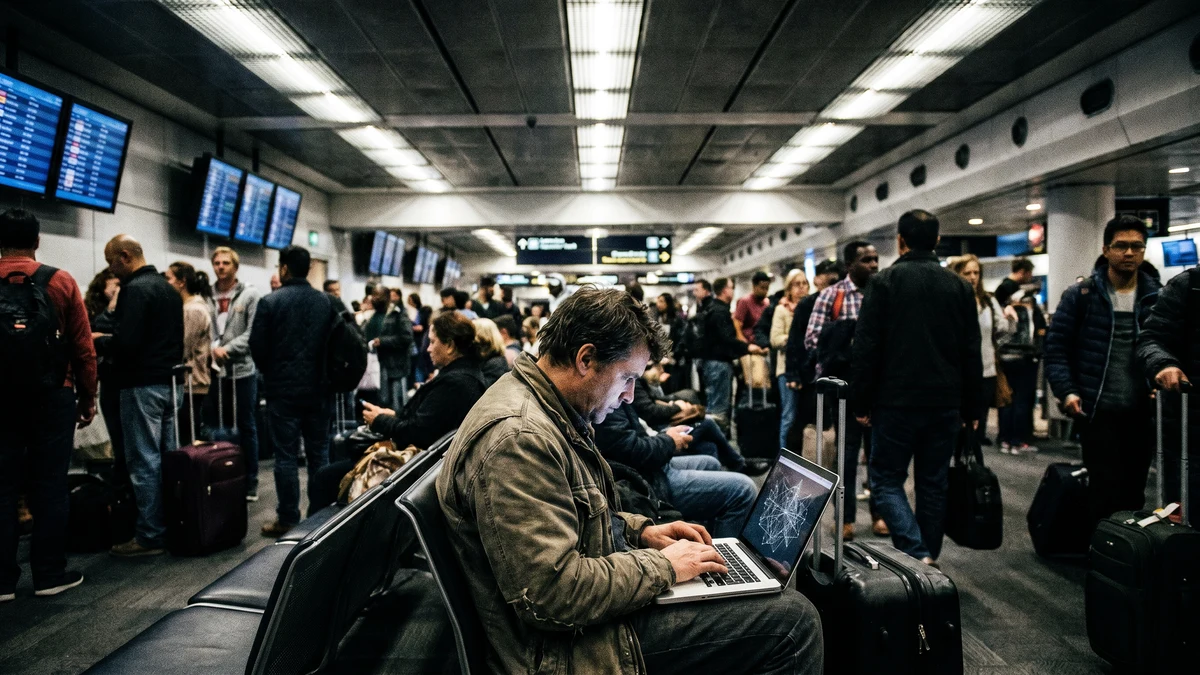
Public Wi-Fi has always carried risk. But in 2026, the threat landscape has shifted in ways that make the familiar warning — "be careful on public networks" — dramatically more urgent. The tools attackers use are cheaper, more automated, and more effective than ever before. And the population of people using public Wi-Fi for sensitive tasks — remote work, banking, healthcare access — has never been larger.
If you haven't re-evaluated your public Wi-Fi habits recently, the current threat environment is a good reason to do it now.
The Numbers Are Getting Worse
The scale of public Wi-Fi compromise has grown significantly in recent years. According to Cybersecurity Ventures, over 68% of data breaches in 2024 originated from insecure public Wi-Fi access — a figure that reflects both the prevalence of public network use and the sophistication of the attacks targeting it.
McAfee's 2025 Travel Security Report found that 25% of travelers experienced hacking attempts via public Wi-Fi, and 40% reported actual data loss or compromise while connected to networks outside their home or office. These aren't close calls — they're incidents with real financial and personal consequences.
The FBI's Internet Crime Complaint Center (IC3) logged record complaints related to public network compromise in 2024, with losses exceeding $1.2 billion tied to attacks that began on unsecured Wi-Fi connections. Business email compromise, credential theft, and financial account takeovers were the most common outcomes.
What Has Actually Changed in 2026
Evil Twin Attacks Are Now Industrialized
An evil twin attack is when an attacker creates a fake Wi-Fi network that mimics a legitimate one — "Airport_WiFi" instead of "Airport_Wi-Fi," or "Starbucks_Guest" instead of "starbucks." When you connect to the fake network, all your traffic flows through the attacker's equipment before reaching the internet. They can intercept credentials, session tokens, and unencrypted data in real time.
This attack used to require meaningful technical expertise. In mid-2025, security researchers documented a wave of industrialized evil twin deployments targeting airports, hotels, and major transit hubs across the US, Europe, and Asia-Pacific. The hardware required to deploy a convincing evil twin hotspot now costs under $500 — within reach of any motivated attacker. Several turnkey attack kits are openly sold on criminal marketplaces.
Critically, your device often cannot distinguish a well-configured evil twin from the real network. The SSID (network name) looks identical. The connection feels normal. There's no warning. You browse, check email, log into your bank — and none of it triggers any alert because the attack is entirely passive from your perspective.
AI Has Automated the Hardest Parts
The limiting factor in network attacks used to be human effort. An attacker needed to manually monitor traffic, identify valuable sessions, and work to exploit what they found. AI has removed that constraint.
AI-powered network analysis tools can now automatically identify high-value targets on a shared network (users accessing financial sites, VPNs, corporate systems), extract session tokens in real time, and prioritize attack efforts without human intervention. What used to take an experienced attacker hours now happens in seconds, automatically, across every device on a compromised network simultaneously.
This isn't theoretical. Security researchers at DEF CON 2025 demonstrated tools that could identify and compromise vulnerable sessions on a shared network within under 90 seconds of a target connecting — with no manual input required after initial setup.
Remote Work Has Massively Expanded Exposure
Before 2020, most people used public Wi-Fi for casual browsing — checking social media, watching videos, reading news. The stakes were relatively low. Today, millions of remote workers routinely access corporate systems, client data, financial applications, and healthcare records from coffee shops, hotels, and airports. The sensitivity of what travels over public Wi-Fi has increased dramatically.
A remote worker accessing their company's CRM from an airport lounge isn't just risking their personal data — they're potentially exposing client records, internal communications, and credentials that give an attacker access to an entire organization. The blast radius of a single public Wi-Fi compromise has grown substantially.
Encrypt Every Public Wi-Fi Connection
CyberFence creates an AES-256-GCM encrypted tunnel on every connection — airport, hotel, coffee shop, anywhere. Evil twins and interceptors get nothing usable.
See Plans →The Specific Attacks You Face on Public Wi-Fi
Man-in-the-Middle (MITM) Attacks
In a man-in-the-middle attack, an attacker positions themselves between your device and the internet — either by controlling the network (via an evil twin or compromised router) or by using packet injection on a shared network. All traffic passes through them. For unencrypted HTTP traffic, they read the content directly. For HTTPS traffic, they may attempt SSL stripping — downgrading your encrypted connection to unencrypted HTTP without you noticing — to access the content.
Session Hijacking
When you log into a website, the server creates a session token — a unique identifier that proves you're authenticated so you don't have to re-enter your password on every page. If an attacker captures your session token (possible on unencrypted connections), they can use it to impersonate you without ever knowing your password. They're effectively logged in as you, for as long as the session remains valid.
Session hijacking is particularly dangerous because it bypasses two-factor authentication entirely — the attacker isn't logging in with credentials, they're using a token that was already authenticated.
DNS Spoofing
On a network controlled by an attacker, DNS responses can be manipulated. When you type "yourbank.com" into your browser, your device asks the network "what IP address does yourbank.com map to?" An attacker controlling the DNS response can redirect you to a convincing fake site that captures your credentials when you log in. Combined with a convincing phishing page, DNS spoofing is nearly undetectable without specialized tools.
Packet Sniffing on Unencrypted Networks
On open Wi-Fi networks with no password (common at airports, hotels, and public spaces), there is no network-level encryption. All traffic is transmitted in the clear over radio frequencies. Anyone within range with a packet capture tool — freely available and trivially easy to use — can record and analyze everything transmitted over that network. This includes login forms, cookies, API calls, and any other unencrypted data.
Why "HTTPS Is Enough" Is No Longer True
A common misconception: "I only visit HTTPS sites, so I'm safe on public Wi-Fi." HTTPS encrypts the content of your communication with a website, but it doesn't protect everything.
- Your DNS queries are still exposed unless you use encrypted DNS — your ISP and anyone monitoring the network can see every domain you look up, even if not the content
- SSL stripping attacks can force your connection to downgrade from HTTPS to HTTP in some configurations
- Session tokens in cookies may be transmitted over HTTP in misconfigured applications
- Your IP address and browsing patterns are visible to anyone on the network even when content is encrypted
- Certificate spoofing via a compromised CA or MITM proxy can fake HTTPS validity in some attack scenarios
HTTPS is necessary but not sufficient. It protects the content of a single connection; it doesn't protect your overall network-level privacy or prevent the variety of attacks described above.
Who Is Most at Risk
While everyone using public Wi-Fi faces some risk, certain groups face disproportionate exposure:
- Remote workers — accessing corporate systems, client data, and business email from cafes, hotels, and coworking spaces
- Frequent travelers — airport lounges, hotel lobbies, and transit hubs are prime evil twin deployment locations
- Healthcare professionals — accessing patient records, scheduling systems, and clinical platforms from hospital cafeterias or offsite locations
- Financial professionals — accessing client accounts, trading platforms, and financial management tools
- Small business owners — processing payments, managing vendor accounts, and accessing banking from mobile locations
The Only Reliable Defense: Encrypt Every Connection
Most public Wi-Fi advice is reactive — check the network name, look for HTTPS, avoid sensitive transactions. The problem is that these precautions are inadequate against the current generation of attacks. You can't reliably distinguish a legitimate "Airport_WiFi" from an evil twin. You can't see whether your HTTPS connection is being actively stripped. You can't know if the DNS response you just received was spoofed.
The only defense that addresses all of these attack vectors simultaneously is end-to-end encryption of all traffic before it leaves your device. That's what a VPN does.
When you connect through a VPN:
- All traffic is encrypted before it reaches the Wi-Fi network — even an evil twin capturing your packets gets only encrypted gibberish
- DNS queries travel through the VPN's encrypted tunnel — no DNS spoofing from a compromised network
- Session tokens travel encrypted — hijacking becomes computationally impossible
- SSL stripping attacks fail because the VPN encryption layer is independent of HTTPS
- Packet sniffers see only encrypted data with no recoverable content
CyberFence on Public Wi-Fi
CyberFence uses AES-256-GCM encryption to protect every byte of traffic from your device to the CyberFence server — before it touches the Wi-Fi network. It doesn't matter whether the network is legitimate or an evil twin, encrypted or open, trusted or compromised. Your traffic is protected regardless.
Web Shield DNS filtering ensures all domain lookups are routed through CyberFence's own servers — eliminating the DNS spoofing vector entirely. A kill switch automatically cuts your internet connection if the VPN drops, preventing any unencrypted traffic from leaking onto the network before the tunnel is re-established.
CyberFence is US-operated with a zero-log policy — nothing about your sessions, destinations, or activity is recorded. And it runs on every device you carry: iPhone, Android, Mac, Windows, iPad.
Don't Wait for a Breach to Take This Seriously
The airport lounge, the hotel lobby, the coffee shop — every public network is a potential attack surface. CyberFence encrypts all of it. Start your free trial through the App Store or Google Play.
View Plans →What to Do Right Now
If you regularly use public Wi-Fi — for work, travel, or daily life — these are the steps that actually reduce your risk:
- Use a VPN every time you connect to any network outside your home or office — this is the single most effective control available
- Verify network names before connecting — ask staff for the exact SSID, look for posted signage; don't trust networks that appear without confirmation
- Enable your VPN before connecting to a new network — not after; some attacks trigger the moment a device connects
- Use a VPN kill switch — ensures no traffic leaves your device unencrypted if the VPN connection drops momentarily
- Enable two-factor authentication on all critical accounts — adds a layer even if a session token is somehow captured
- Disable auto-connect to known networks — evil twins exploit this feature to silently connect your device to a rogue network you've connected to before
Public Wi-Fi isn't going away — it's becoming more prevalent as remote work continues to expand. But the threat environment in 2026 is materially different from what it was even three years ago. The attacks are cheaper, faster, and more automated. The defense needs to match.