CyberFence Teams
Business VPN.
Built for small teams.
Help protect your team's internet connections at home, in the office, or on public Wi-Fi. CyberFence Teams combines VPN, Web Shield, and Breach Monitor with member management in one dashboard.
From $12 per person/month, billed annually.
Start with 2 people at $24/month, billed annually.
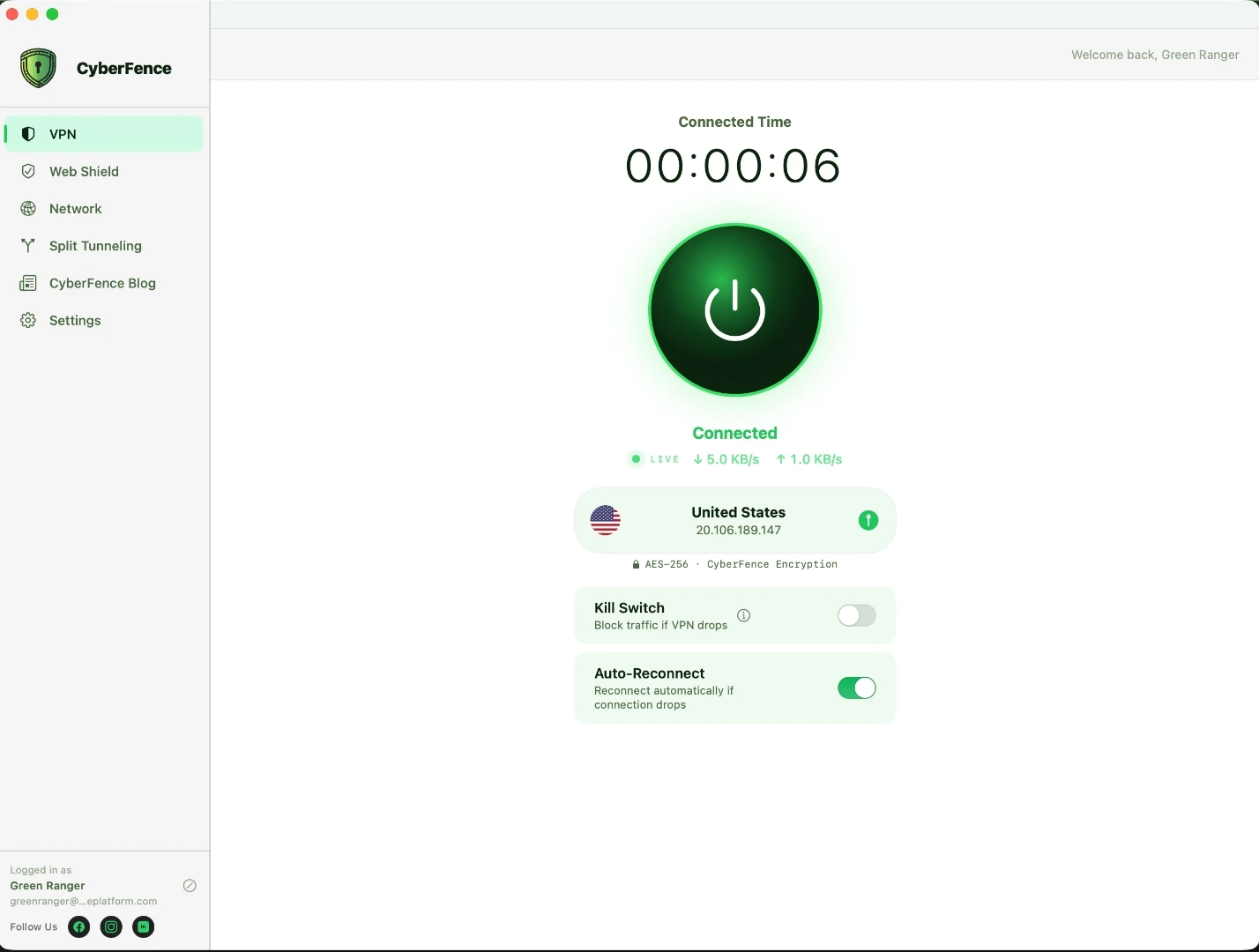
You manage the team from your web dashboard.
iPhone & iPad · Android · Mac · Windows
Small-business VPN.
Your team’s price.
Choose monthly or annual billing for your team. Each member gets their own account, with one place to manage access and the team subscription.
- VPN
- Help protect their internet connections.
- Web Shield
- Help block harmful websites as they browse.
- Breach Monitor
- Monitor each member’s email for known breaches.
2–500 people. Each person gets their own account.
Your team total
$24/month
Billed annually for 2 people
$12 per person/month
Includes VPN, Web Shield, Breach Monitor, member and device management, setup visibility, and team reporting.
Secure payment through Stripe.
Have a discount code? Enter it at checkout.
Taxes and any valid discount are calculated at checkout. Your final total is shown before payment.
Questions before you buy? Contact our team.
Set up your team.
Manage access in one place.
Buy your team’s plan, invite your people, and follow their setup from the team dashboard. The example below shows how an owner can distinguish a pending invitation from a member who has not connected yet.
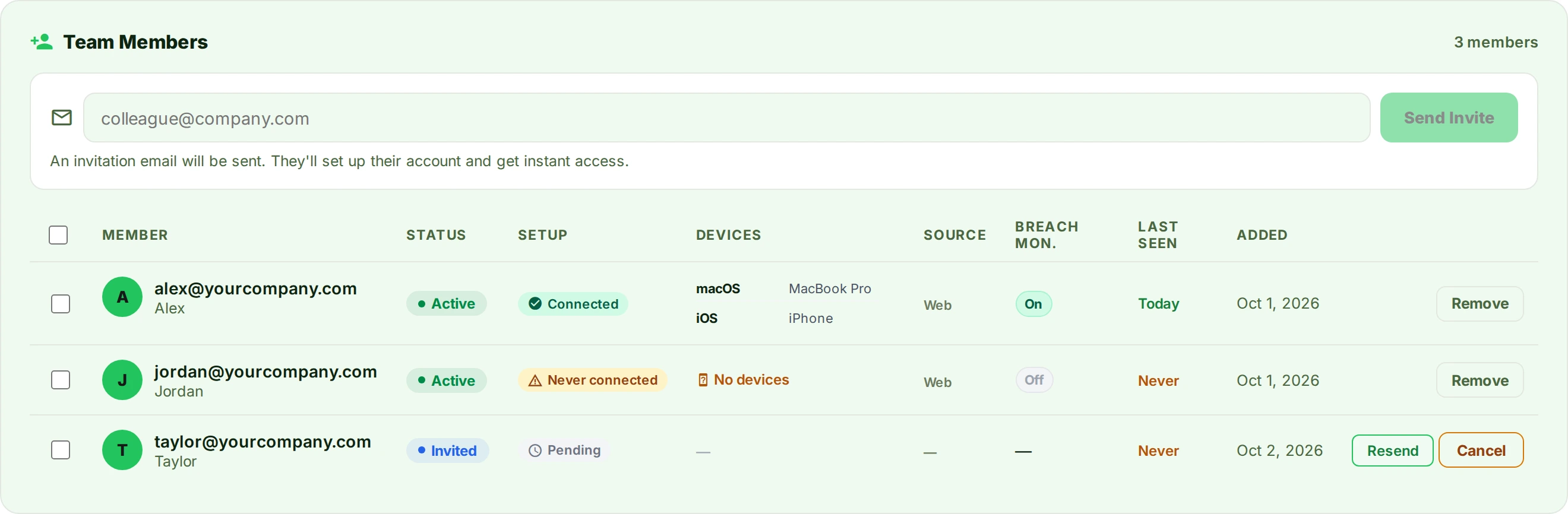
Turn setup status into a next step.
In this example, Alex has connected and has devices listed. Jordan has an active account but has never connected: follow up on installation and setup. Taylor’s invitation is pending: check that they received it before expecting a connection.
Manage access as your team changes.
Use member administration to invite people and revoke access when someone leaves. Review setup and connection information to guide follow-up, not as proof of continuous protection. The example illustrates the interface, not a measured customer outcome.
Choose your team size and billing
What’s included in team reporting?
Review team setup and usage information alongside documentation about CyberFence’s security practices. Use reports to support internal reviews. CyberFence is part of a broader security program, not a certification or a guarantee of compliance.
Working in healthcare, government contracting, or finance? Explore guidance for your industry or ask us about your requirements.
Small-business VPN questions
Questions about your people, their devices, or getting started? We’re here to help.
Contact Our TeamWho is CyberFence Teams designed for?
CyberFence Teams is designed for small businesses that want to help protect their team's internet connections and manage member access in one place. It includes VPN, Web Shield, and Breach Monitor for each member.
Can I use Teams to access private company systems?
This page describes internet-connection protection and team member management. If you need access to private company applications, dedicated IP addresses, or other network-access features, contact our team to confirm your requirements before purchasing.
How is Teams different from buying individual plans?
Teams brings member management, setup visibility, and the team subscription into one place. Invite people, manage access, and follow up with members who have not connected.
What does each person need to do?
Each member accepts an invitation, sets up their account, and installs CyberFence on their supported devices. They then connect through the app.
Does one person’s account cover multiple devices?
Yes. A member can use their account across their supported devices without buying a separate seat for each device. CyberFence has apps for iPhone, iPad, Android, Mac, and Windows, with team management available on the web.
Is Breach Monitor included?
Yes. Teams includes Breach Monitor for each member’s email address. Monitoring helps identify known exposure; it does not prevent a breach or guarantee that every exposure will be found.
Can I see what employees browse?
No. The dashboard provides setup, device, and connection information, not employees’ browsing history, DNS queries, or destination IP addresses.
Can I add people or replace someone who leaves?
Yes. Add seats from the dashboard, with charges prorated to the current billing cycle. When someone leaves, revoke their access and make that seat available for another member.
How do billing and cancellation work?
Choose monthly or annual billing before checkout. Annual amounts are charged once a year, not each month. Subscriptions renew unless cancelled before renewal; cancellation takes effect at the end of the current billing period. Contact our team before purchase with questions about refunds or seat changes.
Can I use a discount code?
Yes. Enter your code at checkout. If it applies to your purchase, the updated total will be shown before you pay.
Does CyberFence make my business compliant?
No single product makes a business compliant. CyberFence provides protection features and reporting that can support your security program, but your requirements depend on your business, systems, and obligations.
Can I speak with someone before buying?
Yes. Contact our team with your questions. If you are buying for 30 or more people, you can also discuss requirements beyond the standard online purchase.
Planning for 30 or more people?Buy online, or talk through your requirements.Talk to Us
Let’s talk about your team.
Tell us about your organization and what you need. You can also email carlos@cyberfenceplatform.com.
Message received.
We’ll be in touch at the email you provided.
Your people.
Their work.
Protected with CyberFence.
Choose your team size. We’ll show you the total before you pay.
Set Up Your Team
One subscription. One invoice. Full protection for your entire team.
Your account login & billing email. You'll set your password after payment.
Redirecting to payment…
You'll be taken to our secure Stripe checkout page.
Creating your checkout session…
If you are not redirected automatically, click here.