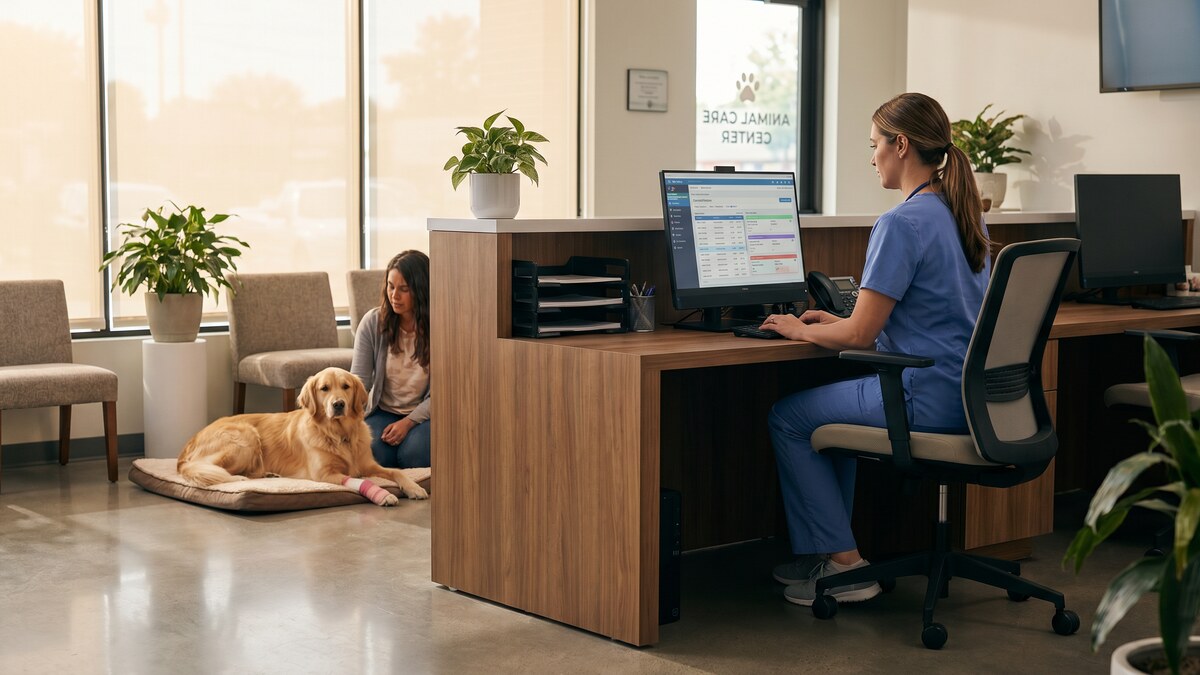
Veterinary practices handle more sensitive data than most practice owners realize. Client names, addresses, phone numbers, payment card details, bank account information for recurring billing, and the complete medical histories of every animal you have ever treated — all of it sits in your practice management system, and all of it is a target.
Cybercriminals do not limit their attacks to hospitals and law firms. Small veterinary practices are attractive precisely because they hold valuable personal and financial data while typically running with minimal IT security. The 2025 Verizon Data Breach Investigations Report found that small businesses — including healthcare-adjacent practices like veterinary offices — accounted for 46% of all breach victims, and the average cost of a small business breach exceeded $120,000.
A VPN is one of the most effective tools available to protect your practice — and it is far simpler to set up than most practice owners expect.
What Data Does a Veterinary Practice Actually Hold?
Before dismissing cybersecurity as something for larger organizations, it is worth accounting for exactly what your practice stores:
- Client personal information — full names, home addresses, phone numbers, email addresses
- Financial data — credit card numbers, bank account details for direct debit, billing histories
- Pet medical records — vaccination histories, surgical records, prescription histories, diagnostic images
- Staff information — employee records, payroll data, Social Security numbers
- Supplier and vendor data — account numbers, contracts, pricing agreements
Payment card data is regulated under PCI DSS. Employee data is regulated under various state and federal employment laws. Client personal data is regulated under state privacy laws in California, Texas, Virginia, and a growing number of other states. A breach that exposes any of this data can trigger legal obligations to notify affected individuals, regulatory investigations, and civil liability.
How Veterinary Practices Get Compromised
Unsecured Remote Access
The most common entry point is remote access. A practice manager checking appointment schedules from home, a veterinarian reviewing lab results from a hotel while at a conference, a relief vet logging in from a coffee shop — all of these scenarios transmit your practice data over networks you do not control. Without a VPN, that data travels unencrypted and can be intercepted.
Phishing Emails
Veterinary practices receive a high volume of emails from pharmaceutical suppliers, equipment vendors, and insurance companies. Attackers impersonate these trusted senders with convincing phishing emails designed to steal login credentials or deploy malware. Web Shield DNS filtering — included with CyberFence — blocks connections to known phishing domains before a page even loads.
Practice Management Software Vulnerabilities
Software like AVImark, ezyVet, Cornerstone, and VetBadger stores your entire client and patient database. If these systems are accessible over the internet without adequate protection, they become targets. A VPN restricts access so that only authorized devices with an active VPN connection can reach your practice systems remotely.
Multi-Location Practices
If you operate more than one clinic, patient records and billing data move between locations over the public internet. Without encrypted connections between your sites, that data is exposed in transit. A site-to-site or client VPN ensures everything is encrypted end-to-end.
CyberFence protects every device in your practice. AES-256-GCM encryption, Web Shield DNS filtering to block phishing and malware, Kill Switch, and zero logs. One subscription covers every device — Mac, Windows, iPhone, iPad, and Android.
See CyberFence Plans →What a VPN Actually Does for Your Practice
Encrypts All Traffic in Transit
A VPN with AES-256-GCM encryption wraps every byte of data leaving your device in an encrypted tunnel. Even if someone intercepts the traffic — on a hotel network, at a conference, at home via an insecure router — they see nothing usable. The data is unreadable without the encryption key.
Protects Remote Staff
Relief veterinarians, remote billing staff, and practice managers who work from home all need to access your systems securely. A VPN ensures that every remote connection is encrypted and that only authenticated users can reach your practice network.
Blocks Malware and Phishing at the DNS Level
CyberFence's Web Shield operates at the DNS layer — when a device on your network attempts to connect to a known malicious domain, the request is blocked before the connection is made. This stops phishing attacks, malware downloads, and tracking scripts across every app on every device, not just the browser.
Prevents Credential Theft on Public Networks
When your staff log in to your practice management software from a public network without a VPN, their credentials are transmitted over a connection that can be monitored. A VPN eliminates this risk by encrypting the connection before any credentials are sent.
Practical Steps to Secure Your Veterinary Practice
1. Install a VPN on Every Device That Accesses Practice Data
This includes the front desk computers, the practice manager's laptop, any tablets used by veterinarians, and personal devices used to check schedules or records after hours. CyberFence covers an unlimited number of devices on a single subscription across Mac, Windows, iPhone, iPad, and Android.
2. Enable the Kill Switch
A Kill Switch automatically blocks all internet traffic if the VPN connection drops unexpectedly. This prevents your staff's devices from reverting to an unencrypted connection without anyone noticing. Enable it on every device, especially laptops that leave the clinic.
3. Train Your Staff
Technology alone is not enough. Your front desk staff, technicians, and any remote workers need to understand that connecting to practice systems from outside the clinic requires the VPN to be active first. A brief team training — even 10 minutes — dramatically reduces the risk of accidental unencrypted access.
4. Use Web Shield for All Clinic Devices
With Web Shield enabled, phishing sites and malware domains are blocked system-wide, even when staff are browsing during downtime. This adds a critical layer of protection that antivirus software alone cannot provide, since antivirus only catches threats after they reach the device.
5. Keep Your Practice Management Software Updated
Software vulnerabilities are a primary attack vector. Enable automatic updates on your practice management software and operating systems so security patches are applied as soon as they are released. A VPN protects your data in transit — keeping software current protects the systems that store it at rest.
The Cost of Getting It Wrong
A breach at a veterinary practice carries costs that go beyond the immediate financial impact. Client trust is hard-earned and easily lost. If your clients receive a breach notification letter telling them their credit card details or home addresses were exposed because your practice was hacked, the reputational damage can affect your practice for years.
State privacy laws in California, Texas, Virginia, and Colorado now impose notification requirements and potential fines for practices that fail to adequately protect client data. Even without a regulatory penalty, the cost of notifying affected clients, providing credit monitoring services, and responding to a breach typically exceeds $50,000 for a small practice.
CyberFence starts at $7.99 per month. The comparison does not require much math.
Protect your practice, your clients, and your reputation. CyberFence gives every device in your veterinary practice AES-256-GCM encryption, Web Shield DNS filtering, and zero-log privacy. Starting at $7.99/mo.
Start Protecting Your Practice →The Bottom Line
Veterinary practices hold client financial data, personal information, and detailed records that cybercriminals are actively targeting. The most common entry points — unsecured remote access, phishing emails, and unencrypted connections on public networks — are all directly addressed by a VPN with AES-256-GCM encryption and DNS-level threat blocking.
Getting started takes less than 15 minutes. Install CyberFence on every device that accesses your practice systems, enable the Kill Switch, turn on Web Shield, and brief your team. That is the entire setup. The protection it provides is immediate and ongoing.