Android App
CyberFence for Android.
Full Protection. One Tap.
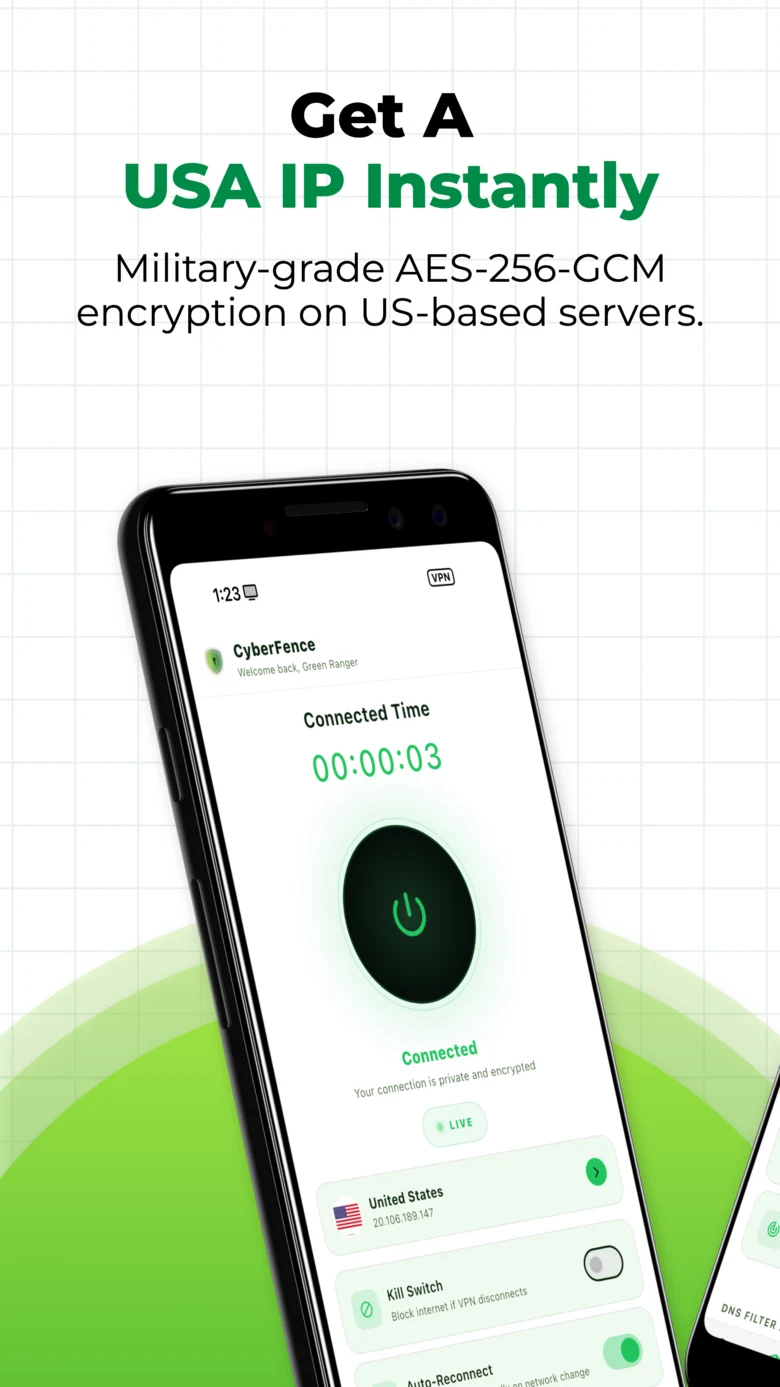
AES-256-GCM encrypted VPN, Web Shield DNS filtering, Split Tunneling, Network Monitor, and dark web breach monitoring — built for every Android phone and tablet. One subscription covers every device you own.
Built for Android
Enterprise-Grade Security on Every Android Device.
CyberFence for Android brings the same protection available on desktop platforms to your phone and tablet — AES-256-GCM encryption, DNS-level threat blocking, Split Tunneling, and zero-log privacy, running seamlessly in the background.
Android 7.0+ Support
Runs on phones and tablets from Android 7.0 through the latest version. One app, consistent protection across your entire Android fleet.
Split Tunneling
Route any app through the VPN or around it. Real app icons from your device make the list easy to read. Bypass VPN or VPN-only mode — your choice.
US-Operated Servers
CyberFence runs on US-based infrastructure operated by Perez Technology Group. Your data stays on American soil — not routed through overseas servers.
Auto-Protect on Public Wi-Fi
Detects open or unsecured networks and activates the VPN automatically — before anything leaves your phone. Hotels, coffee shops, airports: protected the moment you connect.
What's Inside
Every Feature. One App.
VPN Connection
One tap connects your Android device to a US server over an AES-256-GCM encrypted tunnel. Live download and upload speeds update every 2 seconds — you can always see your connection is active and healthy.
- AES-256-GCM encryption on every connection
- US VPN — US-operated servers, US-based infrastructure
- One-tap connect — no configuration required
- US servers with IP address confirmation
- Live download & upload speed display (KB/s)
- Kill Switch — blocks internet if VPN disconnects
- Auto-Reconnect on network change
Web Shield
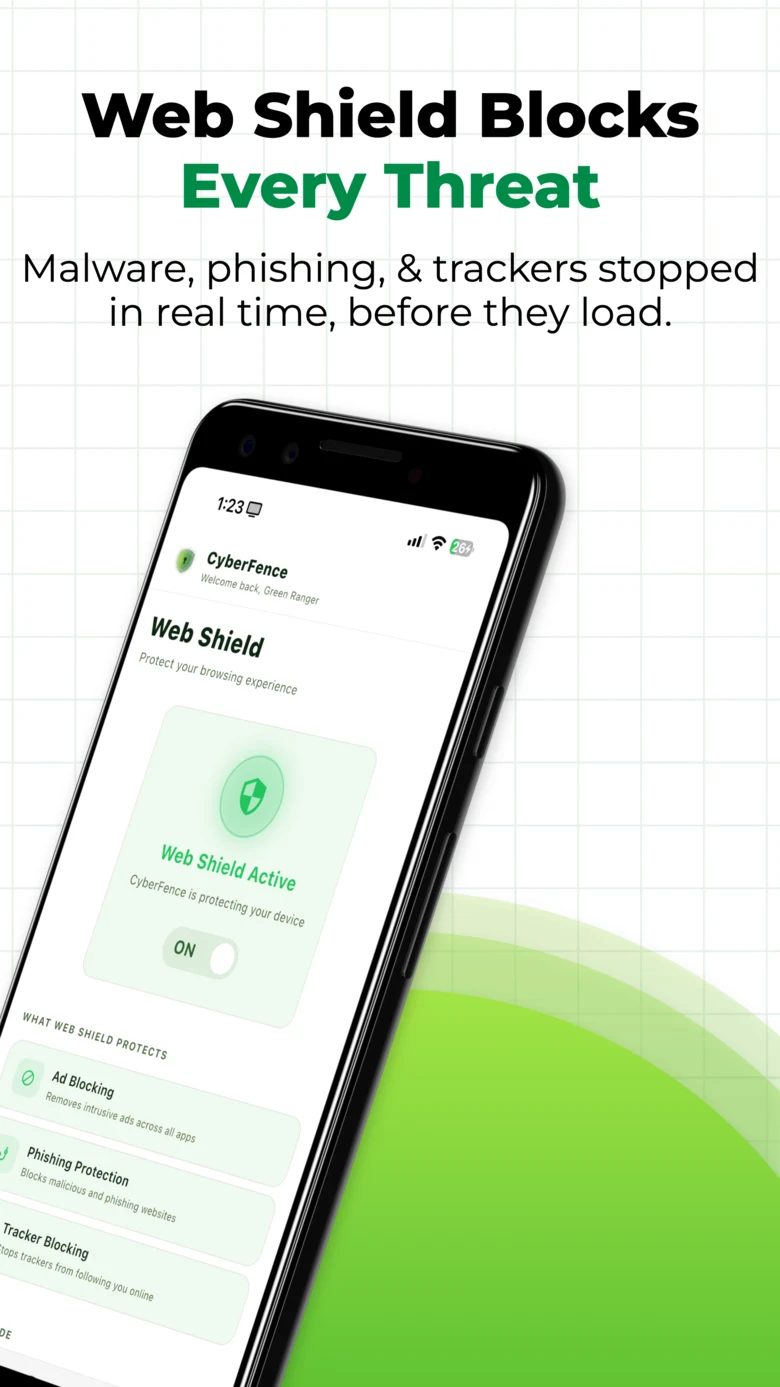
DNS-level filtering blocks malware, phishing sites, and intrusive trackers before they reach your Android — in Chrome and every other app on your device. No page load, no exposure.
- Blocks malware and phishing domains at the DNS layer
- Removes intrusive trackers across all apps system-wide
- Ad Blocking — removes ads before they load
- Standard mode: threat & malware blocking
- Family Shield: adds adult content filtering
- Granular category controls — you decide what gets blocked
- Works independently of VPN connection state
Split Tunneling
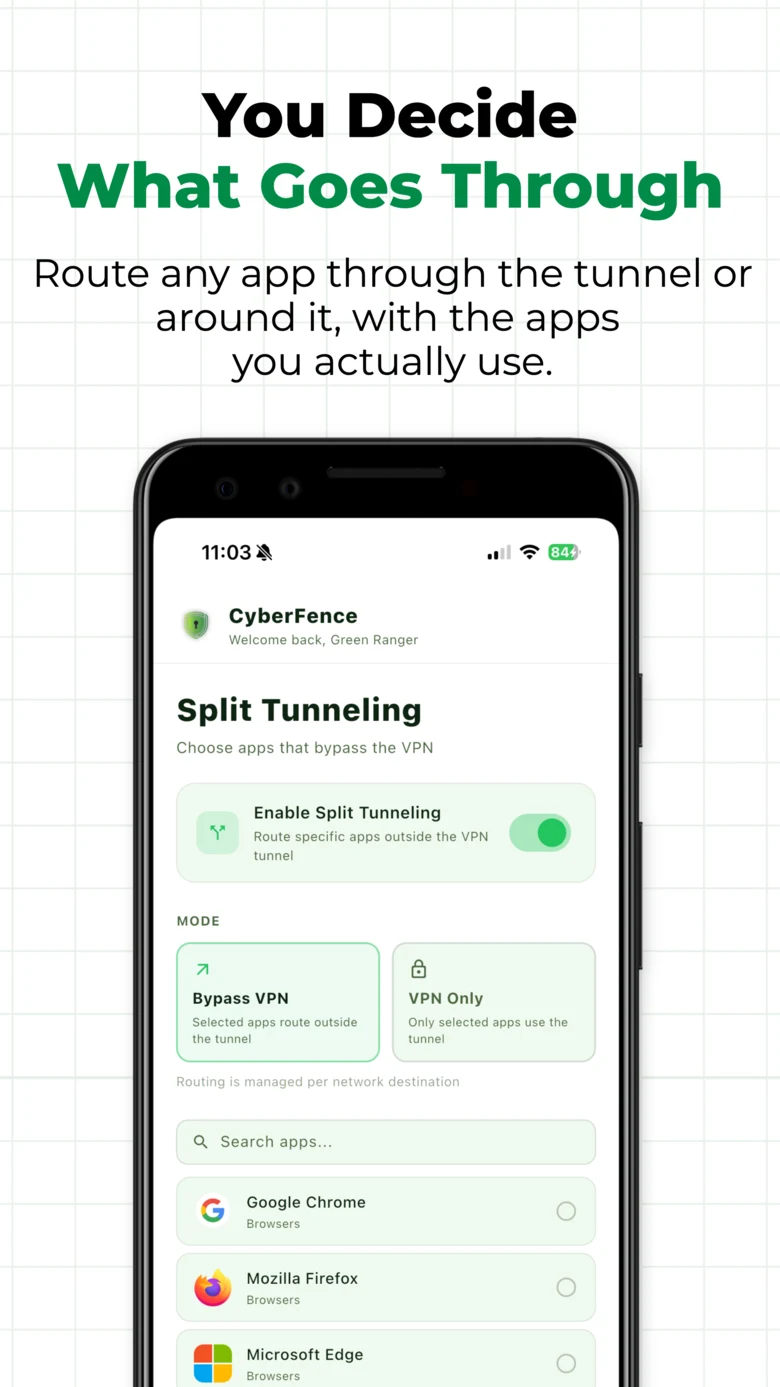
You decide what goes through the VPN and what routes directly. Route any app through the tunnel or around it — with the apps you actually use. Real app icons fetched from your device make the list effortless to manage.
- Per-app VPN routing — include or exclude any installed app
- Bypass VPN mode: selected apps route outside the tunnel
- VPN-only mode: only selected apps use the tunnel
- Real app icons from your device's package manager
- Search apps by name for fast selection
- Changes take effect without reconnecting
Network Monitor
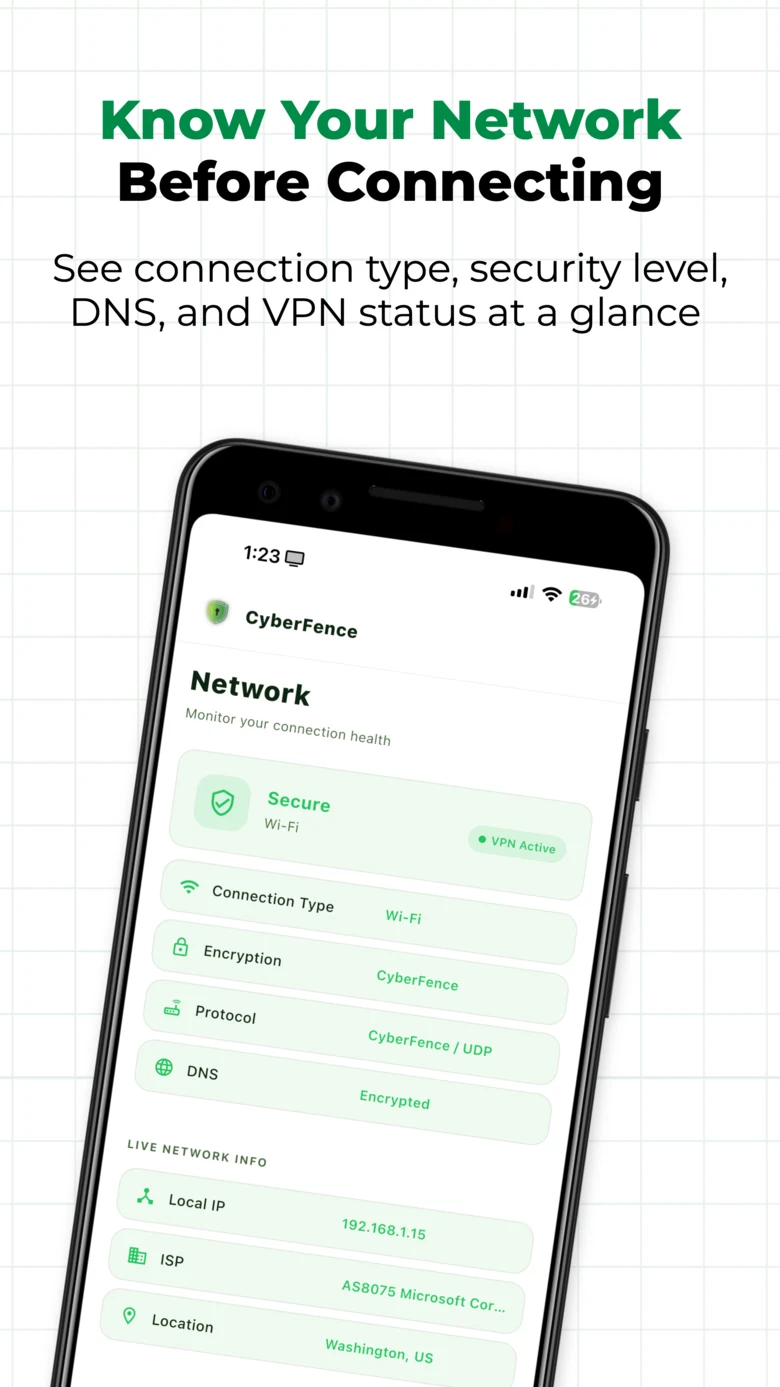
Know your network before connecting. The Network screen shows connection type, security level, DNS status, and VPN state at a glance — plus live network info including your local IP, ISP, and server location.
- Connection type (Wi-Fi / cellular) and security level
- Encryption and protocol display
- DNS status — Encrypted when CyberFence is active
- Live local IP, ISP, and location
- VPN Active indicator — always visible
- Network security tips shown inline
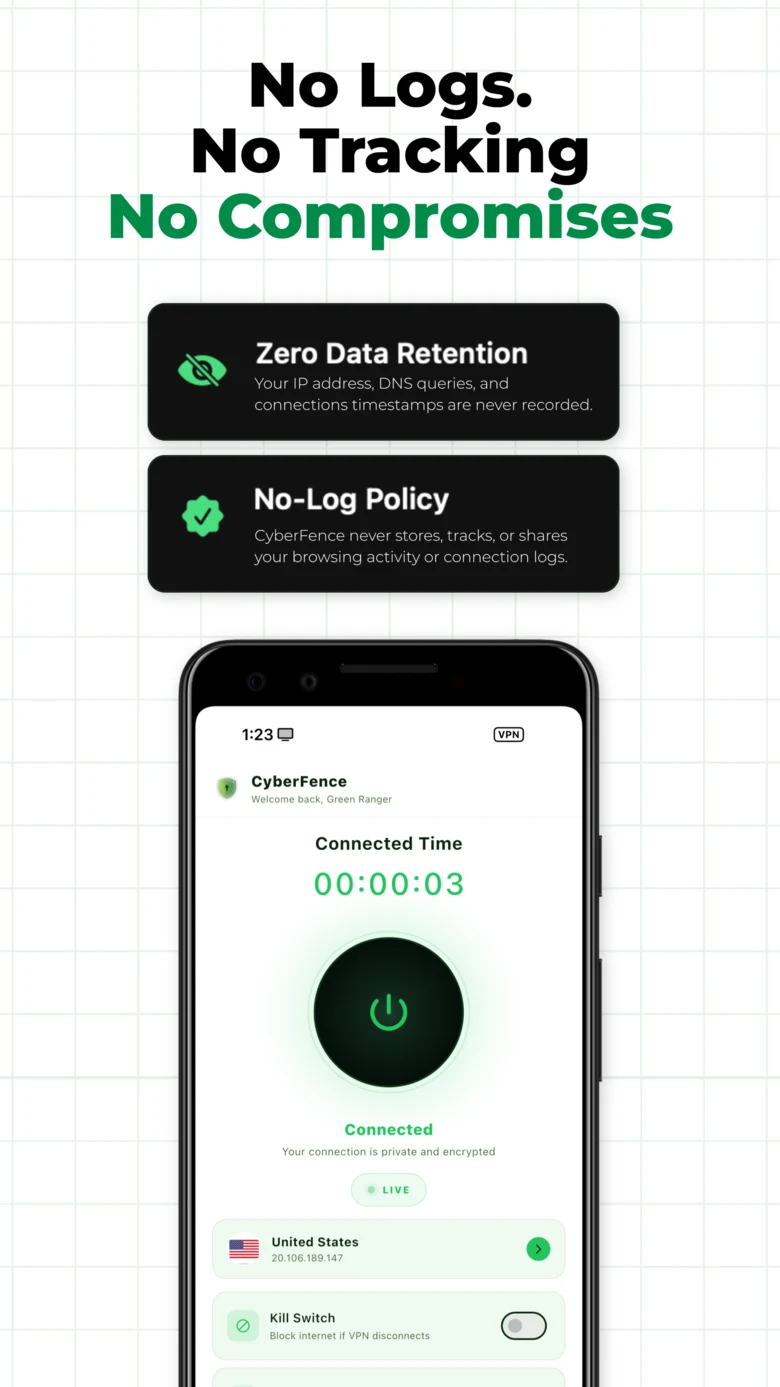
No Logs. No Tracking.
CyberFence does not record your IP address, DNS queries, connection timestamps, or browsing activity. There is nothing to hand over — because nothing is recorded. A true zero-log architecture, built from the ground up.
- Zero Data Retention — IP, DNS queries, and timestamps never recorded
- No-Log Policy — browsing activity never stored, tracked, or shared
- US-operated infrastructure — not subject to foreign data laws
- No third-party data sharing
More Features
CyberFence Android App — See It in Action.
13 Languages Built-In
Simple Onboarding
One App. Every Device.
Android Tablet
Built for Android Tablet. Not Just Compatible With It.
CyberFence on Android tablets is purpose-built for the larger screen — persistent sidebar navigation, two-column Split Tunneling, and a full-width Network Monitor dashboard. The same subscription covers every Android device you own.
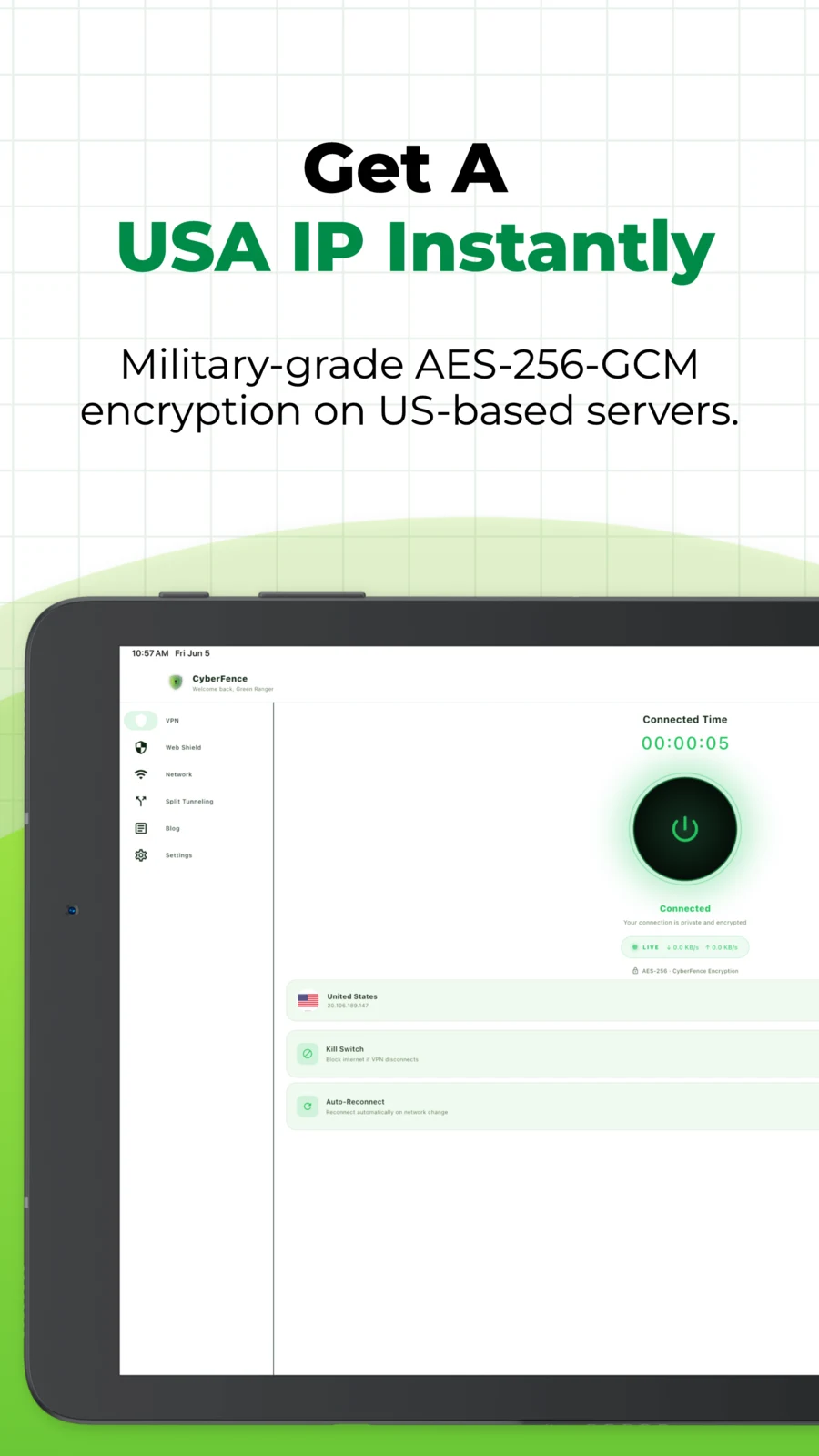
CyberFence on Android tablet — persistent sidebar nav, AES-256 encryption active, live speed stats
Tablet-Native Sidebar
Persistent sidebar navigation gives you instant access to VPN, Web Shield, Network, Split Tunneling, Blog, and Settings — without leaving your current view. Designed for the tablet screen.
Two-Column Split Tunneling
The Split Tunneling screen uses the full tablet display — apps bypassing the VPN on the left, apps using the VPN on the right. Manage per-app routing at a glance with live search.
Full-Width Network Monitor
The Network screen expands to a clean full-width dashboard on tablet — showing connection type, encryption, DNS, protocol, live IP, ISP, and location all on one screen.
Web Shield on Tablet
DNS-level ad blocking, phishing protection, and tracker blocking across every app on your tablet — Standard and Family Shield modes with a clean large-screen toggle UI.
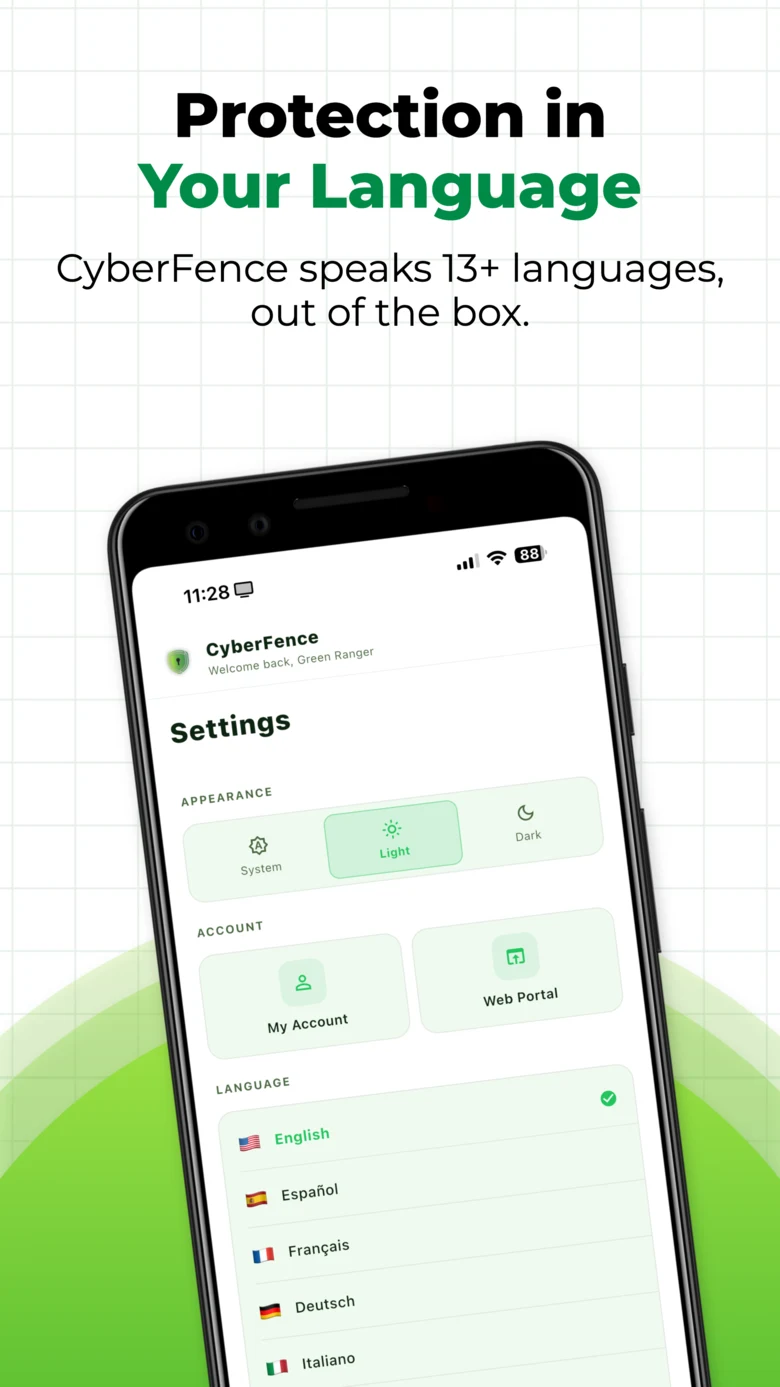
13 Languages
Fully localized in 13 languages including English, Spanish, French, German, Portuguese, Italian, Dutch, Russian, Arabic, Chinese, Japanese, Korean, and Hindi — on tablet and phone.
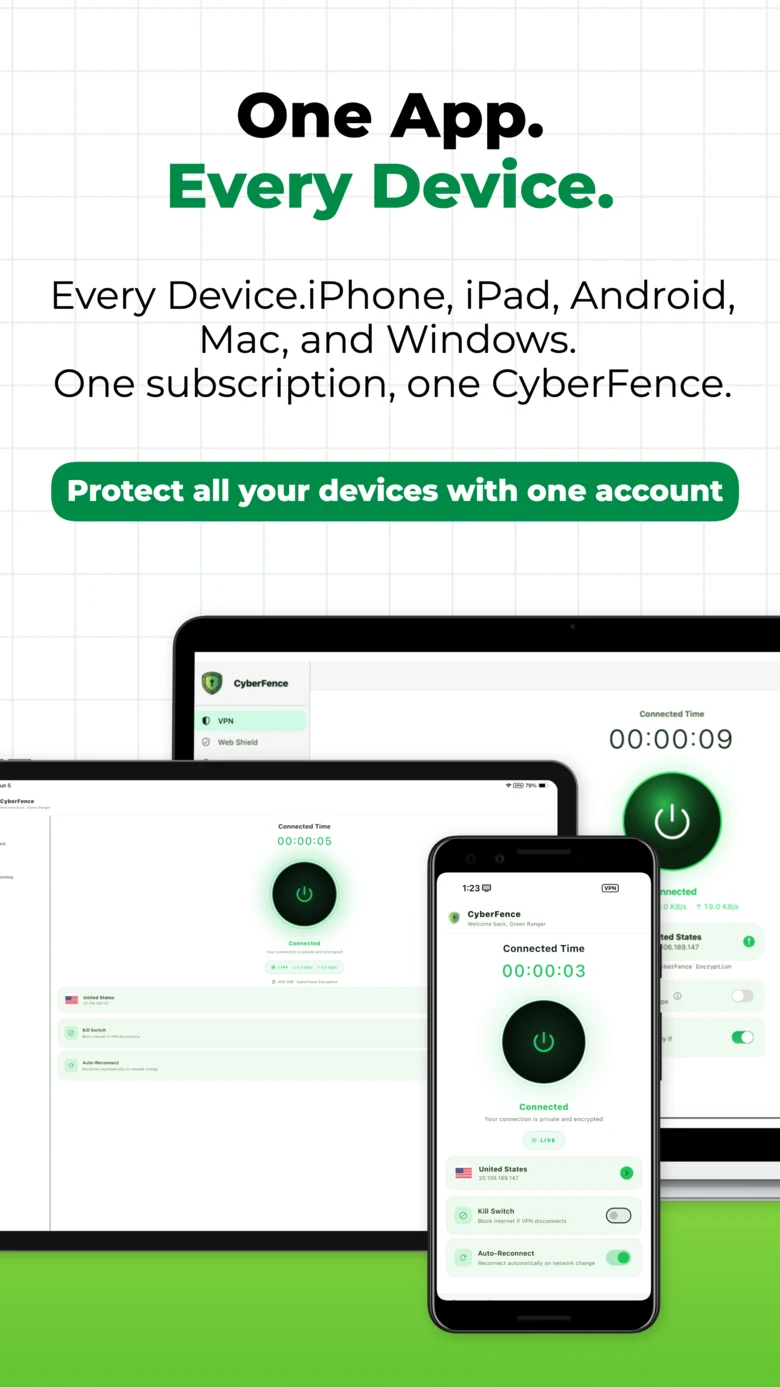
One Subscription, All Devices
Your CyberFence subscription covers Android phone, Android tablet, iOS, Mac, Windows, and the Web App. One account, one price, full protection everywhere.
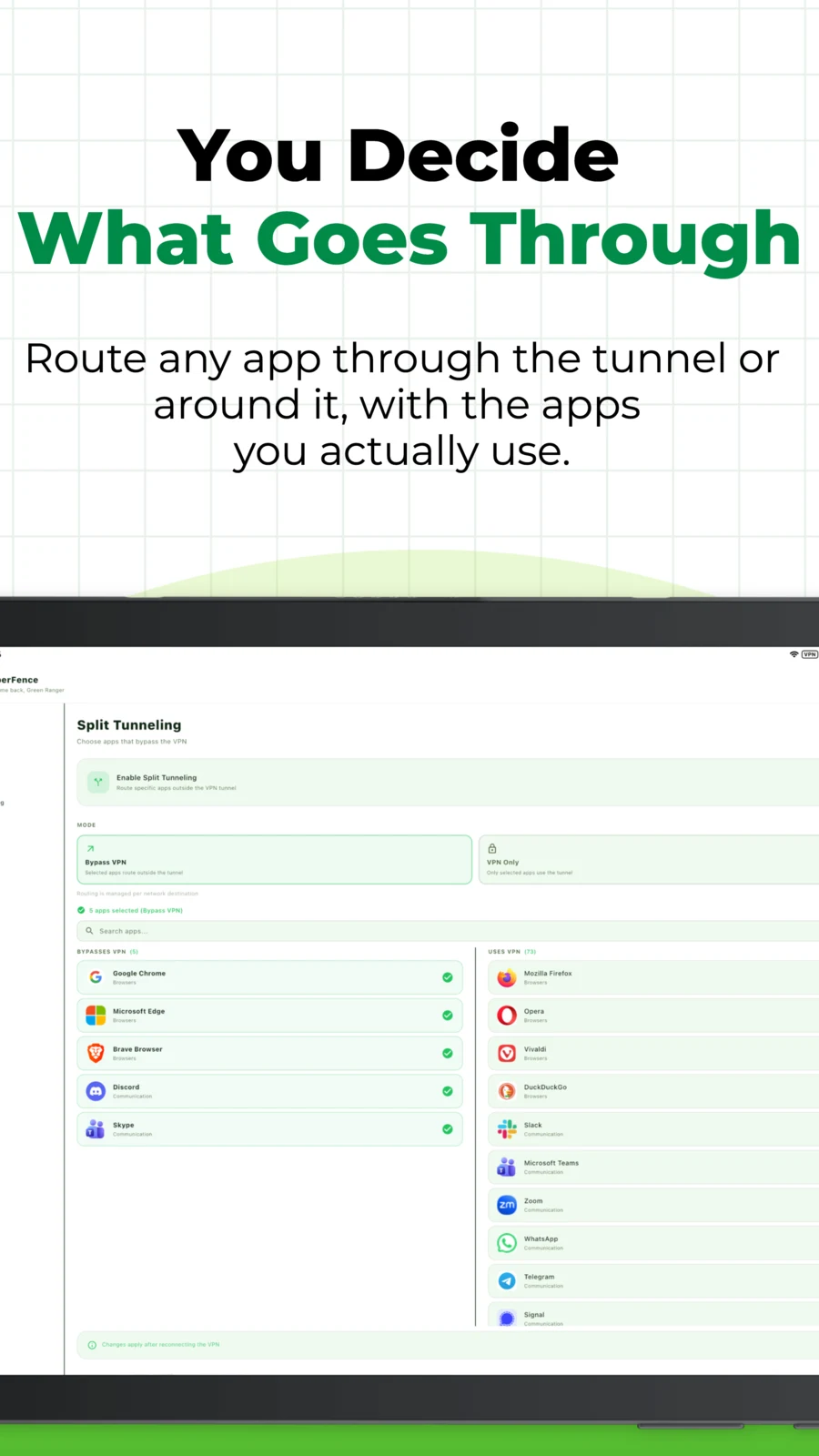
Split Tunneling — two-column tablet layout
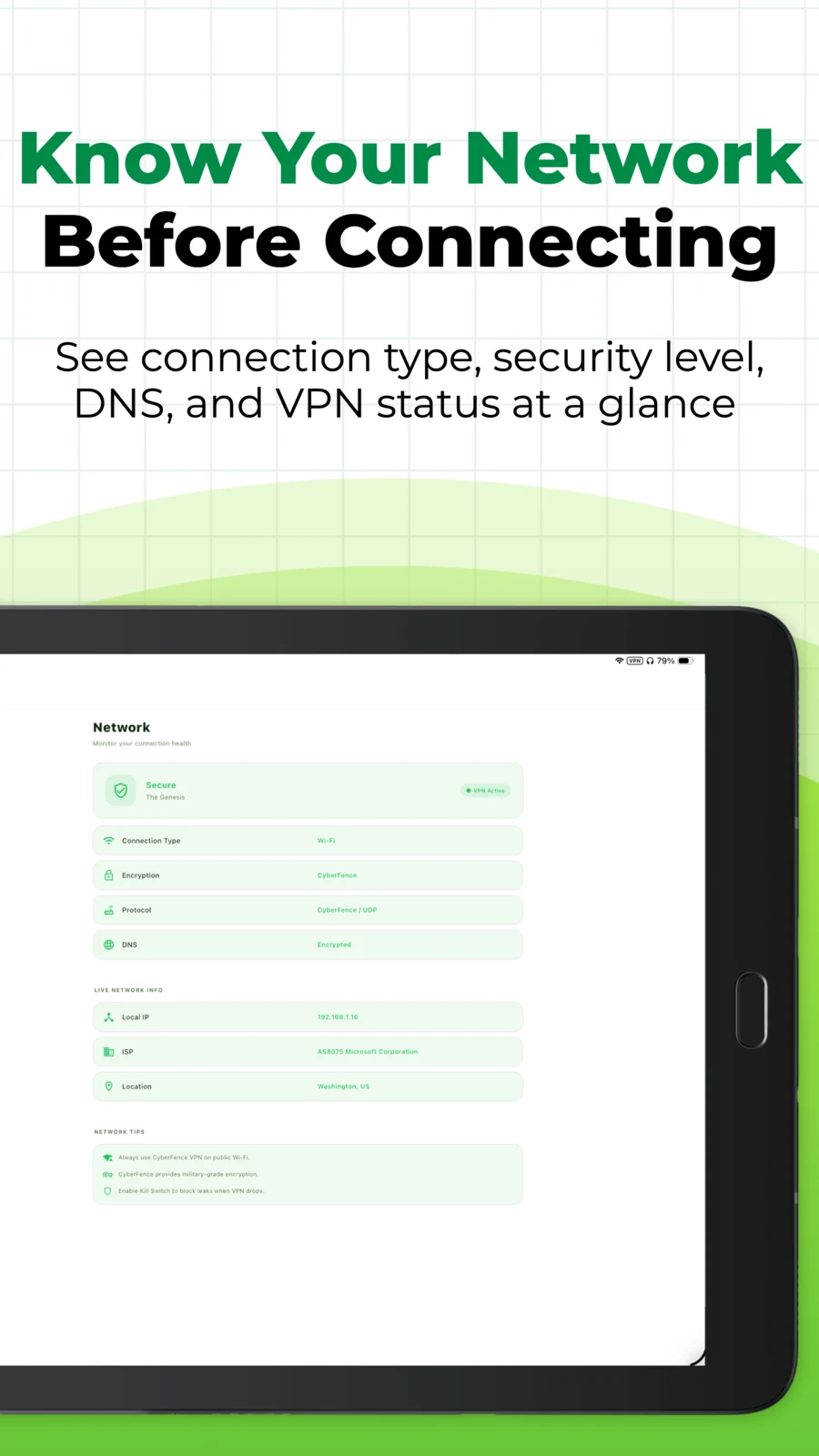
Network Monitor — live connection dashboard
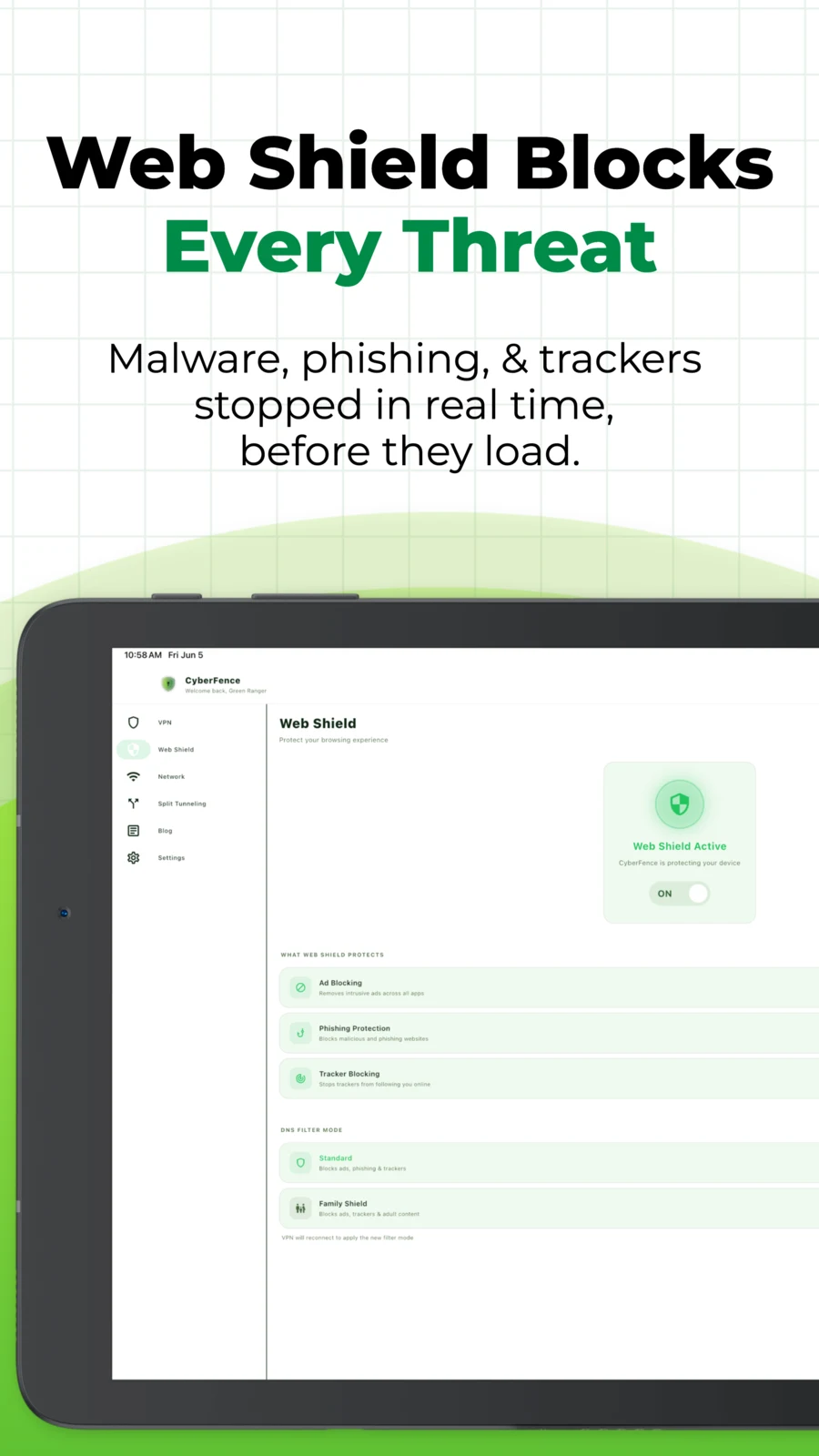
Web Shield — blocking ads, phishing & trackers
Android phone · Android tablet — one subscription covers both
More in the App
Built to Go With You Everywhere.
Dark Web Breach Monitor
Continuous dark web monitoring for your email and credentials. Instant breach alerts with actionable next steps — included in every subscription.
Learn about Breach Monitor →Biometric Lock
Lock the app behind your fingerprint or face biometrics. Even if someone picks up your phone, they can't access your VPN settings or breach data without your biometric.
Live Speed Stats
Real-time download and upload speeds shown in KB/s on the VPN screen, updating every 2 seconds. Know your connection is active and healthy at a glance.
On-Device Session History
Review your recent VPN sessions — when you connected, how long, and which server — right in the app. Stored only on your device, never on our servers. Clear it any time.
Material You Support
CyberFence adapts to Android's Material You dynamic color system on Android 12+ — the app's accent palette matches your wallpaper and system theme automatically.
HIPAA / NIST / CMMC Ready
US-operated infrastructure and zero-log architecture supports HIPAA, NIST, CMMC, and SEC compliance frameworks — built for professionals, not just consumers.
CyberFence for Teams →FAQ
Common Questions About CyberFence for Android.
Does CyberFence work on Android tablets?
Yes. CyberFence is purpose-built for Android tablets with a persistent sidebar navigation, two-column Split Tunneling layout, and a full-width Network Monitor dashboard. The same subscription covers both your Android phone and tablet. See the Android Tablet section →
What Android version does CyberFence support?
CyberFence supports Android 7.0 and later, including the latest Android versions. It runs on all major Android phones and tablets from manufacturers including Samsung, Google Pixel, OnePlus, and more.
Does CyberFence slow down my Android connection?
CyberFence is engineered for speed and reliability. Most users see minimal impact on connection speed. The app displays live download and upload speeds in KB/s so you can monitor performance at any time.
What is Split Tunneling on Android?
Split Tunneling lets you choose which apps route through the VPN tunnel and which connect directly. Route your banking app directly while sending all browser traffic through the VPN. CyberFence shows real app icons from your device to make management easy. See Split Tunneling →
Is CyberFence available on Google Play?
Yes. CyberFence is available on Google Play. Subscribe at cyberfenceplatform.com first and you will receive your download link immediately after checkout.
Does CyberFence log my browsing activity on Android?
No. CyberFence operates a strict zero-log policy. Your IP address, DNS queries, connection timestamps, and browsing activity are never recorded, stored, or shared with any third party. CyberFence is US-operated and not subject to foreign data retention laws.
Available Now
Protect Your Android Today.
Subscribe now and get instant access on every device — iOS, Android, Mac, Windows, and the Web App. You'll receive your Google Play download link the moment you subscribe.
Monthly $7.99/mo · Annual $88.21/yr ($7.35/mo, Save 8%) · Compare plans
Get Protected Today
One account. All 5 platforms. Cancel anytime.
Please enter a valid email address.
$7.99 today, cancel anytime
“Finally a VPN I trust for my practice — US-based, HIPAA-ready, and simple enough that my whole team actually uses it.” — Healthcare Practice Owner, Florida
Secured by RevenueCat · PCI-DSS Level 1 · Cancel anytime
Your account has been created
After purchase, open the CyberFence app and sign in — no need to create a new account.
Loading secure payment form…
Express checkout
Card declined or seeing an error? Most declines are your bank flagging a new charge — try again or call your card issuer. Still stuck? Email support@cyberfenceplatform.com and we'll respond within an hour.
Payments processed by RevenueCat (PCI-DSS Level 1). Your card data never touches our servers.
You're Protected.
Your CyberFence subscription is active. Check your email — we sent a link to set your password and download the app.
Also download on your other devices:
 iOS & iPad
 Android
 Windows
One account covers all your devices. Check your email for your password setup link.
Not ready for a VPN?
Protect the piece that matters most — your identity. Get alerted the moment your data shows up in a breach.
- 24/7 monitoring across billions of leaked records
- Instant alerts the moment your data is exposed
- Actionable next steps for every exposure
- Cancel anytime — no long-term commitment