Also on CyberFence: check your public IP and geolocation · compare CyberFence to other VPNs side-by-side .
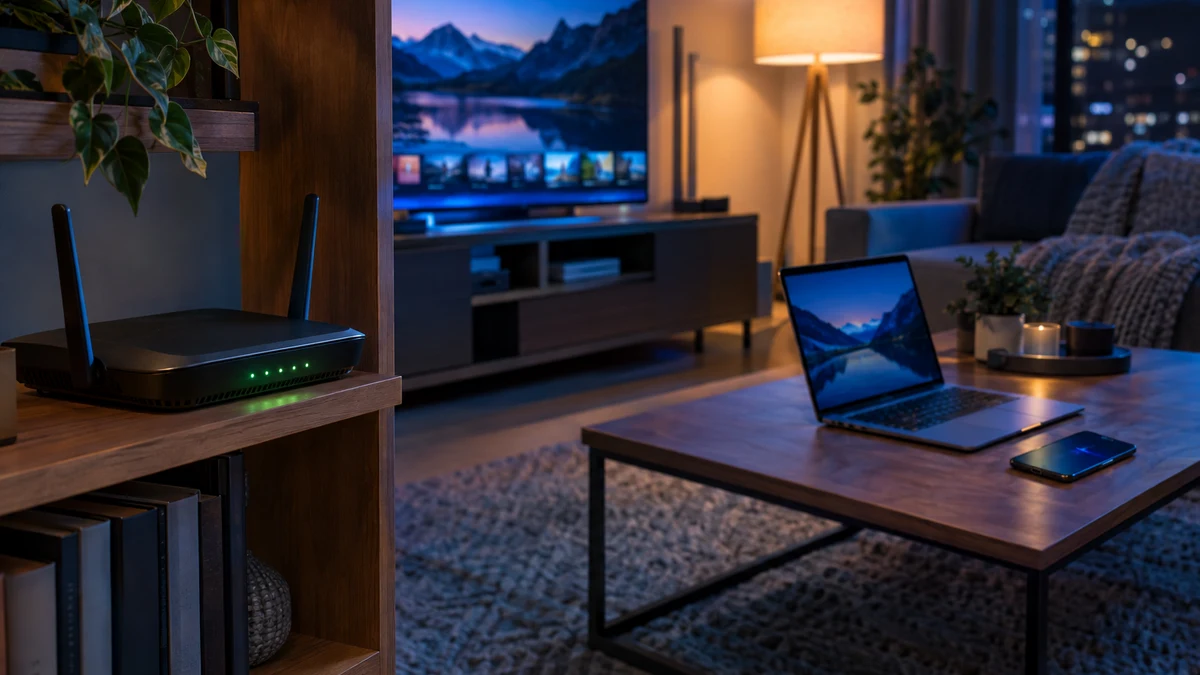
Most VPN advice is about coffee shops, airports and hotels. That makes sense: public Wi-Fi is shared with strangers. But your home network has a password, a router you (probably) set up yourself and nobody lurking in the next booth. So it's fair to ask: do you need a VPN at home at all?
The honest answer is "it depends on what you're trying to protect, and from whom." At home the main question isn't hackers on your Wi-Fi. It's who can see your traffic once it leaves your house, and how healthy the router at the edge of your network is. This guide walks through both, so you can decide for yourself.
The Short Answer
You don't strictly need a VPN at home the way you do on public Wi-Fi. Your home network is not open to strangers, and most websites already use HTTPS encryption. But a VPN at home is still worth it if any of these apply to you:
- You don't want your internet provider building a picture of the sites and apps you use.
- You share your network with roommates, guests, family members or a lot of smart devices you don't fully trust.
- Your router is old, came from your provider years ago, or you've never logged in to update it.
- You want phishing and malware blocking on your devices that works the same at home and away.
- Your phone and laptop leave the house, and you'd rather leave one protection on everywhere than remember when to switch it on.
If none of those describe you, the fixes in the router section below matter more than a VPN. For most people, though, at least one of them is true.
What Your Internet Provider Can See at Home
Every website you visit at home passes through your internet service provider (ISP). HTTPS hides the contents of a page, but your provider can still see which domains you connect to, when and how often, and the DNS lookups your devices make unless you've changed them.
This isn't theoretical. In a 2021 staff report, the Federal Trade Commission studied six major providers and found that many collect and share far more data than customers expect. Some combined data across product lines and used web browsing data to target ads, and many made it hard for customers to opt out. The full report notes that even with encryption, many of the providers it studied still stored the IP addresses customers accessed, and with them the domain names of the sites they visited.
The report is a snapshot of practices from 2019 to 2020, and providers' policies vary. But the basic fact hasn't changed: your ISP sits between your home and the rest of the internet. We cover the details in what a VPN hides from your ISP and whether your ISP can sell your browsing history.
A VPN changes the picture. With the VPN on, your provider sees an encrypted connection to a VPN server and how much data you use. It doesn't see the individual sites, and your DNS lookups go through the VPN instead of your provider's resolvers. You're shifting that visibility from your ISP to your VPN provider, so it matters who that provider is and what its logging policy says.
Keep your browsing between you and the sites you visit. CyberFence encrypts your traffic with AES-256-GCM at home and on the go, and Web Shield blocks known phishing and malware domains. US-operated, $7.99/month or $88.21/year.
See CyberFence PlansThe Bigger Home Risk: Your Router
The weak point in most homes isn't the Wi-Fi password. It's the router itself. Routers run software, that software has bugs, and many people never update it.
In May 2025 the FBI warned that criminals were taking over end-of-life routers, models the manufacturer no longer updates, using a variant of TheMoon malware. Once infected, the routers were turned into proxies, so criminals could route their own activity through victims' home internet connections and hide their location. The FBI said routers from 2010 or earlier likely no longer receive updates, and many of the compromised devices had remote administration turned on.
According to BleepingComputer, the FBI's advisory listed common targets including older Linksys E-series and WRT models and the Cisco M10. The Register reported that a related indictment said the operators claimed more than 7,000 residential proxies and allegedly earned over $46 million.
Here's the part people miss: a VPN on your phone or laptop does not fix a compromised router. It encrypts your own device's traffic so the router can't read it, which helps. But it can't patch the router, stop the router from being rented out as a proxy, or protect a smart TV or camera that isn't running the VPN. That's why router hygiene comes first, and a VPN comes on top of it.
Fix These First (They Cost Nothing)
The NSA's home network guidance and the FBI's router warning agree on most of the basics:
- Replace end-of-life routers. If the manufacturer no longer releases updates for your model, replace it. Check the support page for your exact model number.
- Update the firmware. Log in to the router's admin page or app and turn on automatic updates if it offers them.
- Turn off remote administration. Manage the router only from inside your home network. The NSA also recommends disabling UPnP.
- Use WPA3 (or WPA2/WPA3) with a long passphrase. The NSA suggests at least 20 characters.
- Separate your networks. Put guests and smart devices on their own Wi-Fi network so a weak gadget can't reach your laptop directly.
- Change the default admin password and reboot the router regularly. The NSA suggests weekly reboots of routers, phones and computers.
If you have an off-brand streaming box or a lot of cheap smart devices, read our guide on whether your Android TV box is part of a botnet. Those devices are a common home weak spot, and network separation helps a lot.
What a VPN Adds at Home
Once your router is in good shape, a VPN fills the gaps router settings can't:
- Privacy from your provider. Your ISP sees an encrypted tunnel instead of a list of the sites you visit.
- Protection from others on your network. If you share Wi-Fi with roommates, guests or an apartment building's managed network, your traffic stays encrypted between your device and the VPN server.
- Phishing and malware blocking. CyberFence Web Shield filters known malicious and phishing domains at the DNS level, so a bad link in an email is stopped before the page loads. Learn more in how DNS filtering works.
- One habit everywhere. The same app that protects you at home keeps you covered at a hotel or airport, and the kill switch blocks traffic if the VPN connection drops.
What a VPN Won't Do at Home
We'd rather be honest than oversell. A VPN at home will not:
- Protect devices that aren't running it, like most smart TVs, cameras and thermostats.
- Stop you from typing your password into a convincing fake site that isn't on a block list yet.
- Make you anonymous. Websites can still recognize you when you sign in, and cookies still work.
- Replace updates, strong unique passwords and multi-factor authentication.
Speed is the other common worry. A good VPN adds some overhead, but for browsing and streaming most people won't notice. Our article on whether a VPN slows down your internet explains what affects speed. If you're wondering whether to keep it on all the time, see should you leave your VPN on all the time.
A Simple Way to Decide
Ask yourself three questions:
- Is my router supported and updated? If not, fix that first. It matters more than anything else on this list.
- Do I care what my ISP can see? If yes, a VPN is the most direct way to limit it.
- Do my devices leave the house? If yes, keeping a VPN on at home too means one less setting to remember.
For most households the answer ends up being "a secured router plus a VPN on the devices you care about most." That's your phones, laptops and tablets, the ones holding your email, banking and passwords. If you work from home, our guide to VPNs for working from home covers the extra steps worth taking.
Why CyberFence Works at Home
CyberFence is built to run quietly in the background wherever you are. You get AES-256-GCM encryption, Web Shield DNS blocking of known phishing and malware domains, a kill switch, and apps for your phone, tablet and computer, all from a US-operated provider. Turn it on once, and your home network, your provider and the coffee shop down the street all see the same thing: encrypted traffic.
If you also want alerts when your email turns up in a known data breach, CyberFence offers Breach Monitor as a separate product.
Protect your home browsing and every network after it. CyberFence: AES-256-GCM VPN encryption, Web Shield DNS blocking and a kill switch, US-operated. $7.99/month or $88.21/year ($7.35/month).
Get Protected With CyberFenceWant to go deeper? Read our free IP address checker , the CyberFence competitor comparison hub , or CyberFence plans and pricing .