Also on CyberFence: compare CyberFence to other VPNs side-by-side · the free CyberFence security tools .
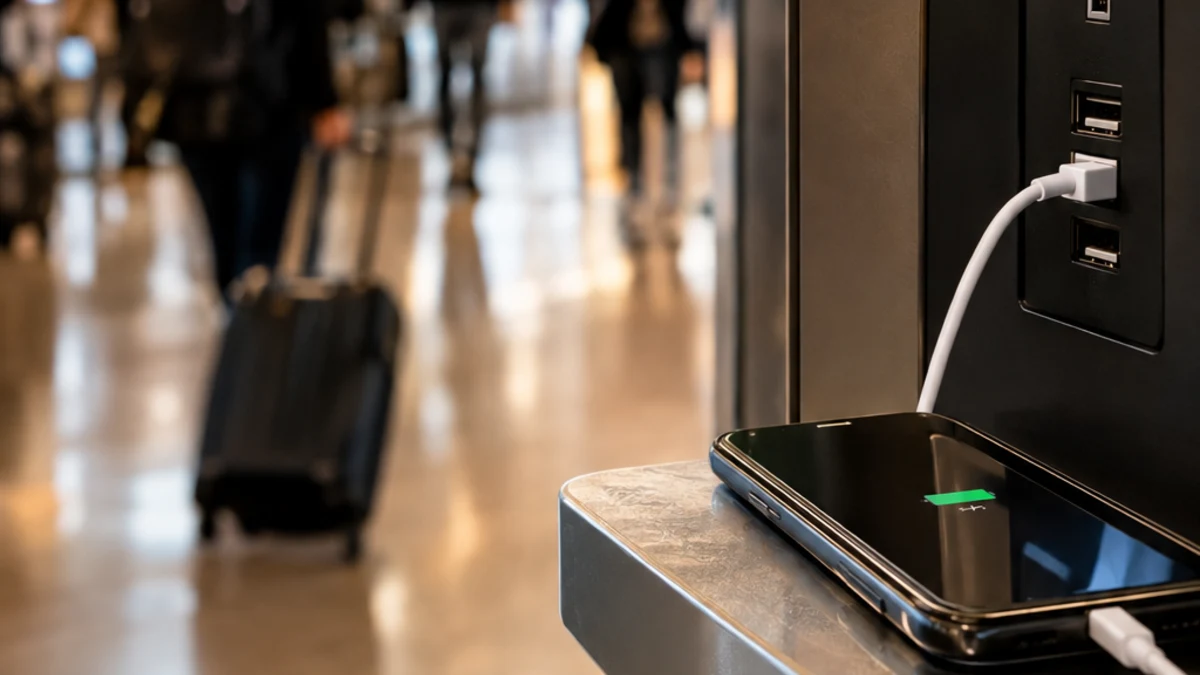
You're at the gate with 12% battery and a public USB charging kiosk right in front of you. The TSA, the FBI, and the FCC have all put out warnings about plugging into stations like this — a risk known as "juice jacking." So the honest question is: if you already run a VPN, are you covered?
The short answer is no. A VPN protects your network traffic, not the physical USB connection you're plugging into. Here's exactly what juice jacking is, why a VPN doesn't touch it, and what actually reduces the risk.
What Juice Jacking Actually Is
A standard USB port and cable can carry two different things at once: electrical power and data. A wall outlet only carries power. A USB charging port can carry both — which means a compromised port or cable could, in theory, try to pull data off your device or push malware onto it while you think you're just charging.
The concept isn't new. It was first demonstrated at the DEF CON hacking conference in 2011, when researchers built an "informational" charging kiosk that displayed a warning message to anyone who plugged in. Journalist Brian Krebs covered the demo and coined the term "juice jacking" in his write-up. Since then, the concept has resurfaced periodically — a 2013 Black Hat demo showed a modified wall charger that could infect an iPhone in under a minute, and a 2016 follow-up called "video jacking" showed a kiosk could mirror and record a connected phone's screen.
Here's the Part Most Warnings Leave Out
Despite more than a decade of demonstrations and repeated warnings from government agencies, independent security reviews have consistently found no confirmed real-world cases of juice jacking happening to an ordinary traveler outside of a research or conference setting. Security researchers and outlets covering the topic in 2026 describe it the same way industry reviews have for years: a real, technically demonstrated risk that remains almost entirely theoretical in practice.
That doesn't mean the warnings are wrong to exist — modern phones also added protections after the early DEF CON demos, requiring you to explicitly authorize a device before it can access data over USB, which closes off the easiest version of the attack. But it does mean the risk is smaller than the headlines about it suggest, and it's worth being precise about what actually protects against it.
Why the Real-World Risk Stayed Low
Part of why juice jacking never became a widespread problem comes down to a change phone makers made after the earliest demonstrations. In 2011, plugging a phone into almost any computer or USB port would mount its storage as an accessible drive with no authorization required — exactly the opening the original DEF CON kiosk exploited. Manufacturers closed that gap within a year or two by requiring an explicit on-screen prompt before any device can access data over a USB connection. That single change eliminated the simplest version of the attack industry-wide, which is a big part of why later research (the 2013 Mactans wall-charger demo, the 2016 video-jacking kiosk, a 2019 malicious cable called the O.MG Cable) had to get progressively more elaborate to work at all, and why none of it ever surfaced as a real-world incident against ordinary travelers.
That's also why the guidance hasn't changed much since 2011: keep declining unfamiliar "trust this device" prompts, and the protection built into your phone is already doing most of the work.
An Awareness Gap Worth Knowing About
Even with the real-world risk being low, most people don't know the difference between a wall outlet and a USB port in the first place. Research surveying smartphone users found that more than two-thirds regularly need to charge in public places, and well over half actually use public charging stations when they do — but more than three-quarters of the same respondents had never heard of charging-port attacks at all. That gap between usage and awareness is exactly why federal agencies keep repeating the warning even without a wave of confirmed cases: cheap precautions cost nothing, and the point of the guidance is to make people pause before plugging in, not to suggest an epidemic is underway.
Why a VPN Doesn't Cover This
A VPN encrypts the data traveling between your device and the internet over Wi-Fi or cellular. Juice jacking doesn't touch your internet connection at all — it exploits the physical data pathway inside a USB cable, before your traffic ever reaches a network. Encrypting your Wi-Fi traffic does nothing to stop a compromised charging port from trying to read your device's storage or push a malicious payload through the same cable carrying your charge.
This is worth saying plainly, even though CyberFence sells a VPN: a product that claims to protect you from every risk in a category, including ones it doesn't actually touch, isn't doing you any favors. Juice jacking is a hardware and USB-protocol risk, not a network risk.
What Actually Reduces the Risk
- Use a wall outlet, not a USB port, when one's available. A standard electrical outlet only delivers power — there's no data pathway to exploit.
- Carry your own charger and cable. The FCC's specific recommendation, along with TSA and FBI guidance, is to bring your own equipment rather than borrow a public charging cable or plug directly into a public kiosk.
- Use a USB data blocker ("USB condom"). These small adapters physically block the data pins in a USB cable while still allowing power through, so a compromised port can charge your phone but can't talk to it.
- Carry a portable power bank. The simplest fix — charge from your own battery pack and skip public infrastructure entirely.
- Decline "trust this device" prompts from unfamiliar charging points. Modern iOS and Android both ask for explicit authorization before allowing data access over USB — always decline unless you initiated the connection yourself.
It's Not Just Airports
The same guidance applies anywhere a USB port is offered as a convenience rather than something you control: hotel room nightstand USB ports, rental car infotainment systems, conference-room charging stations, and shared coworking spaces. Rental car USB ports carry an added wrinkle beyond juice jacking — plugging your phone in to charge can also sync contacts and call history to the vehicle's system, which then sits there for the next renter unless it's manually cleared. None of that is touched by a VPN either; it's a data-syncing setting on your phone, not a network connection.
Where a VPN Actually Earns Its Keep at the Airport
The reason to run a VPN while traveling has nothing to do with the charging kiosk next to you — it's the airport Wi-Fi you connect to afterward. Public Wi-Fi networks are shared, frequently unencrypted, and a documented target for interception. That's a real, ongoing risk with real reported cases, unlike juice jacking's largely theoretical track record.
Skip the USB port, keep the VPN running. CyberFence encrypts your connection with AES-256-GCM encryption the moment you join airport or hotel Wi-Fi, and Web Shield blocks known phishing and malware domains before they load — the risks travelers actually run into.
See CyberFence Plans →The Bottom Line
A VPN won't stop juice jacking — that's a physical USB risk, and the fix is physical: use a wall outlet, bring your own cable, or carry a USB data blocker. What a VPN does protect you from is the much more common and better-documented risk sitting right next to that charging kiosk: the public Wi-Fi network everyone in the terminal is about to join. Cover both, and you've actually closed the gap the warnings are pointing at.
Protect what actually needs protecting. CyberFence secures every connection you make on public Wi-Fi, with a Kill Switch, zero-log policy, and coverage across all your devices. Starting at $7.99/mo.
Get Protected →Want to go deeper? Read the CyberFence competitor comparison hub , our free privacy and security tools , or CyberFence plans and pricing .