Also on CyberFence: check your public IP and geolocation · compare CyberFence to other VPNs side-by-side .
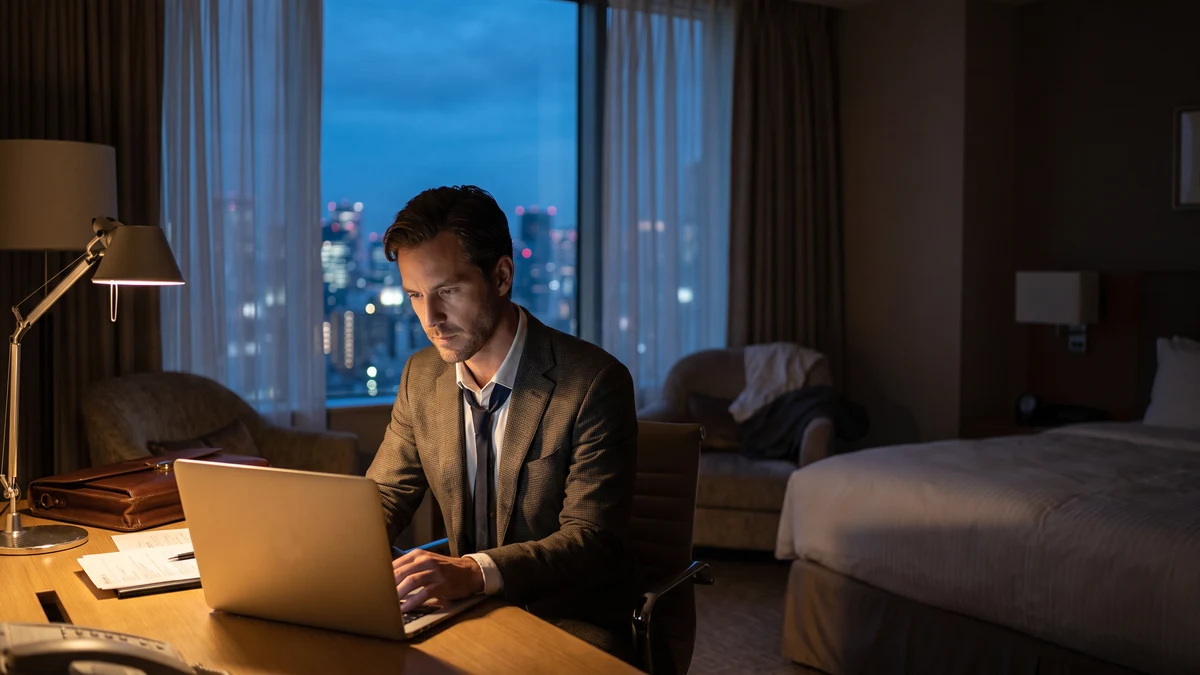
Microsoft issued a global warning this week about a Russian state-sponsored hacking campaign called Operation CaptiveCrunch — targeting hotel Wi-Fi networks worldwide to steal passwords, documents, and Microsoft 365 credentials from business travelers.
The threat actor behind the campaign, tracked as Storm-2945, is a sub-cluster of Midnight Blizzard — also known as APT29 and Cozy Bear — the elite Russian intelligence group linked to Russia's Foreign Intelligence Service (SVR) and the SolarWinds supply chain attack. This isn't an opportunistic criminal operation. It's a sophisticated, state-sponsored campaign with specific targets and significant resources behind it.
Microsoft described the attacks as "widespread but targeted" and identified "widespread compromise of Wi-Fi networks at hospitality-related organizations." First observed in May 2026, the campaign has been running for months across hotels, conference centers, and other hospitality venues worldwide.
How the Attack Works
The attack exploits something every business traveler encounters: the hotel Wi-Fi login screen — called a captive portal. You connect to the hotel's network, a browser window opens asking you to accept terms or log in, and you're online. Storm-2945 has figured out how to turn that familiar moment into a trap.
Here's what happens when you connect to a compromised hotel network:
- You connect to the hotel Wi-Fi — the network looks normal, has the right name, and offers the standard captive portal login page.
- The attackers intercept and manipulate your traffic — Storm-2945 has compromised the network itself, giving them the ability to modify what you see in your browser.
- You see a convincing fake prompt — this could be a browser update request, a software patch notification, a network troubleshooting tool, a Google "verify it's you" security screen, or a fake Microsoft 365 login page.
- If you click or download — malware is installed on your device, or your credentials are captured through the fake login screen.
- The attackers gain access — to your device for remote operation, your browser cookies, saved passwords, documents, keystrokes, screenshots, audio, video, and clipboard contents. If Microsoft 365 credentials are captured: your email and OneDrive are compromised.
The sophistication of the fake prompts is what makes this campaign dangerous. Microsoft specifically called out fake Google security screens displaying "Our systems have detected unusual traffic from your computer network. Please complete the security check to access Google Search." — phrasing designed to feel like a routine security verification rather than an attack.
What the Attackers Can Access
Microsoft's disclosure lists what malware installed through this campaign can collect from an infected device:
- Browser cookies — authenticated session tokens for every site you're logged into
- Saved passwords from your browser's password manager
- Documents on your device and connected drives
- Keystrokes — every email, password, and message typed after infection
- Screenshots — periodic captures of everything on your screen
- Audio — microphone recordings
- Video — webcam footage
- Clipboard contents — anything you copy and paste, including passwords and account numbers
Beyond device access: if the fake Microsoft 365 login screen captures your credentials, the attackers gain persistent access to your corporate email, calendar, OneDrive files, SharePoint, and Teams — all the documents and communications that flow through Microsoft 365 in a typical business environment.
For a business traveler who handles client data, corporate communications, or sensitive financial information, a single compromised hotel Wi-Fi session can expose months of work product and every client interaction in their Microsoft 365 account.
Don't Let Hotel Wi-Fi Compromise Your Device
CyberFence encrypts all your traffic with AES-256-GCM encryption before it touches the hotel network — and Web Shield blocks fake Microsoft login pages and malicious captive portal redirects before they load. Turn it on before you connect.
See Plans →Why This Attack Is Especially Hard to Spot
Traditional Wi-Fi attacks require you to connect to a fake network — an "evil twin" with a name similar to the legitimate hotel Wi-Fi. Storm-2945's approach is different and more insidious: they compromise the legitimate hotel network itself. You connect to the real hotel Wi-Fi, see the real hotel name, and get a real internet connection — but the network is under attacker control.
Once inside the network infrastructure, the attackers can intercept and modify traffic, inject content into web pages you visit, and redirect specific requests to malicious servers — all while your device shows a valid Wi-Fi connection and HTTPS padlocks on most sites.
The fake prompts are engineered to look routine. A browser update notification. A network connectivity check. A Google security screen. A Microsoft login page. These are things travelers see legitimately, which is exactly why they work as attack vectors. The attack doesn't require you to do anything obviously suspicious — just click what looks like a normal system prompt while checking in.
Who Is Being Targeted
Microsoft described the campaign as "targeted" — not indiscriminate. APT29/Midnight Blizzard has a long history of targeting government officials, diplomats, defense contractors, technology companies, and think tanks. The hotel Wi-Fi vector suggests the campaign is focused on business travelers — people who stay in hotels while traveling for work and access sensitive corporate systems from the road.
If you are a:
- Business traveler who accesses Microsoft 365, corporate email, or VPN from hotels
- Government employee or contractor who travels for work
- Healthcare professional attending conferences
- Attorney, financial adviser, or consultant who works from hotel rooms
- Anyone accessing sensitive client data while traveling
...you are in the target profile for this campaign.
Microsoft's warning explicitly covers hotels, conference centers, and airports — not just one or two properties. The compromise is described as "widespread" across hospitality-related organizations globally.
What Microsoft Recommends
Microsoft's official recommendations:
- Exercise caution with guest networks at hotels, conferences, airports, and public venues
- Use a phone hotspot instead of hotel Wi-Fi whenever possible — cellular data is not subject to hotel network compromise
- Do not download anything presented through a captive portal — software updates, patches, browser updates, certificates, network troubleshooting tools, or security utilities
- Be suspicious of pop-up requests when connecting to hotel Wi-Fi
Microsoft also advised organizations to "review what information employees provide to hospitality providers when connecting to guest networks" — acknowledging that corporate travelers routinely expose sensitive data through hotel network connections.
How CyberFence Protects Against This Attack
The Storm-2945/CaptiveCrunch attack has two main vectors: malicious file delivery and credential theft via fake login pages. CyberFence addresses both.
AES-256-GCM encryption before the hotel network sees anything: CyberFence establishes an encrypted tunnel from your device to the VPN server before any traffic reaches the hotel's Wi-Fi infrastructure. Even if Storm-2945 has compromised the hotel network, they see only encrypted packets — not your Microsoft 365 login credentials, not your browser sessions, not your corporate data. The attack requires being able to read and modify your traffic. Encryption makes that impossible.
Web Shield DNS filtering blocks malicious domains: The fake login pages, malware delivery sites, and malicious redirect domains used in campaigns like CaptiveCrunch are identified and blocked at the DNS level before your browser ever loads the page. When CyberFence's Web Shield intercepts a DNS request to a known malicious domain, the connection is blocked — the fake Microsoft login page never loads, the malware download never starts.
Kill switch prevents accidental exposure: If the VPN connection drops unexpectedly while you're on hotel Wi-Fi, CyberFence's kill switch blocks all internet traffic until the VPN reconnects — preventing any unencrypted session from touching the compromised network.
The practical workflow: Turn on CyberFence before you connect to hotel Wi-Fi. The VPN connects automatically when you join the network. Everything after that is encrypted before it reaches the hotel's infrastructure. The captive portal login page loads through the encrypted tunnel, and any malicious injection into that page is blocked by Web Shield before your browser renders it.
What You Should Do Right Now
If you travel for work and regularly use hotel Wi-Fi, this is the moment to change how you connect:
- ✅ Install CyberFence on your laptop and phone before your next trip
- ✅ Enable auto-connect — VPN activates automatically when you join any unfamiliar network
- ✅ Never click "update" or "install" prompts that appear on hotel Wi-Fi login pages — legitimate captive portals ask for your name and room number, not software downloads
- ✅ Use your phone's hotspot for sensitive work when available — cellular networks are not affected by this compromise vector
- ✅ Enable MFA on your Microsoft 365 account if you haven't already — even if credentials are captured through a fake login page, MFA prevents unauthorized access
- ✅ If you connected to hotel Wi-Fi without a VPN recently and noticed any unusual prompts, change your Microsoft 365 password and review your account's sign-in history immediately
State-sponsored hackers targeting hotel networks is not theoretical. Microsoft disclosed this campaign after observing it actively targeting travelers worldwide for months. The attack vector — a familiar captive portal login screen — is specifically designed to be invisible. The protection — AES-256-GCM encryption that makes your traffic unreadable to anyone on the hotel network — is straightforward to implement before your next checkout.
Protect Every Hotel Stay
Connect CyberFence on your phone or laptop before using shared Wi-Fi. It encrypts traffic between your device and the VPN server, while Web Shield helps block known harmful websites. Keep using HTTPS and verify the network name. Personal VPN plans start at $7.99/month with monthly billing. Cancel renewal anytime. Breach Monitor is a separate paid feature or included with Complete.
View Plans →Want to go deeper? Read our free IP address checker , the CyberFence competitor comparison hub , or CyberFence plans and pricing .