Also on CyberFence: CyberFence's industry directory for other professions · CyberFence Teams for employee VPN protection .
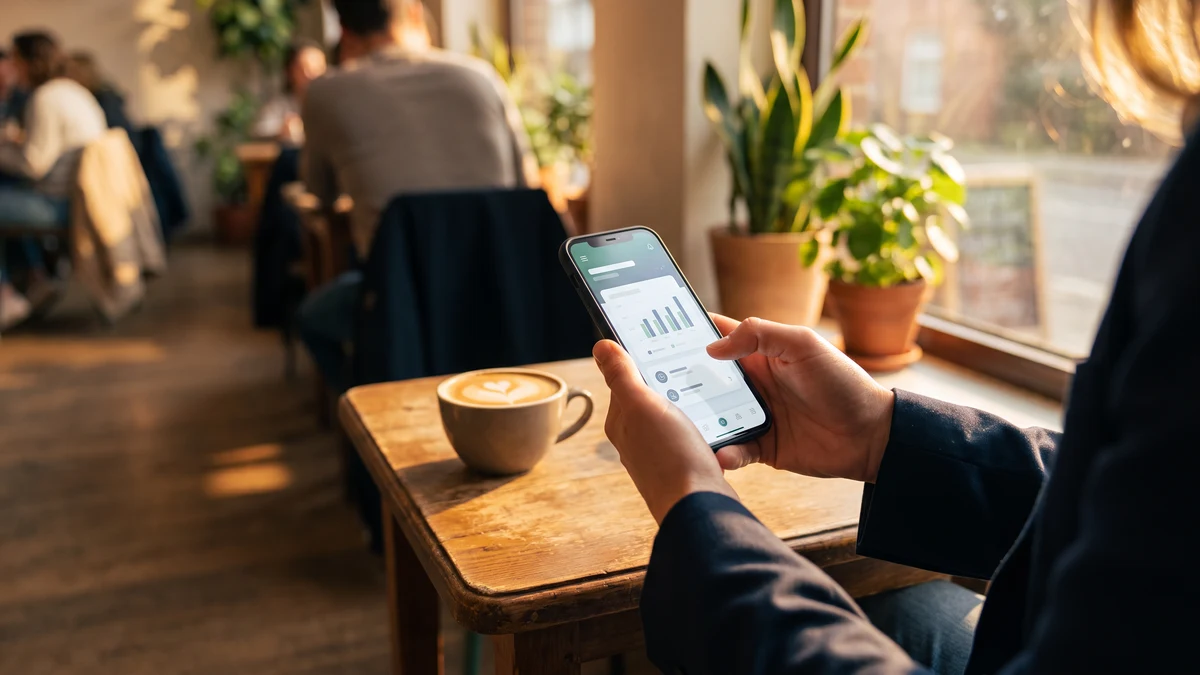
Almost 80 percent of US adults now do their banking online, and the majority of that happens from a phone. That is a good thing for convenience. It is also the reason banking credentials remain one of the top three targets for phishing, credential stuffing, and account takeover in 2026. If you use a bank app or the mobile web version of your bank, adding a VPN is one of the highest-leverage single changes you can make to your personal cybersecurity. This guide explains what a VPN actually protects when you bank online, what it does not protect, and how to use one without triggering your bank's fraud engine.
Short answer: yes, use a VPN for online banking
The one-line answer most people are looking for: it is safe and it is a good idea, provided the VPN is a reputable, US-operated, zero-logs service. The nuance is worth reading below, because there is exactly one scenario where a VPN can create friction — connecting from a VPN server in a country far from where you normally live can trigger your bank's fraud-anomaly rules. The fix is straightforward.
Protect every bank login on every network
Connect CyberFence before accessing work accounts on shared Wi-Fi. The VPN encrypts traffic between your device and the VPN server, while Web Shield helps block known harmful websites. Follow your organization’s security policies. Personal VPN plans start at $7.99/month with monthly billing. Cancel renewal anytime. Breach Monitor is a separate paid feature or included with Complete.
Get ProtectedWhat a VPN actually protects when you bank online
1. Interception on public and untrusted Wi-Fi
Banks use HTTPS, which encrypts the content of your session. But on an untrusted network — a coffee shop, an airport, a hotel — an attacker on the same network can attempt DNS spoofing, captive portal manipulation, or ARP poisoning that redirects you to a lookalike bank login page. A VPN encrypts every packet leaving your device inside its own AES-256 tunnel, so a nearby attacker sees only encrypted noise even before HTTPS does its work. The lookalike-page attack becomes much harder because the malicious redirection cannot happen at the network layer.
2. Blocking phishing and lookalike bank domains at the DNS layer
The most common way people lose bank credentials in 2026 is not network interception. It is phishing — a text message that looks like a fraud alert, an email that looks like a bank notification, a Google ad that mimics the bank's login URL. You tap the link, land on a page that looks identical to your bank's real login screen, and type your credentials.
CyberFence's Web Shield runs at the DNS layer. When your device tries to look up the domain name of a known phishing or lookalike bank page, Web Shield refuses to resolve it. The fake page never loads, so you cannot type your password into it even if the message tricked you into tapping. This works in every browser, every messaging app, every email client, and every social app's in-app browser.
3. Preventing your ISP or carrier from profiling your banking
US ISPs and mobile carriers can see, log, and legally sell aggregated browsing data. That includes the fact that you logged into a specific bank at a specific time. It is not as bad as an attacker seeing your credentials, but it is also nobody's business but yours. A VPN cuts off ISP-level tracking of your banking activity.
4. Reducing your fingerprintable identity across breaches
Some data brokers correlate IP-address activity across sites to build browsing profiles that can be sold, breached, or subpoenaed. Routing your banking through a VPN reduces the correlation surface. This is not the biggest threat model on the list, but it is a real one for high-net-worth individuals, journalists, and anyone whose life circumstances make privacy operationally important.
What a VPN does NOT protect against
Being honest about the limits is part of building trust. A VPN does not protect you from:
- Weak or reused passwords — if your bank password appears in any breach corpus, credential-stuffing attacks will try it. Use a unique password per account and turn on MFA.
- Falling for a real phishing call — no VPN stops you from voluntarily reading your MFA code to a "bank fraud investigator" over the phone. Vishing (voice phishing) targeting bank customers is at record levels in 2026.
- Malware already on your device — if your phone or laptop is compromised, no VPN can protect the data inside it. Keep OS and apps patched and use platform-native endpoint protection.
- The bank itself getting breached — if your bank has an incident, that is on the bank. But a VPN + Breach Monitor combo alerts you fast so you can rotate credentials the same day.
Will my bank flag me for using a VPN?
Sometimes, yes. Banks' fraud engines look for anomalies compared to your normal login pattern. If your regular pattern is "Comcast IP from Chicago, iPhone, weekdays 6 to 10 PM" and you suddenly appear from an AWS IP in Frankfurt at 3 AM, the fraud engine will fire. That is the bank correctly applying an anomaly rule that also fires for account takeover attempts, so from the bank's perspective it is doing exactly what it should.
The practical fix is simple: connect to a VPN server geographically close to where you normally live. If you are in Orlando, use a US East Coast VPN server for your bank sessions. If you are in Los Angeles, use a US West Coast server. Banks treat that as a mild anomaly rather than a fraud signal, and in most cases they let you through without an extra challenge.
Some banks are stricter than others. Bank of America, Chase, and Wells Fargo generally handle US-based VPN traffic fine. Some regional credit unions and neobanks are more aggressive and may block or repeatedly challenge VPN connections. If your bank is one of those, connecting from a VPN server geographically nearest to your home is the highest-leverage single change.
What to do if your bank challenges you
Two-second checklist when a bank prompts "we sent a code to your phone" or "verify your device":
- Actually complete the challenge. The bank flagged something anomalous — often that is you on a VPN. Complete the SMS or app-based MFA challenge honestly.
- Do not turn off the VPN. Turning off the VPN teaches the bank that the "correct" pattern is unencrypted. You want the opposite: teach the bank that your normal pattern includes VPN traffic from your home region.
- If the challenge keeps coming, check server region. Are you on a VPN server in another country? Switch to a US East Coast (or wherever you live) server.
Within a few sessions, most bank fraud engines learn your new normal and stop challenging.
The 2026 online-banking security stack
A VPN is one of five controls that should be in place for every US bank customer in 2026:
- US-operated VPN on every device you bank from — laptop, phone, tablet. Set to Always-on. AES-256-GCM encryption. Zero logs.
- DNS-level phishing and malware blocking — CyberFence's Web Shield stops fake bank login pages from loading.
- Unique, strong password per bank — use a password manager. Do not reuse the bank password anywhere.
- MFA on every banking login — prefer app-based or hardware key over SMS where the bank offers it.
- Breach monitoring on the email addresses tied to your accounts — CyberFence Breach Monitor alerts you the same day if credentials show up in a leak so you can rotate before anyone uses them.
All five together give you defense in depth. Any one of them alone leaves gaps. A VPN alone does not fix weak passwords. A password manager alone does not stop network interception. The combination is what actually works.
Mobile banking specifically
Most people do most of their banking on a phone in 2026, so the mobile setup matters most:
- Install the VPN as a real app on your phone, not as a browser extension. Browser extensions do not protect the bank's native app.
- Turn on "Always-on VPN" in the OS settings so the tunnel is up before the bank app opens.
- Turn on the kill switch so if the VPN drops for any reason, the phone stops sending traffic until it reconnects.
- Use Face ID / Touch ID (or the Android equivalent) for the bank app instead of typed passwords wherever possible.
- Do not screenshot or auto-fill bank credentials into random forms. Auto-fill in the bank's own app is fine; auto-fill on unfamiliar sites is not.
Is the extra step worth it?
For under ten dollars a month, yes. The upside of a VPN + phishing blocker + breach monitor combo is that the vast majority of the credential-stealing paths that lead to bank account takeover are closed off. The downside is you occasionally have to complete an SMS challenge you would not have gotten otherwise. That is a very good trade for anyone who runs any part of their financial life through a bank app — which is almost everyone.
Get all three layers today
Connect CyberFence before accessing work accounts on shared Wi-Fi. The VPN encrypts traffic between your device and the VPN server, while Web Shield helps block known harmful websites. Follow your organization’s security policies. Personal VPN plans start at $7.99/month with monthly billing. Cancel renewal anytime. Breach Monitor is a separate paid feature or included with Complete.
Get ProtectedBottom line
Yes, use a VPN for online banking. It encrypts your session on every network you touch, blocks known phishing and lookalike bank pages at the DNS layer, and cuts off ISP-level profiling of your banking activity. Connect to a VPN server near where you normally live to avoid triggering your bank's fraud engine, complete any MFA challenges honestly, and pair the VPN with a password manager, MFA on every bank login, and breach monitoring. That combination closes the top attack paths against your bank credentials in 2026 for less than the cost of a lunch per month.
Want to go deeper? Read how CyberFence protects other regulated industries , the CyberFence Teams product page , or CyberFence plans and pricing .