Also on CyberFence: CyberFence's industry directory for other professions · CyberFence Teams for employee VPN protection .
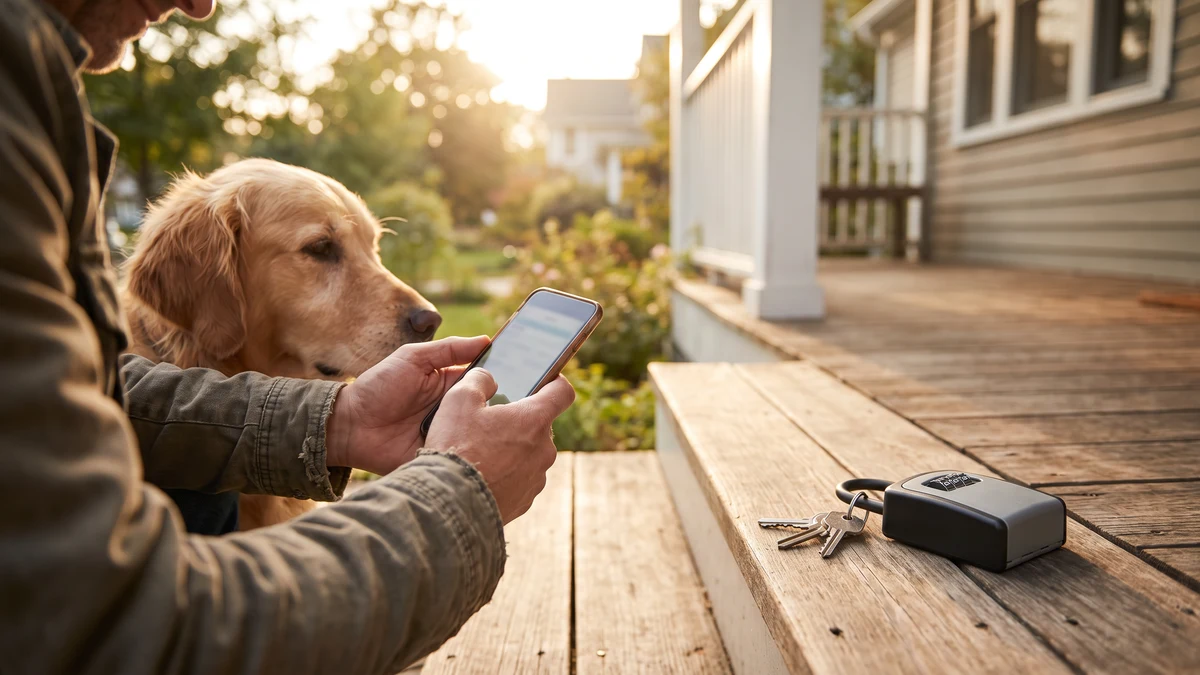
Pet sitting and dog walking apps ask for something most gig platforms don't: a way into your house. Lockbox codes, alarm PINs, garage codes, spare key locations, feeding schedules that reveal exactly when you're not home — it's the kind of information that used to stay between a homeowner and a trusted neighbor. Now it lives in an app on a sitter's phone, synced to a company server, and reviewed at coffee shops, client driveways, and whatever Wi-Fi happens to be available between bookings.
In 2018, the Wall Street Journal reported that the dog-walking app Wag had exposed unprotected web pages showing more than 100 customer home addresses and over 50 lockbox codes — information that, in the reporters' words, gave "the keys to their buildings and apartments" to anyone who found the pages (Wall Street Journal). A privacy watchdog review published in 2026 still flags Wag for retaining home entry codes indefinitely and running continuous real-time GPS tracking, and flags Rover for sharing home addresses with sitters and tracking location throughout every booking (Privacy Watchdog). The risk isn't hypothetical — it's built into how these platforms work.
What a Sitter's Phone Actually Holds
Open the app on a working pet sitter's phone and you'll typically find, across a handful of active clients:
- Home addresses — often the full address is visible even before a booking is confirmed, depending on the platform and the client's settings
- Lockbox and door codes — entered directly into booking notes so the sitter can get in without a key exchange
- Alarm system codes — shared the same way, often with no expiration once the booking ends
- Household routines — exact times the sitter is expected, which doubles as a record of exactly when the home is empty
- Payment details — linked cards or bank transfers processed through the app
- Photos taken inside the home — sent to reassure the client, frequently capturing layout, valuables, or security equipment in the background
None of that is unusual for the industry. It's also exactly the kind of data set that turns a phished login or an unsecured Wi-Fi session into a home-security incident rather than just an inconvenience.
The Access Data Problem Is Structural, Not Rare
A 2018 investigation into Wag found reports of thousands of dollars missing after a booked walker had been in a client's home, along with cases where sitters left doors unlocked or failed to reset an alarm after a visit (NBC26). A home-security firm's later review of the space made the underlying point directly: dog-walking apps can function as an entry point for people whose intent is theft rather than pet care, and even without malicious intent, the platforms and the accounts behind them remain vulnerable to breach (Frontpoint Security).
None of this requires a sophisticated attacker. A sitter's account credentials — the single login that unlocks every client's address, code, and schedule they've ever worked with — are a far more valuable target than most sitters realize. If that login is captured over an unsecured connection, or handed over on a convincing phishing page, whoever has it doesn't just have one client's information. They have all of them.
How Gig Platform Accounts Get Compromised
Pet sitters and dog walkers are gig workers, and gig workers are documented as a soft target relative to salaried employees. Security researchers presenting at the Enigma conference found that contractors for gig platforms are generally less protected online than full-time staff, largely because the platforms rarely enforce the device security or training standards a traditional employer would (The Parallax). Industry coverage of gig-platform breaches points to the same pattern across the sector: attackers pursue account takeovers because gig accounts represent fast, liquid income and, in a pet sitter's case, a stored list of home access details as a bonus (Dark Reading).
The most common paths in are simple:
- Phishing messages impersonating the platform — a fake "verify your account" or "payment issue" message designed to capture login credentials
- Clients or fake clients trying to move communication off-platform — a known scam pattern where a "client" pushes to email, text, or pay outside the app, which strips away the platform's fraud protections (Rover)
- Unsecured Wi-Fi during active work — reviewing booking details, entering a client's code, or logging into the app from a client's home network, a café, or a park Wi-Fi hotspot between walks
- Credential reuse — the same password used across the sitting app, email, and payment apps, so one leaked password opens several doors at once
Lock Down Every Connection Between Bookings
Connect CyberFence before accessing work accounts on shared Wi-Fi. The VPN encrypts traffic between your device and the VPN server, while Web Shield helps block known harmful websites. Follow your organization’s security policies. Personal VPN plans start at $7.99/month with monthly billing. Cancel renewal anytime. Breach Monitor is a separate paid feature or included with Complete.
See Plans →Why the Client's Own Wi-Fi Isn't Automatically Safe
Sitters frequently connect to the client's home Wi-Fi during a visit — to send a photo update, check the next booking, or confirm a code. That network is entirely outside the sitter's control. It might be running years-old router firmware, a password shared with a dozen past guests, or a compromised device belonging to someone else in the household. Any of that can expose whatever the sitter's phone sends over that connection, including the very same booking app credentials that hold every other client's address and access codes.
A VPN encrypts that traffic before it ever reaches the client's router, so the network only ever sees unreadable, encrypted packets — not login sessions, not app data, not the sitter's broader account activity. It's a five-minute setup that removes an entire category of exposure from a job that's built around moving between other people's networks all day.
Practical Steps Beyond a VPN
A privacy-focused review of pet sitting apps recommends pairing a VPN with a short list of account habits: enable two-factor authentication on the sitting app itself, use a unique password rather than a reused one, keep all communication inside the platform's messaging system rather than switching to text or email, and avoid posting photos that show house numbers, security keypads, or a home's interior layout (AnimalStart). None of these require technical skill — they just need to become routine, the same way locking the door behind you does.
What CyberFence Provides for Pet Care Professionals
- AES-256-GCM encryption on every connection — client Wi-Fi, mobile data, coffee shop hotspots between bookings
- Auto-connect on untrusted networks — protection activates automatically the moment you join a client's Wi-Fi, no manual toggling required
- Web Shield DNS filtering — blocks known phishing domains before a fake "verify your account" page can load
- Zero-log policy — no record of your activity or the networks you connect to
- US-operated infrastructure — your data doesn't route through servers outside US legal jurisdiction
- Whole-device coverage — one subscription protects the phone you use for bookings and the laptop you use for scheduling or invoicing
One Login, Many Homes
The real exposure for a pet sitter or dog walker isn't any single booking — it's the fact that one compromised login can expose every client's address, entry code, and household routine at once. That's a materially different risk than most gig work carries, and it deserves a materially different level of protection than "hope the coffee shop Wi-Fi is fine today."
For $7.35 a month on an annual plan, encrypting every connection you use to run your pet care business is a minor cost against the alternative: a single compromised session turning into a client's home being targeted, and a business built on trust losing the only thing that makes it work.
Protect Every Client's Access Details
Connect CyberFence before accessing work accounts on shared Wi-Fi. The VPN encrypts traffic between your device and the VPN server, while Web Shield helps block known harmful websites. Follow your organization’s security policies. Personal VPN plans start at $7.99/month with monthly billing. Cancel renewal anytime. Breach Monitor is a separate paid feature or included with Complete.
View Plans →Want to go deeper? Read how CyberFence protects other regulated industries , the CyberFence Teams product page , or CyberFence plans and pricing .