Also on CyberFence: CyberFence's industry directory for other professions · CyberFence Teams for employee VPN protection .
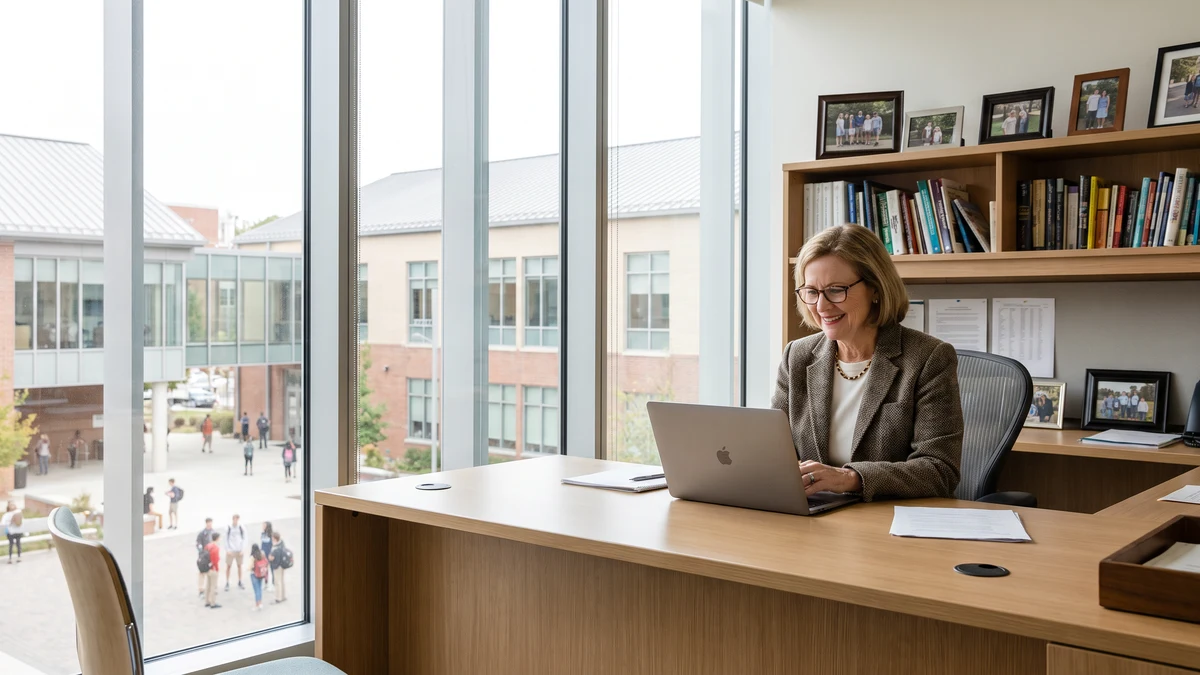
School administrators — principals, assistant principals, district administrators, school counselors, and registrars — handle some of the most sensitive data in any public institution. Student records contain Social Security numbers, home addresses, disability documentation, disciplinary history, mental health referrals, custody orders, and academic performance data. All of it is federally protected under FERPA, and much of it is accessed from laptops and tablets that travel between school buildings, district offices, and home.
K-12 data breaches are no longer rare events. The K-12 Security Information Exchange (K12 SIX) documented over 1,300 publicly disclosed school cybersecurity incidents in the US between 2016 and 2025, with incidents accelerating each year. School districts have become attractive ransomware targets specifically because they hold sensitive data on minors, operate with limited IT staff, and face enormous community pressure to recover quickly.
A VPN is one of the most straightforward controls a school administrator can implement to protect district system access and student record transmissions, whether they're working from a home office, a district conference room, or another school building's network.
What School Administrators Access Off-Campus
The data profile of a typical school administrator's remote access session includes:
- Student Information Systems (SIS) — platforms like PowerSchool, Infinite Campus, Skyward, and Aeries contain the complete academic and demographic record for every enrolled student. Administrators regularly access these from home to pull reports, update records, and respond to parent inquiries.
- Special education records — IEP documentation, evaluation results, disability classifications, and service plans. These are among the most sensitive student records and are subject to IDEA as well as FERPA.
- Disciplinary records — detailed incident documentation including witness statements, parent communications, and suspension/expulsion records.
- Mental health and counseling notes — school counselors accessing student mental health records remotely face the highest sensitivity exposure in any school administrator role.
- Custody and emergency contact documentation — records that affect who can access a student and under what circumstances. Custody documentation in particular requires strict access control.
- District HR systems — employee records, payroll data, personnel files, and performance documentation for staff under the administrator's supervision.
- Financial systems — budget data, purchasing records, and grant documentation for school-based administrators with budget authority.
Every session that accesses this data from a home network, a coffee shop, or a district building's guest Wi-Fi creates a potential exposure if that connection is unencrypted.
FERPA's Requirement for Reasonable Security
The Family Educational Rights and Privacy Act (FERPA) requires educational institutions to use reasonable methods to ensure that school officials have access to personally identifiable information from education records only in appropriate circumstances. While FERPA doesn't specify encryption by name, the Department of Education's guidance on FERPA compliance identifies encryption as a standard reasonable precaution for protecting records transmitted electronically.
When an administrator accesses student records over a home network or public Wi-Fi without encrypted connection, they're transmitting FERPA-protected PII over an uncontrolled network. If that transmission is intercepted and results in unauthorized disclosure of student records, the district faces FERPA enforcement action — which can include loss of federal funding eligibility.
A VPN encrypts all traffic from the administrator's device, protecting SIS sessions and student record transmissions regardless of what network they're using. It's documented evidence of reasonable security measures for FERPA compliance purposes.
Protect Student Records on Every Connection
Connect CyberFence before accessing work accounts on shared Wi-Fi. The VPN encrypts traffic between your device and the VPN server, while Web Shield helps block known harmful websites. Follow your organization’s security policies. Personal VPN plans start at $7.99/month with monthly billing. Cancel renewal anytime. Breach Monitor is a separate paid feature or included with Complete.
See Plans →The K-12 Ransomware Targeting Problem
School districts are the third most targeted sector for ransomware attacks in the US, behind healthcare and government, according to Emsisoft's annual State of Ransomware in the US reports. The reasons attackers prefer K-12 targets are specific:
- Student records are exceptionally sensitive (involving minors) and create significant community and regulatory pressure to pay ransoms quickly
- Districts have limited dedicated cybersecurity staff — often one IT coordinator serves an entire district
- School network infrastructure is often heterogeneous and poorly segmented, making lateral movement easy after initial access
- Downtime during the school year creates intense operational pressure to restore systems fast
The initial access vector for school district ransomware attacks is most commonly credential theft — an administrator's SIS login, email account, or district VPN credentials compromised through phishing or credential stuffing. CyberFence's Web Shield DNS filtering blocks phishing sites impersonating SIS vendors, district IT systems, and Google/Microsoft educational accounts before the fake login page ever loads — preventing the credential theft that enables subsequent ransomware deployment.
Home Network Access and District IT Policy
Many school districts have remote access policies that require employees to use the district's VPN for SIS access from home. But even in districts with that policy in place, the district VPN typically protects access to internal district servers — it doesn't protect the administrator's device from other threats, encrypt other traffic on the same home network, or block phishing domains.
A personal VPN like CyberFence complements the district VPN: it encrypts all device traffic (including traffic outside the district tunnel on split-tunnel configurations), provides DNS-level phishing protection for all applications, and protects connections made on networks the district IT team can't control — including home Wi-Fi, guest networks at other schools, and public connections at education conferences and professional development events.
Summer and Evenings: When the Risks Are Highest
School administrators don't stop working when the school day ends or during summer break. Year-round data access — for enrollment processing, IEP annual reviews, hiring, budget development, and grant management — happens from home more than most professions acknowledge.
Summer is also when district IT teams are most stretched, security monitoring is reduced, and any breach may go undetected longer. An administrator accessing student records from home Wi-Fi in July using district credentials that were exposed in a spring phishing campaign is a realistic and documented attack scenario.
Auto-connect VPN protection — active whenever the device joins any network — closes this risk without requiring administrators to remember to activate it before each session.
What CyberFence Provides for School Administrators
- AES-256-GCM encryption on every connection — home office, district buildings, conferences, professional development
- Auto-connect on untrusted networks — protection activates before any student data leaves the device
- Web Shield DNS filtering — blocks phishing sites impersonating SIS vendors (PowerSchool, Infinite Campus, Skyward), Google Workspace for Education, and Microsoft 365 Education portals
- Zero-log policy — no activity records; aligns with educator privacy expectations and FERPA's access principle
- US-operated infrastructure — student data protected under US law; relevant for FERPA compliance documentation
- All devices covered — protect the laptop, personal phone used for district email, and tablet from one plan
A Practical Step for Districts: Policy Documentation
For school districts looking to strengthen their FERPA compliance documentation, adding VPN use to remote access policies is straightforward:
- Update the Acceptable Use Policy to require encrypted connections for remote SIS access
- Document CyberFence as the approved personal VPN for administrators and counselors who access student records remotely
- Include VPN requirement in annual staff data privacy training
- Reference the control in the district's annual FERPA compliance review
For districts with small IT teams and limited budget, providing a tool like CyberFence Teams to all staff who handle student records is one of the highest-ROI security investments available — the annual per-seat cost is a fraction of the breach response, notification, and regulatory exposure cost of a single FERPA incident.
School administrators carry significant responsibility for the safety and privacy of the children in their care. That responsibility extends to the digital records that follow those students through their school years and beyond. Protecting those records on every connection — from any network, at any hour — is as fundamental as locking the file room.
Protect Every Student Record
Connect CyberFence before accessing work accounts on shared Wi-Fi. The VPN encrypts traffic between your device and the VPN server, while Web Shield helps block known harmful websites. Follow your organization’s security policies. Personal VPN plans start at $7.99/month with monthly billing. Cancel renewal anytime. Breach Monitor is a separate paid feature or included with Complete.
View Plans →Want to go deeper? Read how CyberFence protects other regulated industries , the CyberFence Teams product page , or CyberFence plans and pricing .