Windows App
CyberFence for Windows.
Built for Windows. Runs with Windows.
Built native. Runs like Windows. AES-256 encrypted VPN, Web Shield DNS filtering, split tunneling, network intelligence, and Breach Monitor — all built on Microsoft's own frameworks for Windows 10 and 11.

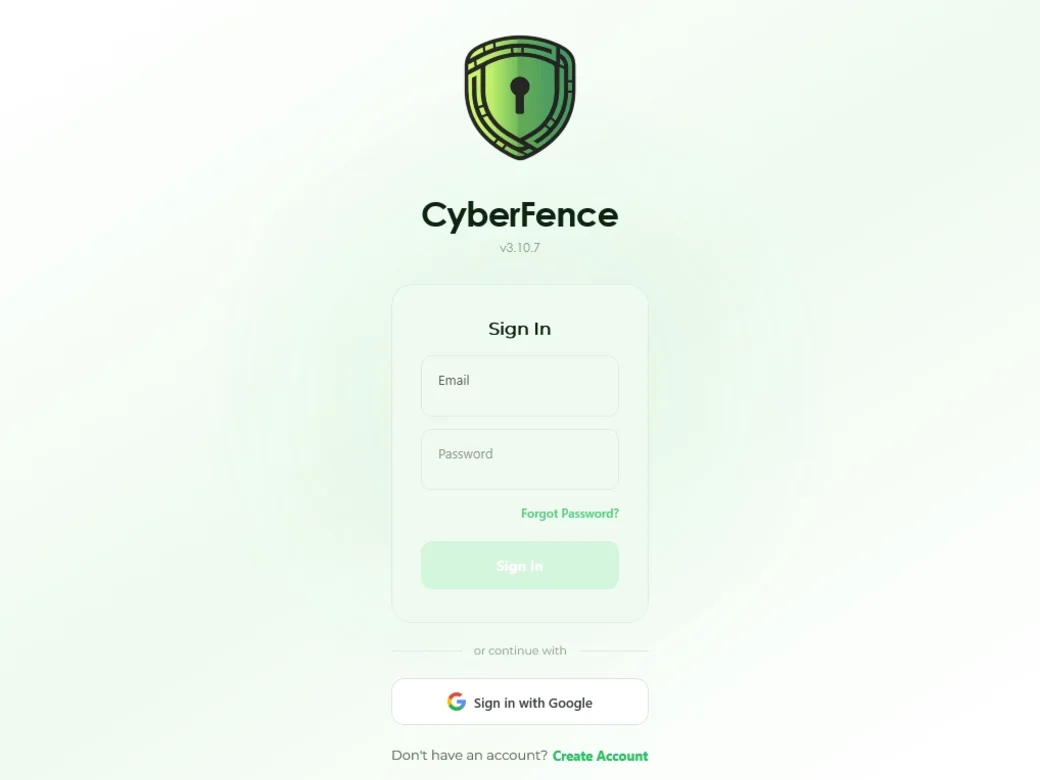
Built for Windows
Built Native. Runs Like Windows.
CyberFence is built on Microsoft's own frameworks — the same foundations Windows itself is built on. Designed specifically for Windows 10 and 11, it looks, feels, and performs exactly as a Windows app should.
Built on Microsoft's Own Frameworks
CyberFence is built on Microsoft's own technology. It looks and feels like a Windows app because it was designed to. Your system theme, display scaling, and visual preferences are respected automatically.
OS-Level Kill Switch
If the VPN drops, Windows itself blocks your internet traffic — instantly, at the operating system level. The same firewall technology that powers Microsoft Defender steps in automatically, so no data leaks while you're reconnecting.
Always-On VPN Tunnel
The VPN tunnel runs as a native Windows background service — not just an app process. It stays active across user sessions, survives app restarts, and is managed by Windows the same way built-in system services are.
System Tray & Toast Notifications
CyberFence lives in your system tray. Connection state, network risk alerts, and security warnings appear as standard Windows notifications — straight into your notification panel, no extra software required.
Sign In with Windows Hello
CyberFence integrates with Windows Hello — unlock the app with your fingerprint, face, or PIN in seconds. No passwords, no delays. The same authentication millions of Windows users trust every day.
- Native Windows Hello support — fingerprint, facial recognition, or PIN
- Built on Microsoft's WebAuthn / Windows Hello APIs — the same standard used across Windows
- Biometrics are stored and verified by Windows itself — CyberFence never sees them
- Falls back to your Windows account password when biometrics aren't available
Enable in Settings — works with any Windows Hello-compatible device.
CyberFence in the Windows Widgets Board
Your VPN status and security summary are now a single click away in the Windows 11 Widgets panel. No app launch needed — your protection level is always visible right from the taskbar.
- VPN Status widget — see live connection state directly in the Windows Widgets board
- Security Summary widget — your active protection layers and security score at a glance
- Pinned to the Windows 11 Widgets panel — open with Win + W from anywhere on your desktop
- Updates in real time as your VPN connects or disconnects
- Built using Windows native widget APIs — no performance overhead
Open the Widgets board (Win + W) and pin CyberFence.
Microsoft Copilot
Built for the Age of On-Device AI.
CyberFence is the first VPN built from the ground up for Microsoft Copilot on Windows 11. Every feature below is privacy-first — your data never leaves your device.
Your Security Data Is Invisible to Microsoft Recall
CyberFence is the only VPN that actively hides itself from Microsoft Recall. Every window — main app, login screen, VPN status — is excluded from the Recall AI timeline at the OS level.
- Uses
SetWindowDisplayAffinity(— an official Windows APIWDA_EXCLUDEFROMCAPTURE) - Applied at window activation — no gap, no frame where your data could be captured
- Covers the main app window AND the login screen
- Your VPN credentials, server info, and breach data never appear in Recall snapshots
- Works automatically — no setting to configure, no user action required
Active on all Windows 11 PCs — Copilot+ hardware not required for this feature.
Ask Microsoft Copilot About CyberFence
CyberFence adds a native “Ask Copilot” entry to your system tray menu. One click opens the Copilot sidebar pre-loaded with your CyberFence security context — ready for questions or commands.
- “Ask Copilot about CyberFence” appears in the CyberFence tray menu when Copilot is detected
- Opens the Copilot sidebar with your CyberFence context already loaded — ready for questions or commands
- Works through a built-in CyberFence skill that Copilot recognizes automatically
- Only shown on systems where Copilot is available — hidden otherwise
- No extra installation required — works with the Copilot already on your PC
Requires Windows 11 with Microsoft Copilot installed.
Manage Trusted Networks by Talking to Copilot
CyberFence understands natural-language network commands through Copilot. Add or remove trusted networks in plain English — no settings screen needed.
- “Trust my home network” — Copilot adds your current network to the trusted list
- “Stop trusting the coffee shop Wi-Fi” — removes it from trusted networks instantly
- “What networks does CyberFence trust?” — returns your full trusted network list
- Powered by the CyberFence Copilot Skill — registered directly with Copilot
- Network changes take effect immediately with no app restart
Requires Windows 11 with Microsoft Copilot. Works best on Copilot+ PCs.
On-Device AI Reads Your Connection History for Anomalies
On Copilot+ PCs, CyberFence uses Microsoft's on-device AI to analyze your VPN session history and surface unusual patterns in plain English — no data sent to the cloud.
- Detects unusual connection times, short sessions, or repeated disconnects automatically
- Generates a plain-English anomaly summary — “3 unusually short sessions detected Tuesday”
- Powered by Microsoft's on-device AI — built into Copilot+ PCs, no cloud required
- Falls back to a rule-based engine on standard PCs — summaries work everywhere
- All analysis runs on your device — your history never leaves your PC
AI-powered summaries require a Copilot+ PC. Rule-based summaries are available on all Windows 10/11 devices.
What's Inside
Every Feature. One App.
VPN Connection
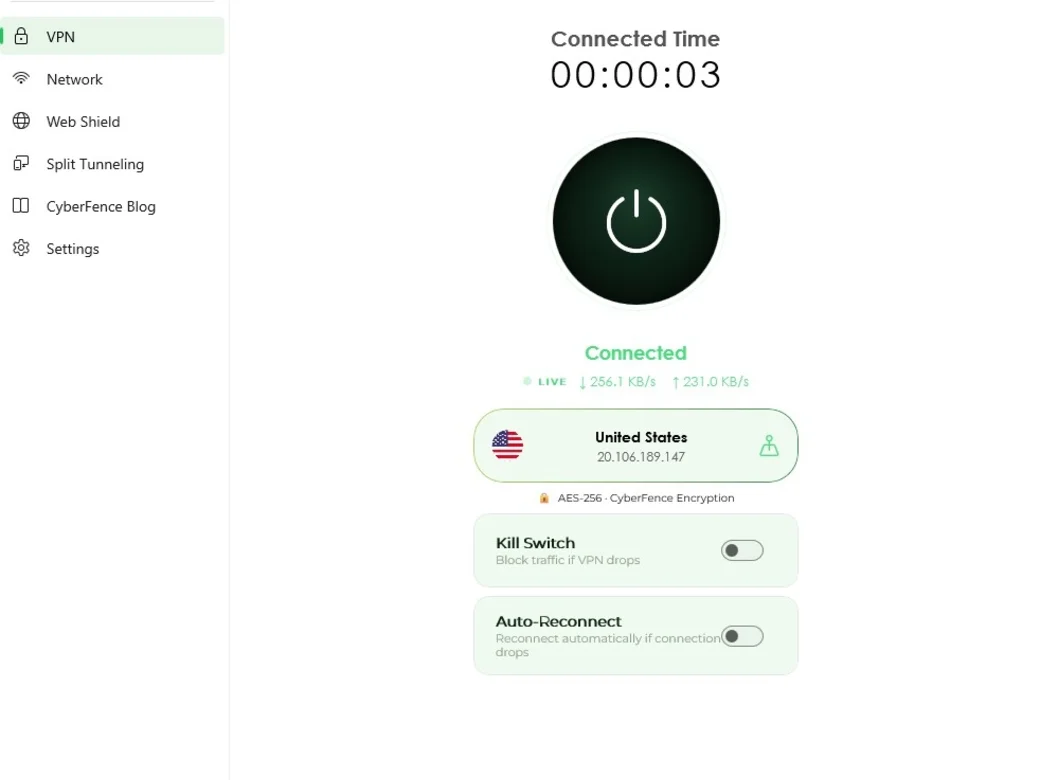
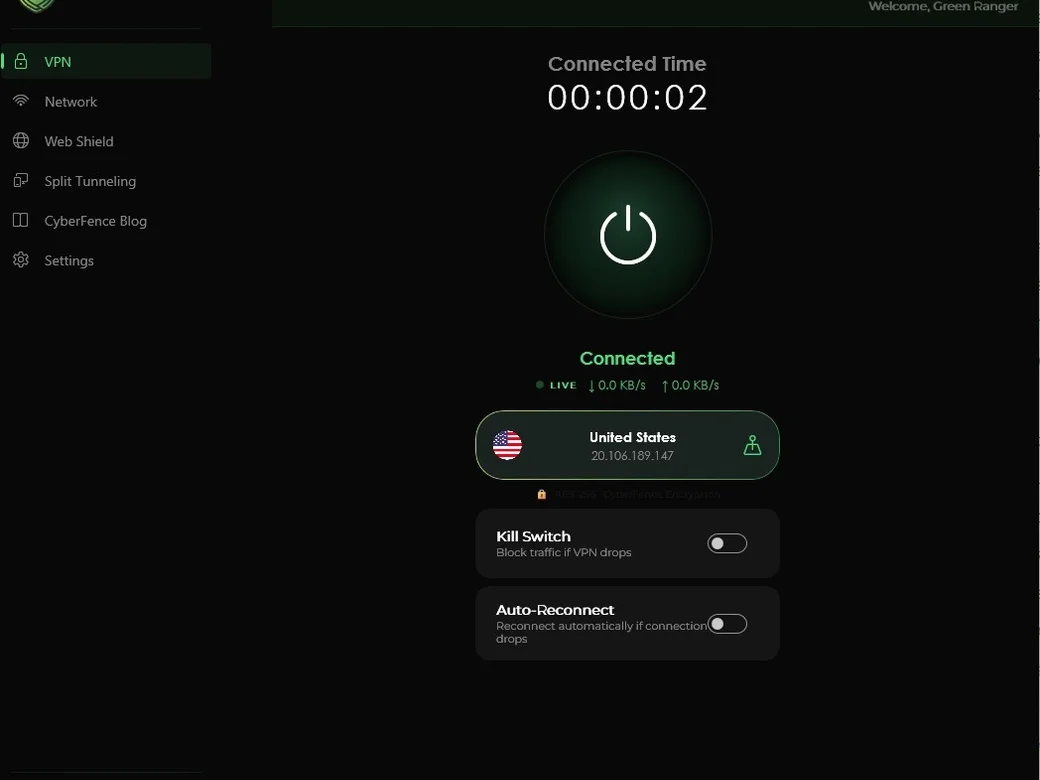
One-tap encrypted connection to US servers. The app shows your live connection time, upload and download speeds, server location, and protection status — so you always know exactly what is protecting your traffic.
- AES-256 · CyberFence Encryption on every connection
- OS-level kill switch — Windows itself blocks all traffic if the VPN drops, no data leaks
- VPN tunnel runs as a native Windows background service — stays active even if the app restarts
- Live speed display — see upload and download speeds while connected
- Connected time counter
- US server with IP confirmation
- Auto-Reconnect — reconnects automatically if connection drops
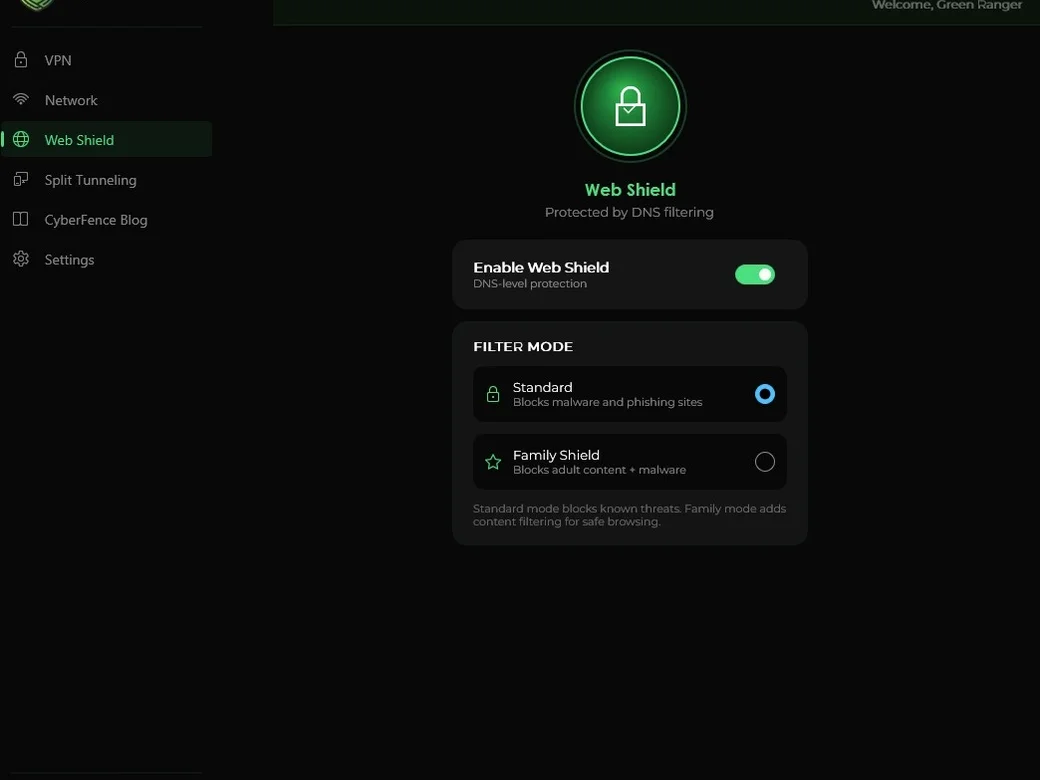
Web Shield
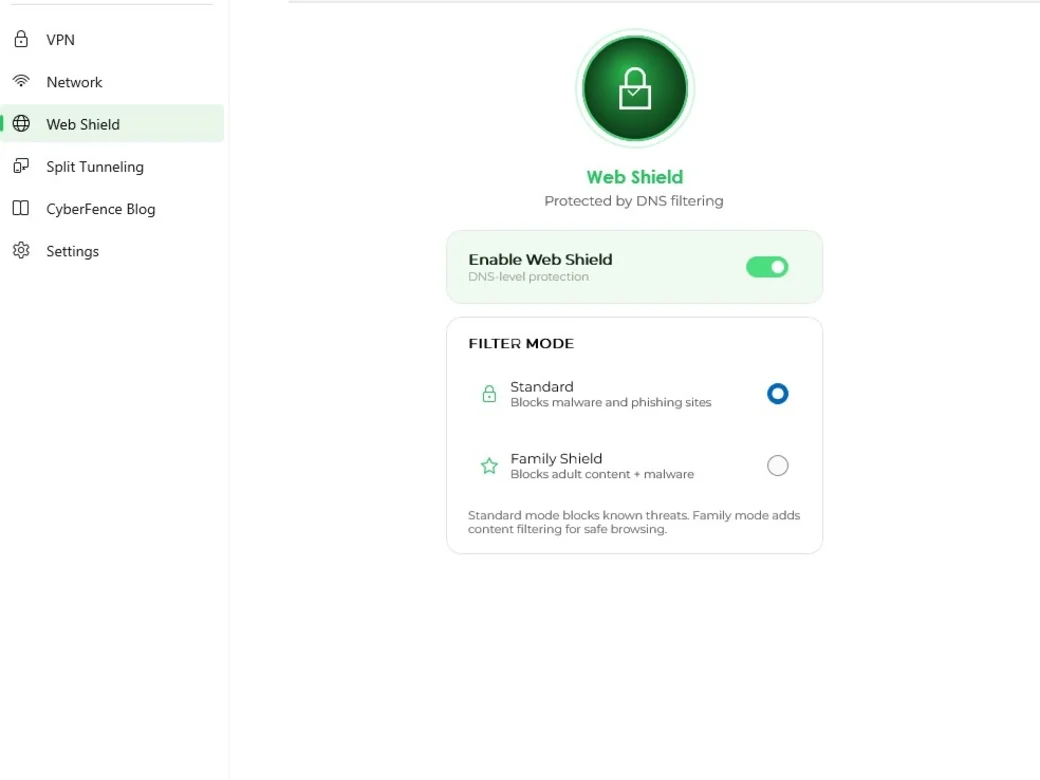
DNS-level protection that blocks malware, phishing sites, and harmful content before they ever load. Choose Standard mode for threat blocking, or Family Shield to add adult content filtering on top of malware protection.
- DNS-level blocking — stops threats before they load
- Standard mode: blocks malware and phishing sites
- Family Shield: adds adult content filtering
- Instant toggle — no app restart required
- Works independently of VPN connection state
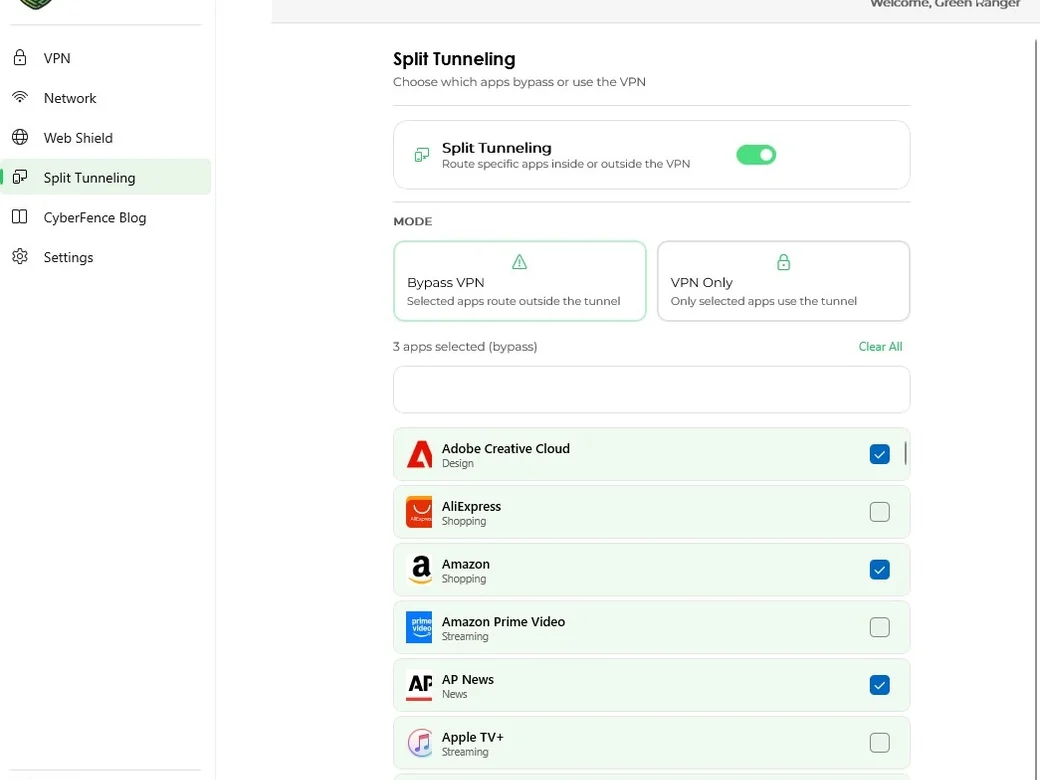
Split Tunneling
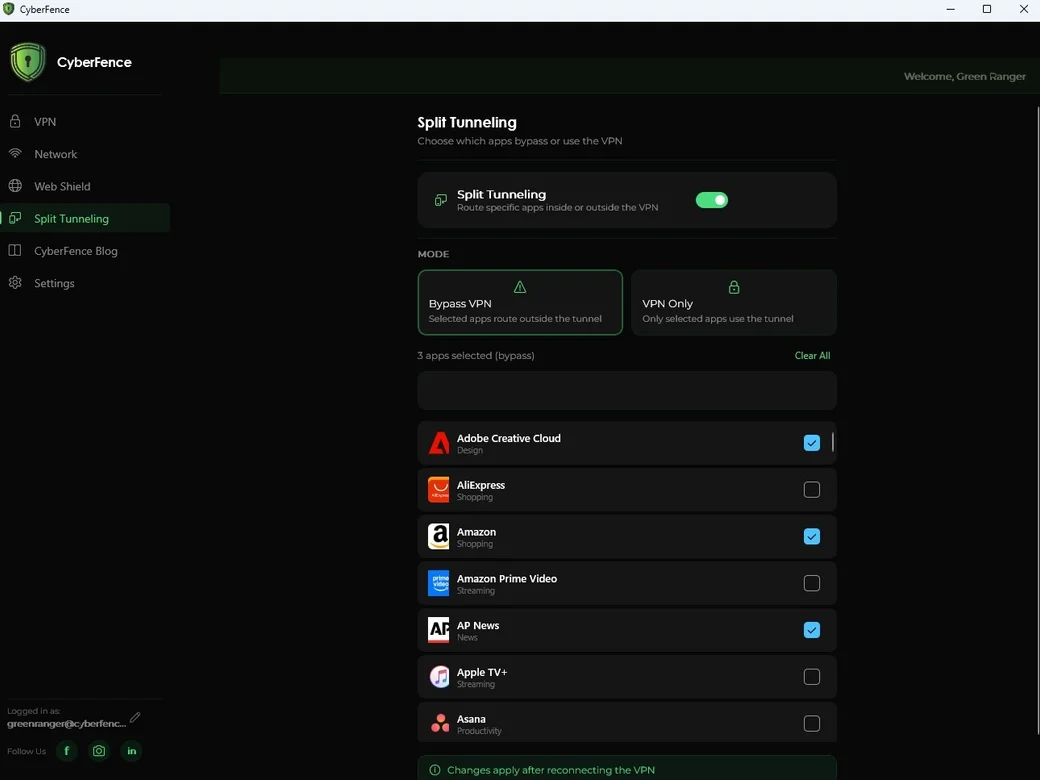
Choose exactly which Windows processes use the encrypted tunnel and which connect directly. CyberFence targets apps by executable name — real per-process control, not just app categories.
- Per-process control — target any Windows executable (.exe) by name
- Bypass VPN mode: selected processes route outside the tunnel
- VPN Only mode: only selected processes use the tunnel
- Reads installed apps directly from Windows — real names and icons, no manual entry
- Uses Windows' own routing — no extra drivers, nothing outside of Windows
- Searchable app list with instant changes on reconnect
Network Intelligence
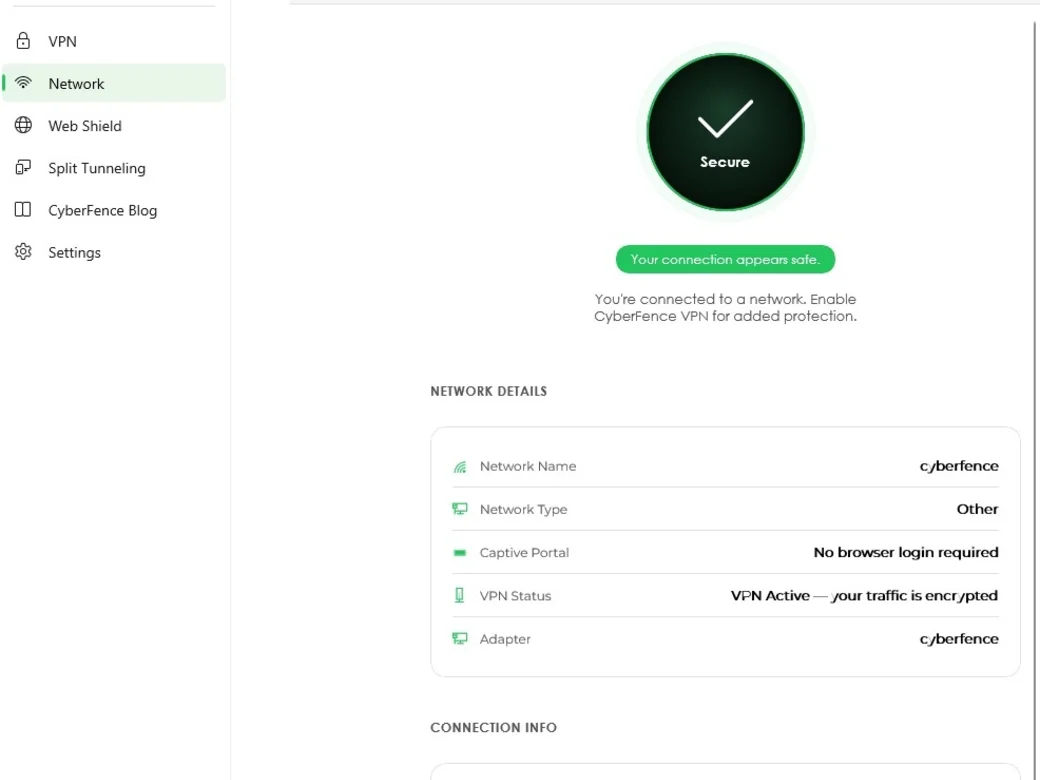
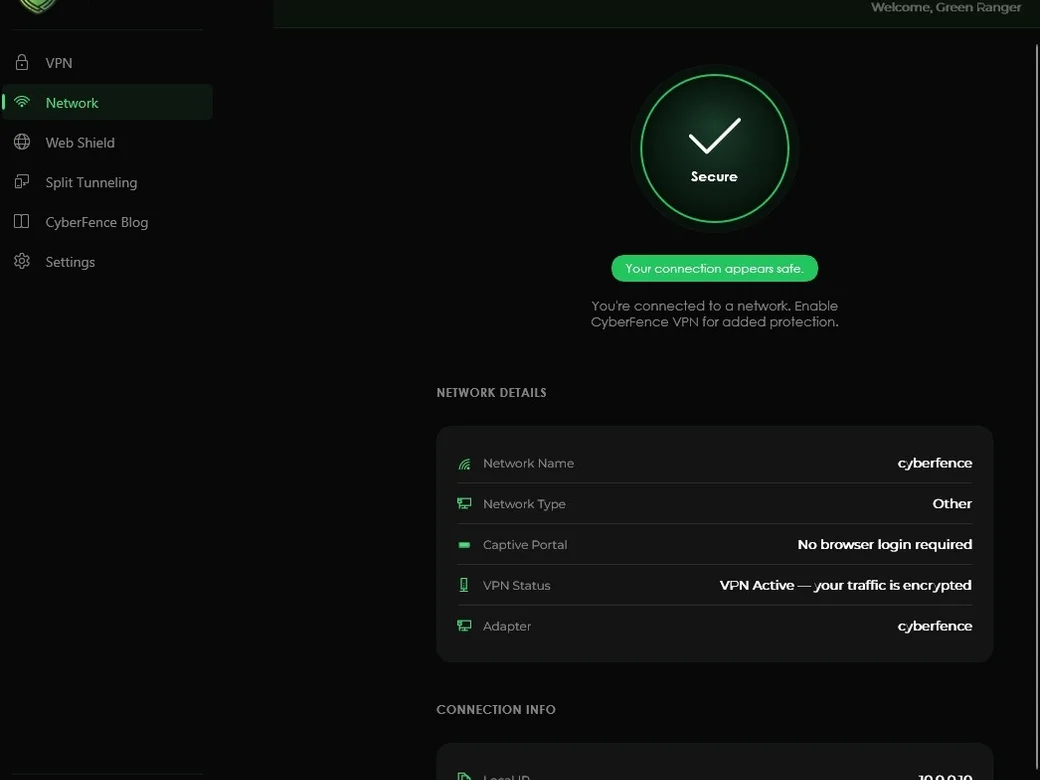
The Network view analyzes every connection in real time. It identifies your network name, security type, and whether a hotel or airport login page is required — so you always know your traffic is encrypted.
- Network detection uses the same built-in Windows framework that classifies your connection type — so CyberFence sees exactly what Windows sees
- Secure / Unsecured network detection
- Network name, type, and hotel/airport login page detection
- Real-time VPN status confirmation
- Local IP address display
- Confirms your connection is using a trusted, secure DNS server
- Adapter details for advanced users
Network Automation & Trusted Networks
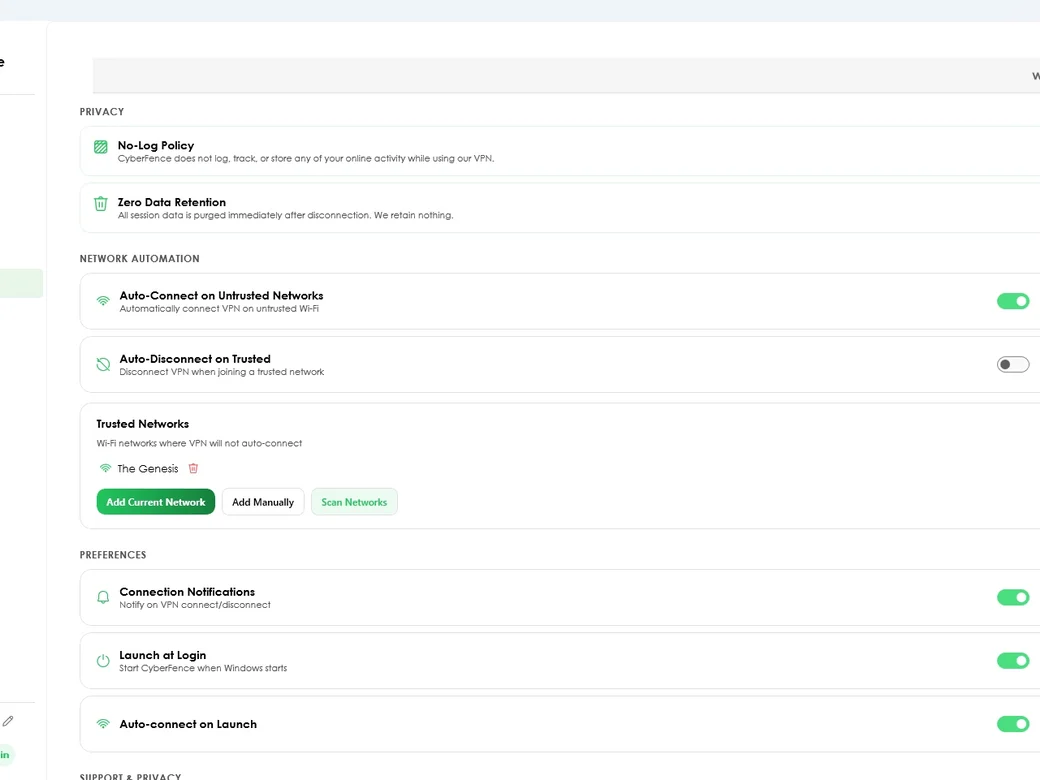
CyberFence manages your VPN connection automatically based on the network you join. Define trusted networks — your home or office Wi-Fi — and CyberFence handles the rest intelligently, without any manual intervention.
- Auto-Connect on Untrusted Networks — VPN connects automatically on unknown Wi-Fi
- Auto-Disconnect on Trusted — VPN disconnects when you join a trusted network
- Trusted Networks list — add networks by current, manual entry, or scan
- Detects open Wi-Fi networks the moment you connect — before you open a browser
- Launch at Login — starts automatically with Windows so protection is always ready
- Privacy: No-Log Policy — CyberFence does not log, track, or store any online activity
- No data stored — everything is wiped the moment you disconnect
- Connection Notifications — standard Windows alerts on VPN connect and disconnect
- Auto-Connect on Launch — connects to VPN every time the app opens

CyberFence Blog — Built In
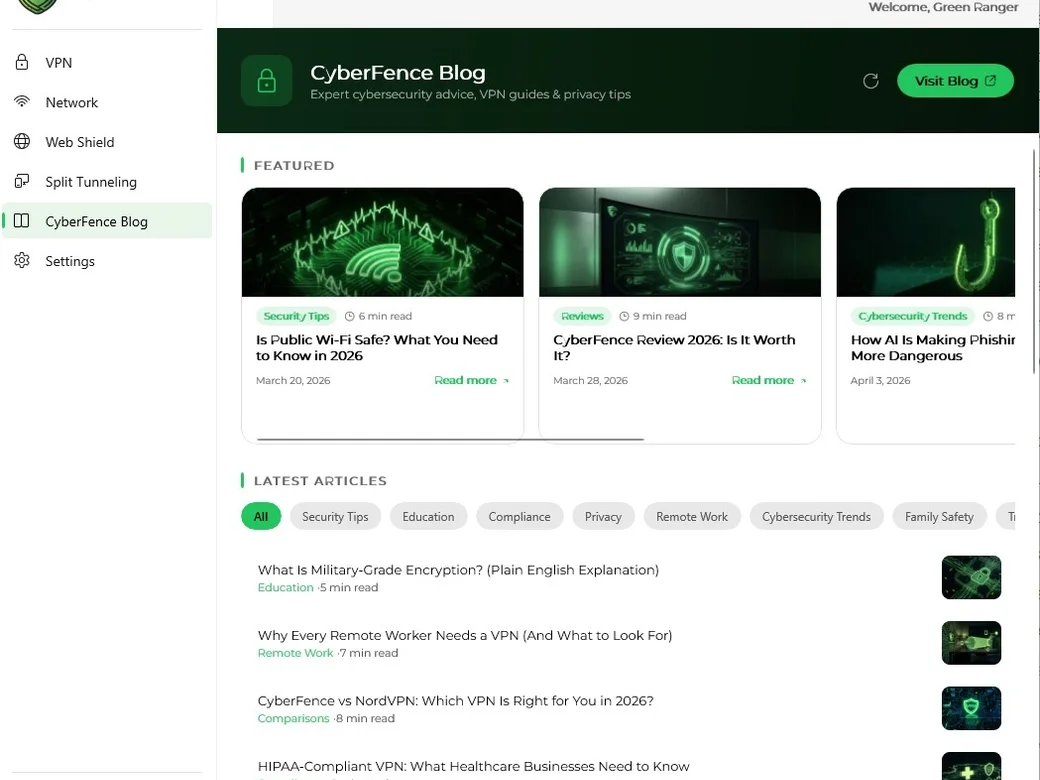
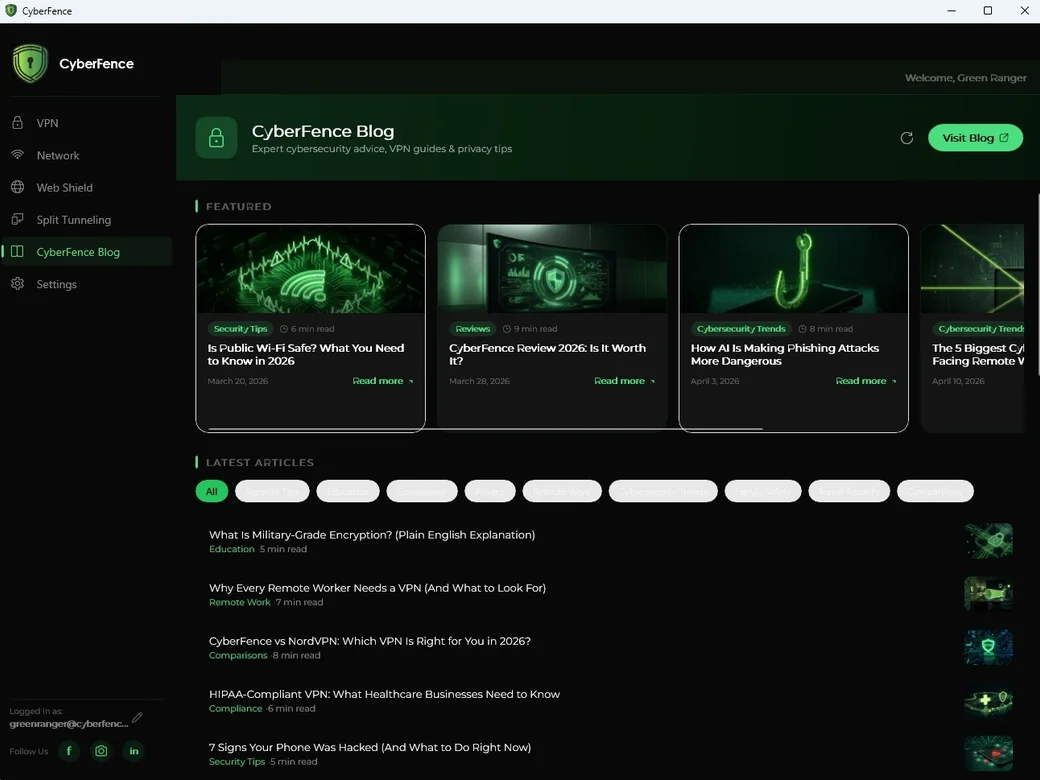
Security knowledge lives inside the app. The CyberFence Blog tab gives you direct access to featured guides, latest articles, and category-filtered content without leaving the app. Stay up to date on threats, features, and best practices.
- Featured articles curated inside the app
- Browse by category: Security Tips, Compliance, Education, Trends
- Latest articles with read-time estimates
- Opens full article in your browser with one click
- Refreshes automatically with new content
Settings & Personalization
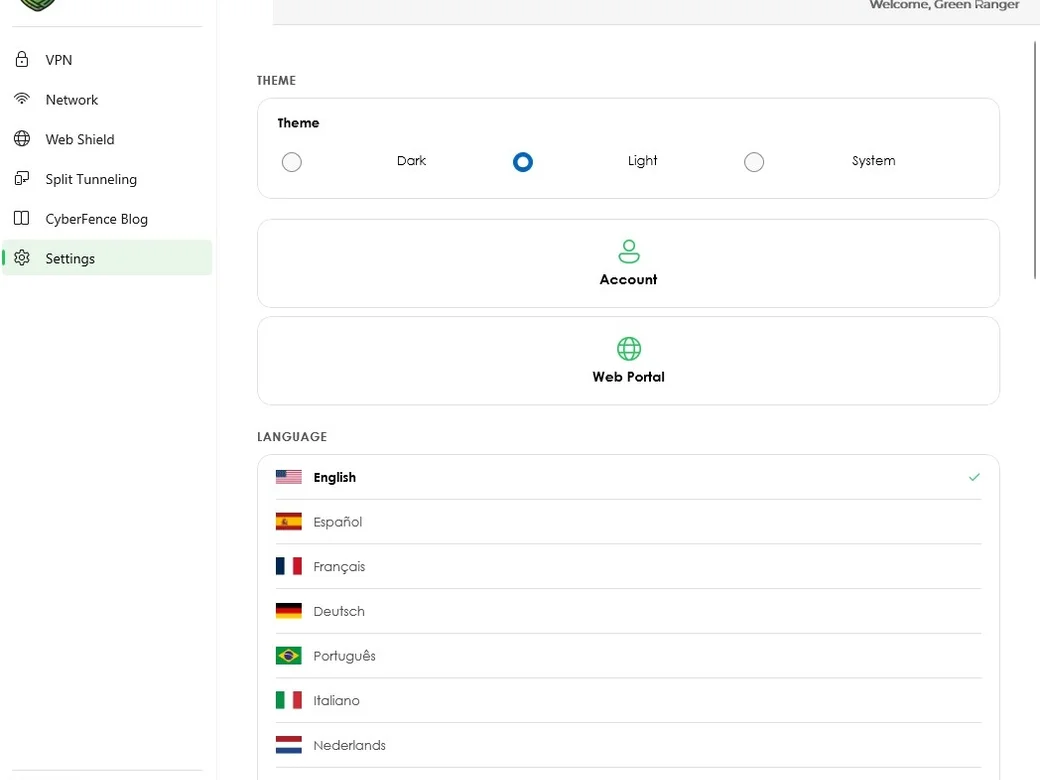
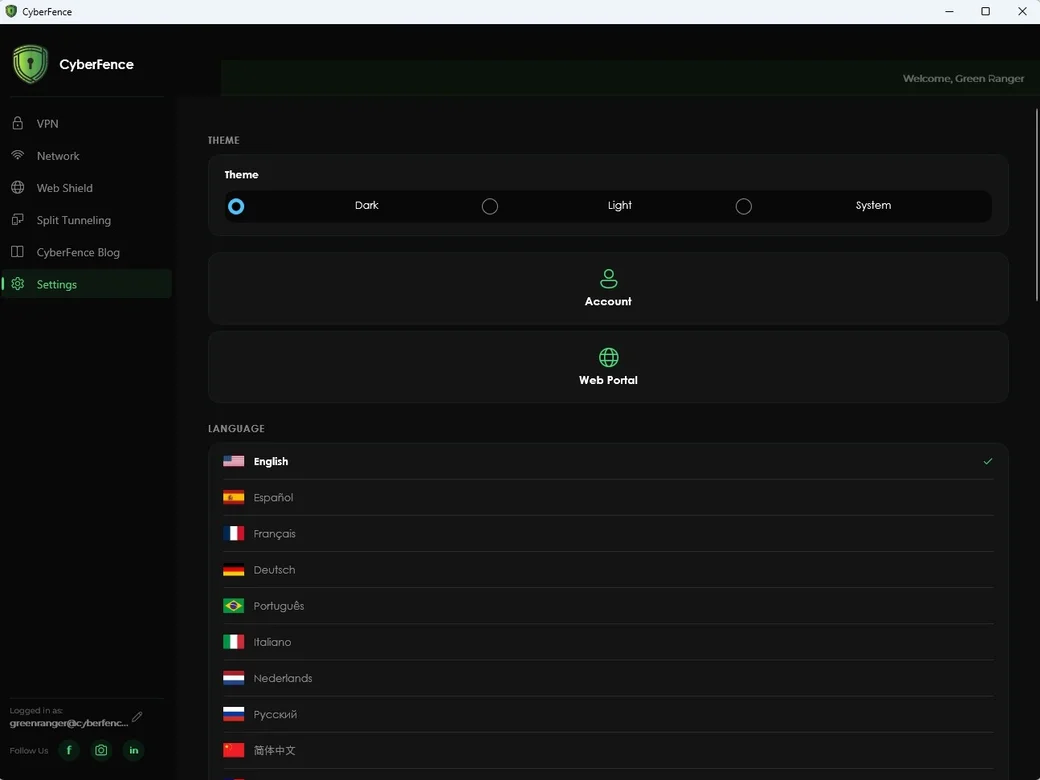
Full control over how CyberFence looks and behaves. Switch between Dark, Light, or System theme to follow your Windows preference, choose from 13 languages, and reach your account or the Web App in one click.
- Dark / Light / System theme — automatically follows your Windows appearance settings
- Your login is protected by Windows' own built-in encryption — credentials are secured by your Windows account, never stored in plain text
- 13 languages: English, Español, Français, Deutsch, Português, Italiano, Nederlands, Русский, 简体中文, 繁體中文, 日本語, العربية, 한국어
- Account management shortcut — opens account settings instantly
- Web App shortcut — direct link to web.cyberfenceplatform.com
- Logged-in account always visible in sidebar
Also in the Windows App
Windows Notification Center
VPN connect, disconnect, and untrusted network alerts delivered as standard Windows notifications — no pop-ups, no overlays, straight into your notification panel.
Launch at Login
Starts automatically with Windows — protection is ready before you open a browser or anything else.
Auto-Connect on Launch
Connect to the VPN automatically every time you open the app — no manual step needed.
Trusted Network Detection
Auto-disconnect on trusted networks (home/office) and auto-connect when you join an untrusted one.
Breach Monitor Integration
Web App shortcut launches directly into Breach Monitor — your full identity protection dashboard, one click from the Windows app.
Windows-Protected Credentials
Your password is locked using Windows' own built-in security — the same protection Windows uses for all your saved passwords. Never stored in plain text.
Windows Security Center
CyberFence registers with Windows Security Center — recognized alongside Windows Defender as an active layer of your system protection.
Start Minimized to Tray
Choose to have CyberFence launch silently to the system tray — it's ready in the background without cluttering your taskbar.
Sleep & Wake Reconnect
Your PC wakes from sleep and CyberFence reconnects automatically — protection picks up right where it left off, no manual action needed.
Connection History
A full log of your last 20 VPN sessions — server, duration, and connection times — so you always know when and how long you were protected.
Copilot VPN Commands
Ask Copilot to check your VPN status, connect or disconnect, or look up your last server — all through natural language via the registered CyberFence Copilot Skill.
One Account, All Platforms
Windows Is One of Five.
Your CyberFence subscription works everywhere. The Windows app shares your account with iOS, Android, Mac, and the Web App — same login, same plan, same protection.


Download CyberFence for Windows
AES-256 encryption, Web Shield, split tunneling, OS-level kill switch, and Breach Monitor. Windows 10 and 11. Free trial — no commitment.
Windows 10 (build 19041) & Windows 11 · x64 & ARM64 · Free Trial available

Get Protected Today
One account. All 5 platforms. Cancel anytime.
Please enter a valid email address.
Your CyberFence account will be created with this email. You'll sign in with it after purchase.
“Finally a VPN I trust for my practice — US-based, HIPAA-ready, and simple enough that my whole team actually uses it.” — Healthcare Practice Owner, Florida
Secured by RevenueCat · PCI-DSS Level 1 · Cancel anytime
Your account has been created
After purchase, open the CyberFence app and sign in — no need to create a new account.
Loading secure payment form…
Express checkout
Card declined or seeing an error? Most declines are your bank flagging a new charge — try again or call your card issuer. Still stuck? Email support@cyberfenceplatform.com and we'll respond within an hour.
Payments processed by RevenueCat (PCI-DSS Level 1). Your card data never touches our servers.
You're Protected.
Your CyberFence subscription is active. Check your email — we sent a link to set your password and download the app.
Also download on your other devices:
 Windows
One account covers all your devices. Check your email for your password setup link.
Not ready for a VPN?
Protect the piece that matters most — your identity. Get alerted the moment your data shows up in a breach.
- 24/7 monitoring across billions of leaked records
- Instant alerts the moment your data is exposed
- Actionable next steps for every exposure
- Cancel anytime — no long-term commitment