Also on CyberFence: compare CyberFence to other VPNs side-by-side · the free CyberFence security tools .
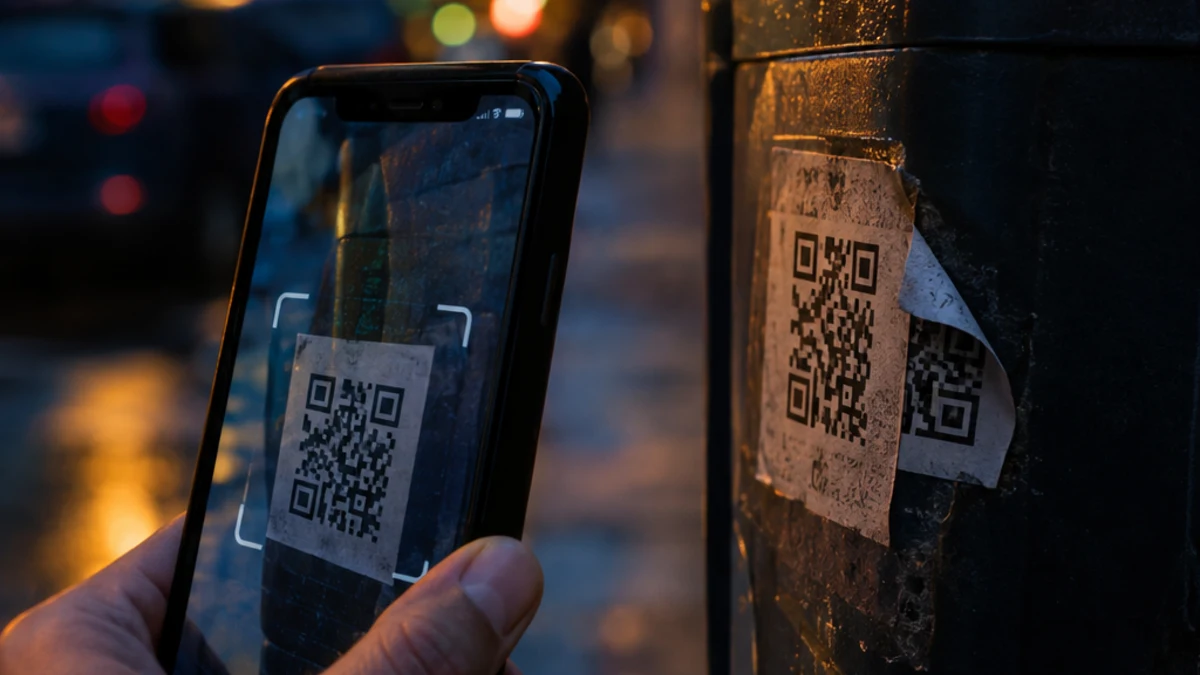
QR codes are everywhere now: restaurant menus, parking meters, concert tickets, boarding passes, package labels and the bottom of marketing emails. That convenience is exactly why scammers like them. A QR code hides its destination until you scan it, and most people scan first and think later.
Security folks call this "quishing," short for QR code phishing. If you already use a VPN, it's natural to wonder whether it has you covered. The honest answer: a VPN by itself does not stop QR code scams, but a VPN with DNS-level threat blocking can stop many of them. This guide explains the difference and what else you should do.
How QR Code Scams Work
A QR code is just a link in picture form. The danger isn't the code itself. It's where the link sends you. Federal agencies have documented several common versions:
- Fake parking meter codes. The Federal Trade Commission has warned about scammers covering legitimate QR codes on parking meters with stickers of their own. It repeated that warning in a September 2026 alert. Scan the fake code, and you land on a lookalike payment page that takes your card number.
- Mystery packages. The FTC says some unexpected packages, often tied to "brushing" scams, include a note asking you to scan a QR code to see who sent the gift or to process a return. In its August 2026 alert, the agency said scanning could take you to a phishing site designed to steal credit card numbers, usernames or passwords. An earlier FTC alert added that the code could also download malware onto your phone.
- Emails and texts with a QR code. The FTC lists familiar stories: a package couldn't be delivered, there's a problem with your account, or someone noticed suspicious activity and you need to change your password. The urgency is the point.
- Targeted attacks. In January 2026 the FBI warned that the North Korean group Kimsuky was sending spearphishing emails with QR codes to think tanks, universities and government organizations. The FBI said victims were routed through attacker-controlled redirectors to mobile-friendly fake login pages impersonating Microsoft 365, Okta or VPN portals. The attackers then stole session tokens to get around multi-factor authentication.
Why QR Code Scams Work So Well
Three things make quishing more effective than a regular phishing link:
- You can't see the link. With a text link you can at least hover or read the address. A QR code shows nothing until it opens.
- It moves you to your phone. The FBI's alert points out that QR codes push victims from a protected work computer to a personal phone, outside the email filters and security tools that would normally inspect the link.
- The setting feels legitimate. A code on a city parking meter or inside a package addressed to you doesn't trigger the same suspicion as a random email.
Does a VPN Protect You From QR Code Scams?
It depends on which part of the VPN you're talking about.
The encryption part: not much
A VPN's main job is to encrypt your connection between your device and the VPN server. That protects you from people snooping on the same Wi-Fi network and hides your browsing from your internet provider. It's valuable, but it doesn't judge where you're going. If a QR code sends you to a fake parking payment page, an encrypted connection to that fake page is still a connection to a fake page.
The DNS-blocking part: a real layer
Some VPNs include DNS-level threat blocking. Every time your phone opens a website, it first looks up the site's domain name. A DNS filter checks that lookup against lists of known malicious and phishing domains and refuses to connect if there's a match. Our guide to how DNS filtering works explains the details.
That matters for QR codes because it doesn't care how you got to the link. Whether you tapped it in an email, typed it or scanned it from a sticker, the lookup happens the same way. If the scam domain or a redirector it passes through is already on a block list, the page won't load.
CyberFence Web Shield works this way. It filters known malicious and phishing domains at the DNS level on your phone, tablet and computer while CyberFence is connected.
Scan with a safety net. CyberFence Web Shield blocks known phishing and malware domains before the page loads, and AES-256-GCM encryption protects you on public Wi-Fi. US-operated, $7.99/month or $88.21/year.
See CyberFence PlansWhat a VPN Can't Do Against QR Code Scams
We'd rather be clear about the limits than oversell:
- Brand-new scam sites. Criminals register fresh domains constantly. A site created this morning may not be on any block list yet.
- Scams that don't need a bad website. Some codes lead to a legitimate payment app or a real but abused service. If nothing on the path is known to be malicious, DNS blocking has nothing to block.
- What you type. If a convincing page does load and you enter your card number or password, no VPN can take that back.
- Session token theft on its own. The FBI's alert describes attackers stealing login sessions to bypass multi-factor authentication. Blocking the phishing page helps, but your accounts also need strong protections. See our explainer on session hijacking and token theft.
For a broader look at these limits, see what a VPN does not protect you from and whether a VPN protects you from phishing.
How to Scan QR Codes Safely
These habits, drawn from FTC and FBI guidance, do most of the work:
- Preview the link before you open it. Most phone cameras show the web address before you tap. Check it for misspellings, swapped letters, extra words or an unfamiliar domain ending.
- Don't scan codes in messages you weren't expecting, especially ones that urge you to act now. If the message might be real, go to the company's website or app directly.
- Inspect public codes. On parking meters and posters, look for a sticker placed over the original. When in doubt, use the city's official parking app or pay at the machine.
- Don't scan codes in unexpected packages. The FTC says you can keep merchandise you didn't order and don't have to return it.
- Never download apps from a QR code link. Get apps only from the official app store.
- Be extra careful with login pages. If a scan takes you to a sign-in screen for email, Microsoft 365 or your bank, close it and sign in through the app or a bookmark instead.
- Protect your accounts. Use strong, unique passwords and multi-factor authentication, and keep your phone's software updated.
If You Already Scanned a Bad Code
- If you only opened the page: close it, and don't enter anything or install anything it suggests.
- If you entered a password: change it right away on the real site, and anywhere else you reused it. Turn on multi-factor authentication. The FTC gives the same advice.
- If you entered card or bank details: call your bank or card issuer, review recent transactions and consider a credit freeze or fraud alert.
- If you installed something: remove it, update your phone and watch for signs your phone was hacked.
- Report it to the FTC at ReportFraud.ftc.gov or the FBI at ic3.gov.
If you also want alerts when your email turns up in a known data breach, CyberFence offers Breach Monitor as a separate product.
The Bottom Line
A VPN's encryption won't save you from a malicious QR code, but a VPN with DNS-level threat blocking adds a real layer: it can stop known scam sites from loading no matter how you reached them. Pair that with a few seconds of checking the link before you tap, and you've closed most of the gaps scammers rely on. With holiday shopping and package deliveries ramping up, our holiday shopping safety guide covers the season's other common scams.
Block known scam sites on every device. CyberFence: AES-256-GCM VPN encryption, Web Shield DNS blocking of known phishing and malware domains and a kill switch, US-operated. $7.99/month or $88.21/year ($7.35/month).
Get Protected With CyberFenceWant to go deeper? Read the CyberFence competitor comparison hub , our free privacy and security tools , or CyberFence plans and pricing .