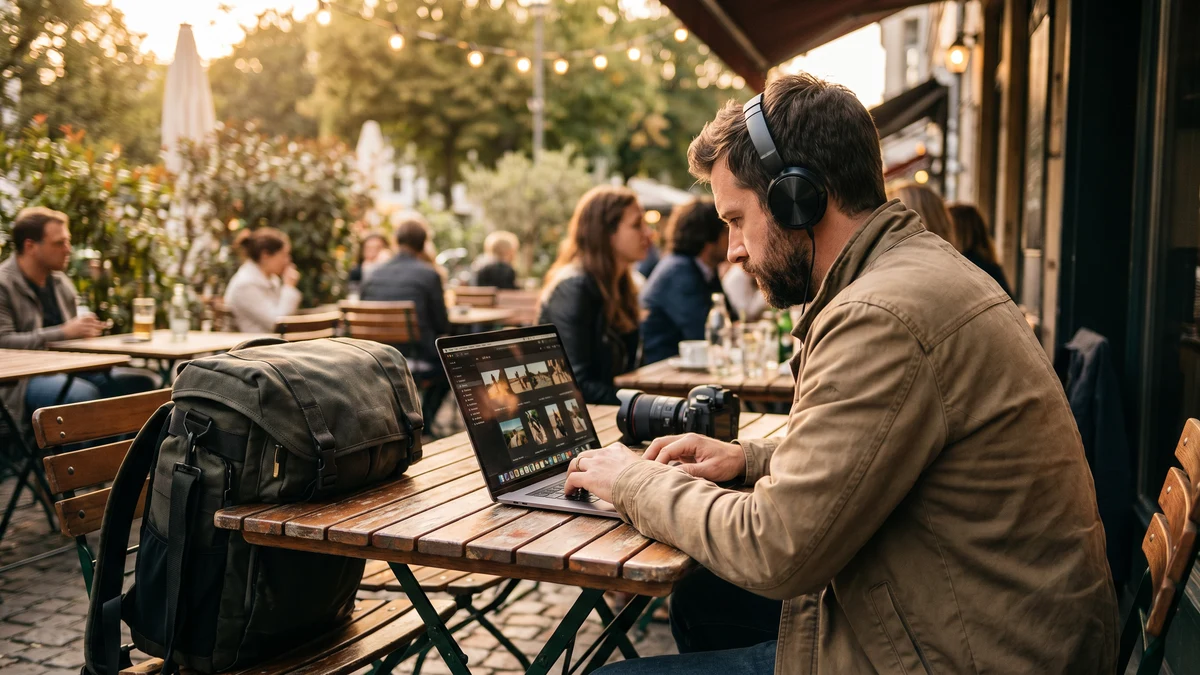
Photography is one of the most mobile professions there is. You shoot at venues, deliver galleries from coffee shops, send contracts from airport lounges, and back up shoots from hotel rooms. Most of that work happens on public networks — often without a second thought about who else might be watching.
The risk isn't just theoretical. Photographers carry irreplaceable client files, handle payment information, store signed contracts, and manage business accounts — all while constantly moving between networks of unknown security. A VPN closes the gaps that come with working everywhere.
What's Actually at Risk for a Photographer
Think through what a breach could actually mean for your photography business:
- Client galleries before delivery — wedding, newborn, corporate, or event photos that belong exclusively to the client until delivered. If intercepted before delivery, you've violated the client's trust and potentially your contract.
- Contracts and client communications — signed agreements contain client personal information, addresses, payment details, and session specifics. These are confidential business documents.
- Payment processing — whether you use HoneyBook, 17hats, QuickBooks, or send invoices directly, financial transactions handled on unsecured networks expose payment data.
- Cloud storage credentials — your Dropbox, Google Drive, or Backblaze login is the key to your entire archive. A compromised credential could result in deletion or ransomware targeting your stored work.
- Social media accounts — Instagram and Facebook are your primary marketing channels. Account takeovers targeting photographers are common and can be executed through credential interception on public Wi-Fi.
- Business banking — accessed from the same devices you use for editing and communication.
The Working Photographer's Network Reality
A wedding photographer might upload sneak peeks from the venue's Wi-Fi the night of the wedding. A portrait photographer might cull shots at a coffee shop while waiting between sessions. A travel photographer might back up a day's work from a hotel network. A commercial photographer might send final deliverables from a client's office.
Every one of these is a public or semi-public network with unknown security configuration. Without a VPN, every login, file transfer, and payment you make on those networks is potentially visible to anyone positioned to intercept Wi-Fi traffic.
The venues photographers frequent — hotels, event spaces, coffee shops, co-working spaces — are exactly the environments where attackers deploy evil twin networks and run packet capture tools. A photographer delivering client work is a perfect target: high-value files, payment transactions, and business account credentials all in one device.
Protect Every Shoot Delivery
CyberFence encrypts every connection from your laptop and phone — galleries, contracts, payments — with AES-256-GCM encryption. US-operated, zero logs.
See Plans →File Transfer Security
Photographers transfer large files constantly — raw files to cloud backup, edited galleries to delivery platforms, proofing links to clients. Services like Pic-Time, Pixieset, Cloudspot, and ShootProof all require authenticated logins. Those login sessions travel over the network each time you connect.
When you log into your gallery delivery platform from a coffee shop's Wi-Fi, that session token is transmitted over the network. If an attacker on the same network captures your session token, they can impersonate you in that platform — potentially accessing unreleased client galleries, downloading full-resolution files, or locking you out of your own account.
A VPN encrypts the entire session. The session token never travels in the clear, regardless of the network you're on.
Cloud Backup Security
Cloud backup is essential for photographers — your archive is your entire business history. But logging into Backblaze, Dropbox, or Google Drive on public Wi-Fi without a VPN exposes those credentials to interception. A compromised cloud storage account is catastrophic: years of client work potentially deleted, encrypted for ransom, or held hostage.
Some photographers use direct upload tools that run in the background while they're on location. These tools authenticate to cloud services automatically, often over whatever network the device happens to be connected to. A VPN running in the background ensures all those background connections are encrypted, even when you're not actively thinking about security.
Client Privacy and Contract Confidentiality
When a client books a photography session, they're trusting you with personal information: their address, schedule, family details, sometimes financial information. Wedding clients share venue details, honeymoon plans, and full names of minors in their party. Corporate clients may share NDA-protected information in pre-shoot communications.
If your email or business communication platform is accessed over an unsecured connection, that client data is potentially exposed. Photographers aren't typically subject to the same regulatory requirements as healthcare or financial professionals — but the ethical obligation to protect client information is the same. A data breach involving a client's home address, schedule, or personal details can be deeply damaging to both the client and your professional reputation.
Instagram and Social Media Account Protection
For most photographers, Instagram is their primary portfolio and client acquisition channel. Losing access to a well-built account — especially one with thousands of followers built over years — can be professionally devastating.
Instagram account takeovers targeting photographers are well-documented. The typical attack: credential interception on public Wi-Fi, credential stuffing using a password from another breach, or phishing through fake brand partnership DMs. A VPN on every device you use to access Instagram prevents the credential interception vector. Pair it with two-factor authentication to address the rest.
Protecting Your Gear Research and Purchase Records
Photographers spend significant amounts on gear. B&H, Adorama, Amazon, and manufacturer portals all store saved payment methods and purchase history. Accessing these accounts over public Wi-Fi without encryption exposes saved card data and enables potential fraudulent purchases through session hijacking.
This is a more subtle risk than losing client files, but the financial exposure is real — especially for photographers who frequently purchase equipment and may have purchase alerts turned off for trusted merchants.
What CyberFence Provides for Photographers
- AES-256-GCM encryption on every connection — coffee shop, hotel, venue, airport, anywhere you work
- Web Shield DNS filtering — blocks malicious domains and phishing sites, including fake login pages targeting social media and cloud storage accounts
- Zero-log policy — your browsing activity is never recorded
- Kill switch — if the VPN connection drops, internet access cuts automatically to prevent unencrypted data from leaking
- Mac and iPhone optimized — works seamlessly on the Apple ecosystem most photographers use for editing and delivery
- US-operated infrastructure — your data stays under US law
CyberFence runs quietly in the background while you work. You won't notice it — unless you're on a compromised network, in which case everything the attacker captures is encrypted gibberish instead of your session tokens, credentials, and client files.
Practical Setup for Photographers
Getting protected takes about five minutes:
- Install CyberFence on your primary editing laptop — this is where your most sensitive work happens
- Install on your phone — you're likely managing client communications, Instagram, and gallery approvals from your phone throughout the day
- Enable auto-connect on untrusted networks — set CyberFence to connect automatically on any network that isn't your home or studio Wi-Fi
- Enable the kill switch — ensures no unencrypted data leaks if the connection drops momentarily
- Enable two-factor authentication on Instagram, email, gallery platforms, and cloud storage — the VPN handles network-level protection; 2FA handles account-level protection
With these steps in place, your photography business has the same connection-level protection as a corporate enterprise — without any IT department required.
The Cost Calculation
One compromised client gallery, one account takeover on a client's wedding files, one fraudulent charge on a saved payment method — any of those outcomes costs more to address than years of VPN coverage. For a freelance photographer, the reputational damage from a client data incident can be career-affecting.
CyberFence starts at $7.35/mo on an annual plan — less than a memory card per month. For the protection it provides across your devices, your client relationships, and your business accounts, it's one of the most straightforward security investments available to working photographers.
Work From Anywhere, Securely
CyberFence protects your connections whether you're delivering galleries from a hotel room or culling shots at a coffee shop. Start your free trial through the App Store or Google Play.
View Plans →