Also on CyberFence: CyberFence's industry directory for other professions · CyberFence Teams for employee VPN protection .
Quick answer
Do international students need a VPN?
Mostly. If you study in the US and fly home for winter break, you'll sign in to your US bank, your school portal and your email from airport, family and café Wi-Fi in another country. A VPN encrypts those connections and lets you connect through a US server. It won't stop scam calls, and some countries restrict VPN use, so check your home country's rules first.
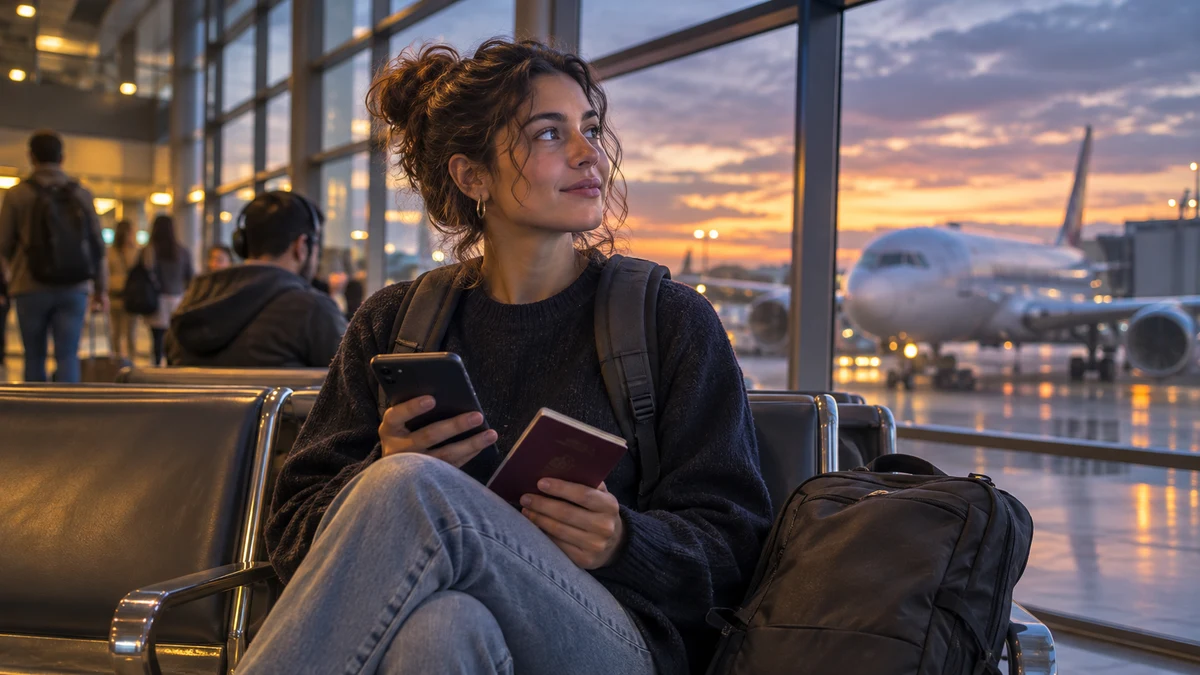
More than 1.1 million international students studied at US colleges and universities in the 2025/26 academic year, according to the Open Doors 2026 report released November 16, 2026. Many of them will head home for the holidays in the next few weeks.
That trip turns your phone and laptop into the one link between two countries: your US bank, your student account, your housing payments and your family's networks. Here's what a VPN does on that trip, what it can't do, and what to set up before you fly.
Where a VPN Helps on Your Trip Home
Winter break puts you on more networks you don't control than any other week of the year:
- Campus and dorm Wi-Fi while you pack and book rides, shared with thousands of other students.
- Airport Wi-Fi on both ends and at every layover, where anyone can create a hotspot with a convincing name.
- Family, café and hotel Wi-Fi at home, often with an old router or a password everyone in the building knows.
On a shared or fake network, whoever runs it can see which sites you visit and can try to send you to fake login pages. A VPN puts your traffic in an encrypted tunnel before it leaves your device, so the network in the middle sees only that you're connected to a VPN.
See how CyberFence protects you on shared Wi-Fi
Watch CyberFence encrypt a phone's connection on hotel, airport and café Wi-Fi.
Watch the Hotel. Airport. Café. film
Select play to load YouTube, then start the film in the player. YouTube processes data when loaded; its privacy policy applies.
Watch on YouTube (opens a new tab)
Read the video transcript
Is this network safe to use? You ask it at every stop on a trip.
At the hotel, turn on CyberFence, and your laptop's connection is encrypted through US-based servers. At the airport, the Network view on your phone shows the network you're on, and whether it's secured. At the café, one tap connects your iPad.
Sign in on each device with the same account.
Hotel. Airport. Café. CyberFence comes with you. Get protected today.
Signing In to US Accounts From Abroad
This is the part most students don't think about until a bank locks them out. Banks and school systems watch for unusual sign-ins, and a login from a new country can trigger extra checks, a temporary hold or a phone call you can't easily answer from overseas.
Connecting through a US CyberFence server can make your sign-ins look closer to your usual activity on campus. It can reduce those extra checks, not eliminate them. Do these too:
- Tell your bank you'll be abroad, and note your travel dates in its app if it offers that option.
- Check how you'll get sign-in codes. If your codes go by text to a US number you won't be using, switch to an authenticator app before you leave.
- Use your school's own VPN for school systems if your university provides one for library databases or research tools. Your IT office will tell you which to use.
The Scam a VPN Can't Stop
Be honest with yourself about the biggest threat. For international students, it isn't hacked Wi-Fi. It's people pretending to be government officials.
The FBI warned in a May 2025 public service announcement that scammers contact students on F-1 visas, pose as officials from DHS, Homeland Security Investigations or USCIS, and claim the student is out of status. Victims are threatened with prosecution or deportation and told to pay for "immigration paperwork," university fees or legal fees. The FBI says government impersonation schemes like this cost Americans more than $405 million in 2024, from over 17,000 complaints.
The Department of Homeland Security's Study in the States site says DHS agencies will never ask you to transfer money to an individual or pay fees by phone or email. Warning signs include:
- A caller asking for your I-94 or Alien Registration Number.
- A claim that your SEVIS record has a problem.
- Demands for payment by wire, gift card, prepaid card or cryptocurrency.
- An offer to "fix" your immigration status for a fee.
If that happens, end the call, don't send anything, and contact your designated school official (DSO). Scammers spoof real phone numbers, so a familiar caller ID proves nothing. A VPN can't block a phone call. What it does is protect the accounts those scammers would love to get into.
Paying Tuition, Rent and Bills From Home
Spring tuition, housing deposits and phone bills often come due while you're away. That makes break a good time for scammers to send fake "payment overdue" emails and texts with links to look-alike payment pages.
- Pay only through your school's official portal. Type the address yourself or use the bookmark you already have, instead of tapping a link in a message.
- Be suspicious of new payment instructions. If a landlord, housing office or "tuition agent" suddenly asks you to pay a different account, call them on a number you already know before you send anything.
- Turn CyberFence on before you pay on any family, café or hotel network. Web Shield blocks known malicious sites, which helps if a link slips through.
- Keep receipts. If a payment goes wrong, a screenshot and confirmation number make it much easier for your bank or school to help.
Check Your Home Country's VPN Rules
VPN rules vary by country. Some countries restrict VPN use or allow only approved services, and enforcement can change without much warning. Before you fly, look up the current rules for where you're going, and follow them. CyberFence can't make a VPN legal where it isn't, and you shouldn't rely on any VPN in a country where using one could get you into trouble.
How to Set Up CyberFence Before Break
- Install and sign in on campus. App store downloads and account sign-in are easier on a network you know than at an airport.
- Protect your phone and laptop. One plan covers iPhone, iPad, Android, Mac and Windows.
- Turn it on before you open your bank or email on any airport, café or family Wi-Fi.
- Sign in to airport Wi-Fi first. Many airport networks show a sign-in page that a VPN can block. Accept the terms, then switch CyberFence on.
- Test it before you leave. Connect to a US server and open your bank and student portal once, so you know everything works before you're thousands of miles away.
What a VPN Won't Do
A VPN won't stop phishing on its own, and Web Shield blocks known malicious sites, not every new one. It won't stop scam calls or texts. It doesn't override your bank's security checks or your country's laws. It doesn't hide what you do from your school on a school-managed device, and the VPN provider can see connection details. And a VPN doesn't make you anonymous.
Frequently Asked Questions
Do international students need a VPN?
Not for everything, but it helps. A VPN encrypts your connection on airport, dorm, café and hotel Wi-Fi, and a US server can make signing in to US bank and school accounts from abroad look closer to your usual activity. It does not protect you from phone and email scams, which are the biggest threat the FBI has warned students about.
Can I use my US bank account while I am home for break?
Usually, yes. Before you leave, tell your bank you will be abroad, make sure you can receive sign-in codes outside the US, and connect through a US VPN server on shared Wi-Fi. A VPN can reduce, but not eliminate, extra security checks from your bank.
Is it legal to use a VPN in my home country?
It depends on the country. Some countries restrict VPNs or allow only approved services. Check your home country's rules before you travel. A VPN does not make you exempt from local law.
Will a VPN stop immigration impersonation scams?
No. Those scams arrive by phone, text, email and social media. Government agencies like DHS and USCIS will never ask you to send money by phone or gift card. Hang up and call your designated school official instead.
Read Next
Bottom line
If you're an international student heading home for break, set up CyberFence on campus, turn it on whenever you join a network you don't control, and connect through a US server when you sign in to US accounts. Check your home country's VPN rules first. And remember that the most expensive threat isn't a Wi-Fi network. It's a phone call from someone pretending to be immigration. Hang up and call your DSO.
Want to go deeper? Read how CyberFence protects other regulated industries , the CyberFence Teams product page , or CyberFence plans and pricing .