Also on CyberFence: CyberFence's industry directory for other professions · CyberFence Teams for employee VPN protection .
Quick answer
Do RV travelers need a VPN?
Mostly. Campground and RV park Wi-Fi is shared with everyone in the park, often with no password or one taped to the office door, and you can't check how it's run. A VPN encrypts your connection so your banking, email and bill pay stay private on it. It won't fix slow park Wi-Fi or stop scam texts on its own.
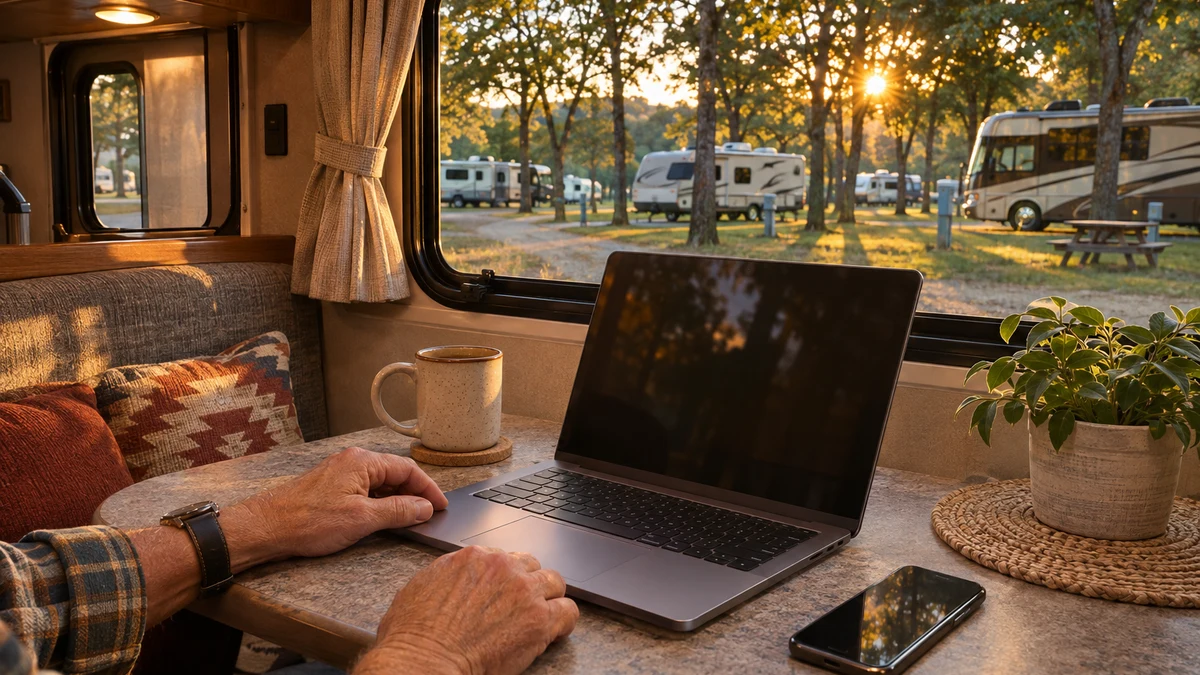
RV travel is a big part of how Americans see the country. The RV Industry Association counts 8.1 million US households that own an RV, based on its 2025 owner profile, and Kampgrounds of America says over 52 million North American households camped in 2025 in its 2026 report. This time of year, many snowbirds are already heading south for the winter.
Life on the road means managing money, medical portals and family email over whatever Wi-Fi the park provides. Here's where that's risky, what a VPN does about it, and how to set it up before your next trip.
Why Campground Wi-Fi Is Different From Home
At home, you control the router and know who's on it. At a campground, you're one of dozens or hundreds of guests on the same network:
- It's often open or lightly protected. Many parks use no password, or one shared password printed on a welcome sheet. The FTC's Wise Up About Wi-Fi guide says that if a hotspot doesn't require a password, it isn't secure.
- Everyone in the park can join. That includes the site next to you and anyone parked within range of the access points.
- You can't check the router. You don't know who set it up, whether it's updated, or whether the "Park_Guest" network you see is the park's or a look-alike someone else created.
To be fair, the risk is lower than it used to be. The FTC now says that because most websites use encryption, connecting through a public Wi-Fi network is usually safe for ordinary browsing. The gaps are the things HTTPS doesn't cover: whoever runs or imitates the network can still see which sites you visit and can try to send you to fake sign-in pages.
See how CyberFence protects you on shared Wi-Fi
Watch CyberFence encrypt a phone's connection on hotel, airport and café Wi-Fi, the same way it works at the campground.
Watch the Hotel. Airport. Café. film
Select play to load YouTube, then start the film in the player. YouTube processes data when loaded; its privacy policy applies.
Watch on YouTube (opens a new tab)
Read the video transcript
Is this network safe to use? You ask it at every stop on a trip.
At the hotel, turn on CyberFence, and your laptop's connection is encrypted through US-based servers. At the airport, the Network view on your phone shows the network you're on, and whether it's secured. At the café, one tap connects your iPad.
Sign in on each device with the same account.
Hotel. Airport. Café. CyberFence comes with you. Get protected today.
What RVers Actually Do on Park Wi-Fi
Life on the road isn't just streaming movies. On a typical week at a park, RVers:
- Pay bills and check bank balances from the dinette table.
- Book the next campsite with a credit card.
- Sign in to Medicare, pharmacy or doctor portals to refill prescriptions on the road.
- Work remotely, for full-timers and working-age owners. RVIA says the median owner is now 49.
- Video call family and share photos.
Most of those involve your name, account numbers or health details. That's exactly the information worth keeping off a network you share with strangers.
Travel Routers: Helpful, but Keep Them Updated
Many RVers use a travel router or a mobile hotspot to create their own private Wi-Fi inside the rig. That's a smart move: your devices aren't directly on the park network anymore. But your router still connects out through the park's Wi-Fi, so the traffic leaving your rig crosses the same shared network.
Travel routers also need care. This month, router maker GL.iNet confirmed that an attacker used a flaw in its cloud remote management service to install malware on some customers' routers, BleepingComputer reported on November 22, 2026. If you use any travel router, install its latest firmware, turn off remote management you don't use, and change the default admin password.
Running CyberFence on your phones and laptops covers you either way. Your traffic is encrypted before it reaches your travel router or the park's, so neither one can read it.
How to Set Up CyberFence for Life on the Road
- Install at home or on a strong signal. App downloads and sign-in are much easier before you're on a crowded park network.
- Protect the devices you bank on. One plan covers iPhone, iPad, Android, Mac and Windows.
- Sign in to the park's Wi-Fi first. Many parks use a sign-in page that a VPN can block. Accept the terms, then turn CyberFence on.
- Confirm the network name at check-in. Ask the office for the exact Wi-Fi name so you don't join a look-alike.
- Leave it on for banking, email and bookings. Make it a habit every time you pull into a new park.
Snowbird Season: Months on the Same Network
Snowbirds who park for the whole winter face a slightly different risk. Instead of a few nights on a park network, you're on it for months, alongside the same neighbors and a steady stream of new arrivals. Small habits matter more over that much time.
- Ask whether the park offers private Wi-Fi. Some long-stay parks sell individual accounts or site-specific passwords. A network only your devices use is better than one shared password for the whole park.
- Keep CyberFence on by default, not just when you remember. Over a whole season, the one time you forget is usually the time you pay a bill.
- Watch your mail and accounts. If you forward mail while you're away, check bank and card statements often so a problem doesn't sit unnoticed until spring.
- Update devices before you leave home. Large updates are painful on slow park Wi-Fi, so people put them off. Install them on your home connection first.
Other Ways to Stay Safe on the Road
- Use your own cellular data for the most sensitive tasks when you have a good signal. It's a network only you are on.
- Turn on two-step sign-in for email and banking, and make sure you can still get codes in areas with weak service.
- Watch for reservation scams. Texts and emails about "campsite refunds" or "booking problems" are a common trick. Check them in the campground's own app or by calling the office.
- Forget networks when you leave. Remove old park networks from your devices so they don't rejoin automatically at another park with the same name.
What a VPN Won't Do
A VPN can't make slow park Wi-Fi faster, and it may slow it slightly. It doesn't stop phishing on its own, and Web Shield blocks known malicious sites, not every new one. It won't clean up a hacked travel router. It doesn't hide your activity from your employer on a work-managed laptop, and the VPN provider can see connection details. And a VPN doesn't make you anonymous.
Frequently Asked Questions
Is campground Wi-Fi safe to use?
It's fine for casual browsing on sites that use HTTPS, but it's a shared network run by the park, often with no password or one posted at the office. Anyone in the park can join it, and you can't check how the router is set up. Use a VPN before you sign in to banking, email or anything with your personal details.
Do I need a VPN if I use my phone's hotspot instead?
Your own cellular hotspot is much safer than open park Wi-Fi, because only your devices are on it. A VPN still adds privacy from your carrier and protects you whenever you switch back to park, café or library Wi-Fi.
Will a VPN slow down slow RV park Wi-Fi?
A little. Encryption adds some overhead, and on a congested park network you may notice it most on video. For banking, email and bill pay, the difference is usually small.
Should I use a VPN with my travel router?
Yes, on your phones and laptops. A travel router gives your rig its own private Wi-Fi, but its connection to the park is still the shared network. Running CyberFence on each device encrypts traffic before it reaches either router. Keep the travel router's firmware updated too.
Read Next
Bottom line
Campground Wi-Fi is a shared network you don't control, and life on the road runs through it: banking, bookings, prescriptions and family email. Install CyberFence before you leave, sign in to the park's Wi-Fi, then turn CyberFence on before you open anything personal. Keep your travel router updated, and use your own cellular data for the most sensitive tasks when you can.
Want to go deeper? Read how CyberFence protects other regulated industries , the CyberFence Teams product page , or CyberFence plans and pricing .